
LinkedIn · Image sizes
Crop LinkedIn for cover, feed, article, carousel, event, or Company Page
Personal profiles, Company Pages, articles, carousels, and Events use different artboards. Posts and circular logos are separate exports—pick the surface before you crop.
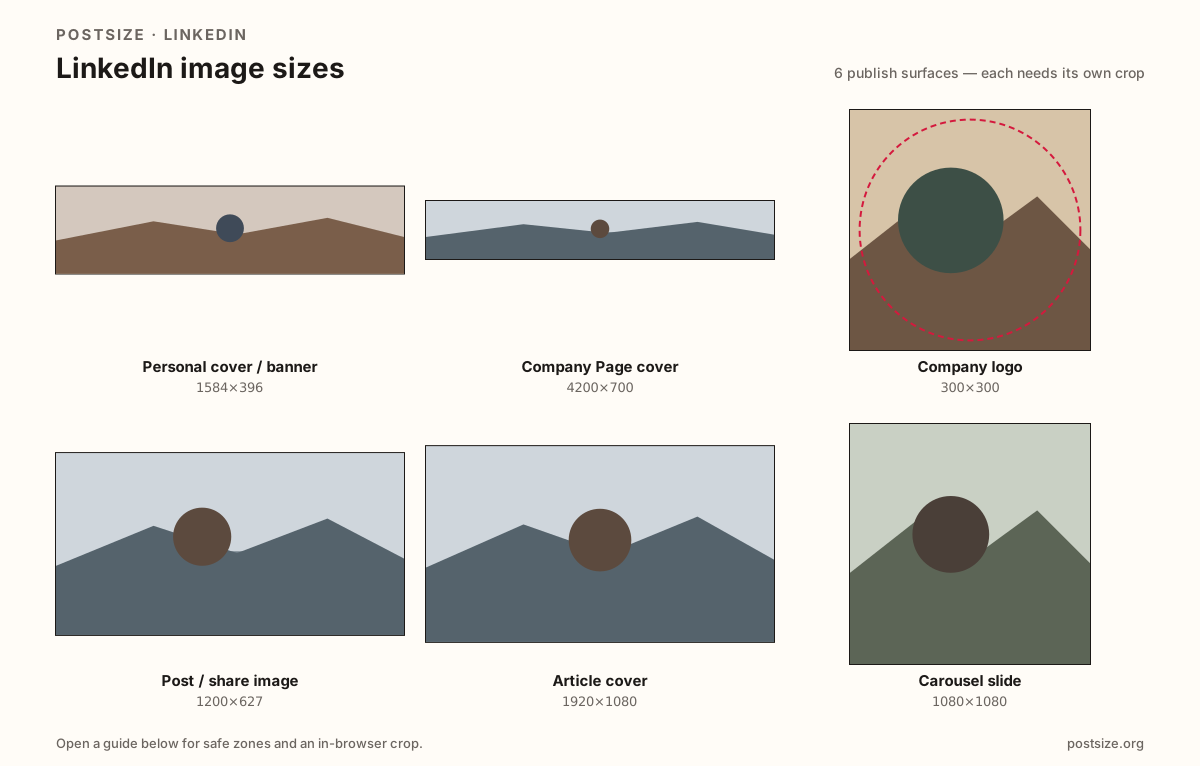
Sizes on LinkedIn
Open a guide for exact pixels, safe zones, and an in-browser crop for that surface.
Personal cover / banner
1584 × 396
4:1 personal background—keep headlines out of the avatar corner.
Company Page cover
4200 × 700
Recommended upload; displays ~1128×191—do not reuse the personal 4:1 export.
Company logo
300 × 300
Square logo shown as a circle on the Company Page.
Post / share image
1200 × 627
~1.91:1 cards that stay readable after LinkedIn compression.
Article cover
1920 × 1080
Practical Full HD article/header—optional 1200×627 check.
Carousel slide
1080 × 1080
Square multi-image slides with swipe-safe margins.
Event cover
1776 × 444
Wide event header—not the personal or Company Page cover.
Profile picture
800 × 800
Circular headshot—center face, simple background.
Personal vs Company vs article vs carousel vs Event
Personal covers are 1584×396 (4:1) with your photo over the lower-left. Company Page covers upload at 4200×700 (display ~1128×191)—so personal banners look wrong if you stretch them. Shared posts often land near 1200×627. Profile photos and Company logos are circle-safe squares.
Article heroes prefer a practical 1920×1080 master (with a ~1200×627 featured check). Carousel slides want consistent 1080×1080 squares—not stretched wide cards. Event covers are another short wide strip (~1776×444)—not the personal or Company upload.
Pick the guide that matches the edit you are making. Each includes pixels, overlap or margin notes, and an in-browser crop.
Quick picks
Match the task to the guide so you do not export the wrong ratio.
- Updating the wide strip on your personal profile → Personal cover; quiet lower-left under the circle.
- Company Page header → Company cover at 4200×700 (displays ~1128×191)—not the personal 1584×396 file.
- Company mark in search and comments → Company logo square.
- Image attached to a short post → Post / share image near 1200×627.
- Long-form article hero → Article cover at 1920×1080.
- Multi-slide document post → Carousel slides at 1080×1080.
- LinkedIn Event page header → Event cover at 1776×444.
- Connection-request face only → Profile picture; fill the circle with head and shoulders.
Frequently asked questions
What is the LinkedIn cover photo size?
Personal: 1584×396 (4:1). Company Page: upload 4200×700 (displays ~1128×191). They are different ratios—do not stretch one into the other.
What size should LinkedIn post images be?
1200×627 is a reliable shared-image default. Square can work for some native photos, but link-style cards expect the wider frame.
What size is a LinkedIn article cover?
A practical master is 1920×1080. Many featured cards also land near 1200×627—verify both.
What size are LinkedIn carousel slides?
A practical size is 1080×1080 per slide. Keep titles inside the safe margin for swipe UI.
What size is a LinkedIn profile picture?
A square shown as a circle—upload 800×800 when the original is clear. 400×400 is a common display reference, not a reason to ship a soft file.
What size is a LinkedIn Company logo?
A square—300×300 is a common display target; uploading a clearer 800×800 square helps after LinkedIn scales it down.
Can I reuse my Facebook cover on LinkedIn?
Reuse the photo, not the Facebook export. Re-crop to the personal 4:1 or Company strip so overlaps stay intentional.