
Telegram · Image sizes
Crop Telegram for the circle, channel still, or Story
Your photo is a tiny circle. Channel posts are widescreen cards. Stories fill 9:16. Open the matching guide—Telegram has no traditional wide profile banner like X.
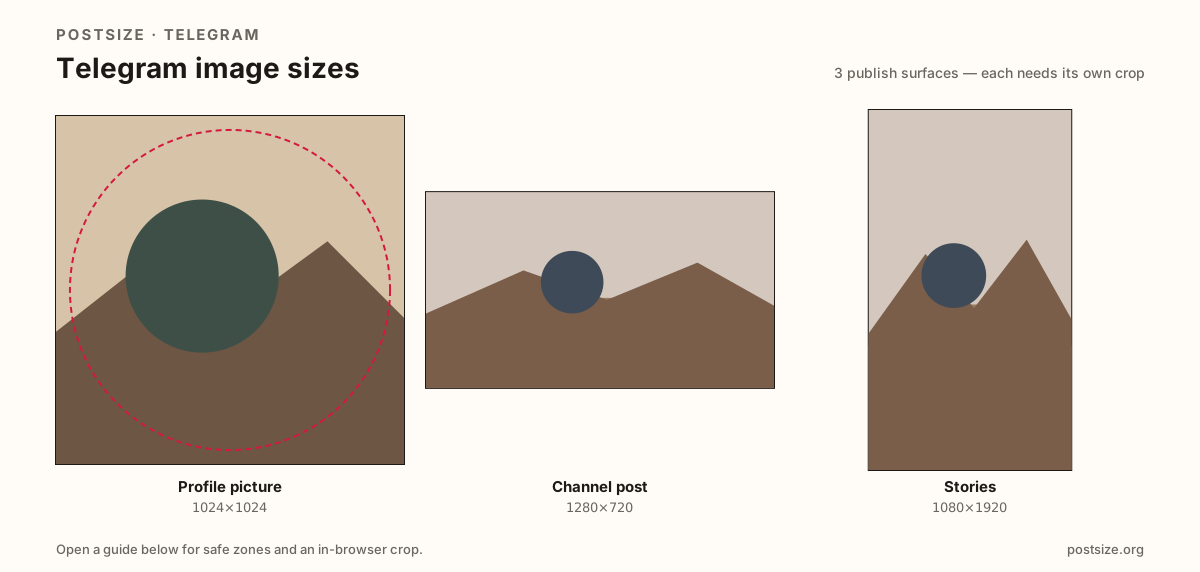
Sizes on Telegram
Open a guide for exact pixels, safe zones, and an in-browser crop for that surface.
Chat circles vs channel feed cards vs Stories
Telegram shows profile, group, and channel photos as circles. Chat lists shrink that same file to a disc you must recognize at a glance. A clear square upload (try 1024×1024) with the face or mark centered beats a soft corner crop.
Channel posts are a different job. A practical 1280×720 still carries announcements; square 1280×1280 works for centered subjects. Photos sent as images are compressed—send as a file when fidelity matters.
Stories are another vertical job at 1080×1920—full-screen under progress and reply UI, not a channel post card. Creators often search for a “Telegram banner size.” Personal profiles do not use an X/YouTube-style croppable header here—use the circular photo, a channel post, or a Story.
Quick picks
Match the task to the guide so you do not export the wrong ratio.
- Only the circle in chat lists → Profile picture; prefer 1024×1024.
- Announcing in a channel feed → Channel post at 1280×720 (or square).
- Vertical Story frame → Stories at 1080×1920; keep hooks out of chrome bands.
- Need print-clear diagrams → Crop, then send as a file in Telegram.
- Looking for a wide profile banner → Telegram does not offer an X-style slot here—use a channel post instead.
Frequently asked questions
What size is a Telegram profile picture?
Upload a square—1024×1024 is a clearer target; 512×512 also works. Telegram shows it as a circle.
What size should Telegram channel posts be?
1280×720 (16:9) is a strong default; 1280×1280 works for square subjects. Expect compression when sending as a photo.
What size is a Telegram Story?
1080×1920 (9:16). It is not the same job as a channel post card—keep subjects clear of Story chrome.
Does Telegram have a profile banner?
Not like X or YouTube. Do not invent a fake header crop. Use the circular profile photo, or publish wide art as a channel post.
Can I crop Telegram sizes in the browser?
Yes. Each guide includes an in-browser crop—files stay on your device until you download and upload to Telegram yourself.