
Google Business · Image sizes
Crop Google Business for posts, photos, or the wide cover
Posts and many gallery uploads work as squares. The profile cover is a landscape frame. Open the guide that matches the slot, keep the storefront clear, then download a clear file.
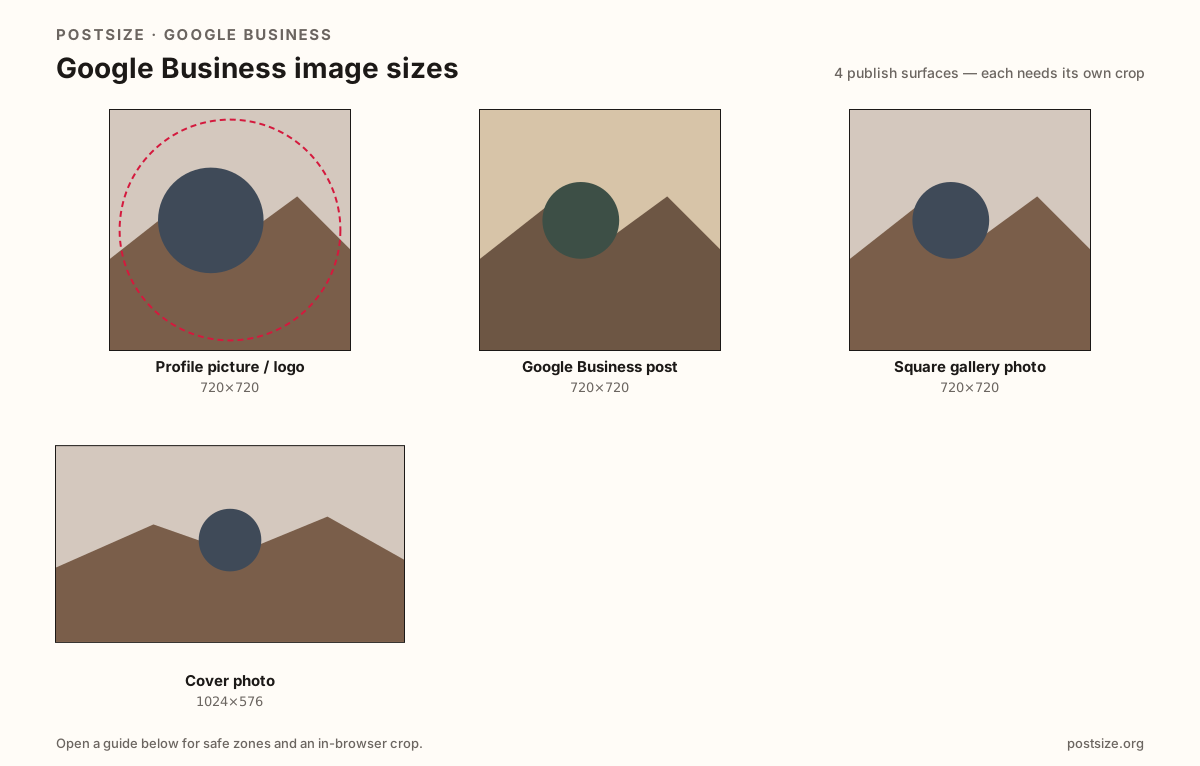
Sizes on Google Business
Open a guide for exact pixels, safe zones, and an in-browser crop for that surface.
Profile picture / logo
720 × 720
Small identity mark for Search and Maps—center the logo inside a tight safe zone.
Google Business post
720 × 720
Updates, offers, and event posts—center the subject for small Maps cards.
Square gallery photo
720 × 720
Photos-tab and gallery-style uploads—same square habit, gallery framing.
Cover photo
1024 × 576
16:9 landscape header—keep the storefront in the clear band.
Local discovery needs the right artboard
Customers judge your business from small cards in Search and Maps before they ever open the full profile. Soft upscales, tilted interiors, and Facebook banners stretched into the wrong slot look unfinished next to clean competitor photos.
Square posts and photos (try 720×720) suit updates, offers, and gallery uploads. Covers commonly target 1024×576 (16:9) so the entrance and signage stay readable. Reuse the photography if you want—export each ratio separately.
The profile picture / logo is a third job: a small identity mark next to the business name. Wide wordmarks and cover strips fail there—center a clean square mark instead.
Each guide includes practical pixels, a checklist, and an in-browser crop. Nothing is uploaded to a server—you download the JPG or PNG and publish in Google Business Profile yourself.
Quick picks
Match the task to the guide so you do not export the wrong ratio.
- Updating the logo next to your business name → Profile picture / logo at 720×720.
- Publishing a Google post or offer → Post size at 720×720.
- Filling the Photos tab → Square gallery photo at 720×720.
- Updating the wide profile header → Cover at 1024×576; do not stretch a square.
- Coming from Facebook or Instagram → Re-crop; social banners and 4:5 posts are different jobs.
- Showing a logo → Keep it centered in a square; wide wordmarks get clipped when shown small.
Frequently asked questions
What size should Google Business photos be?
A clear square—720×720—works well for many posts and photo uploads. Keep the subject centered for small Search and Maps cards.
What is the Google Business post size?
Use a clear 720×720 square for updates and offers. See the post size guide for Posts-composer tips; the photo guide covers gallery uploads.
What size is the Google Business profile picture or logo?
Use a clear square—720×720 works well. Keep the full mark inside a circular-safe center. See the profile picture guide for logo-specific tips.
Is Google My Business the same as Google Business Profile?
Yes—it is the older name for the same product. Logo, posts, photos, and cover are still the image slots that matter.
What is the Google Business cover size?
1024×576 (16:9) is a common cover target. Keep the entrance and signage in the center band.
Can I reuse Facebook covers on Google?
Reuse the photo, not the Facebook export. Re-crop to 16:9 so the storefront stays intentional.
Can I crop Google Business sizes in the browser?
Yes. The guides on this hub include an in-browser crop—files stay on your device until you download and upload in Google yourself.