
TikTok · Image sizes
Size TikTok video, Photo Mode, Shop, Live, and the avatar separately
Vertical video and Live cards fill the phone under captions and buttons. Photo Mode and Shop listings use different artboards. Your profile photo is a tiny circle in comments.
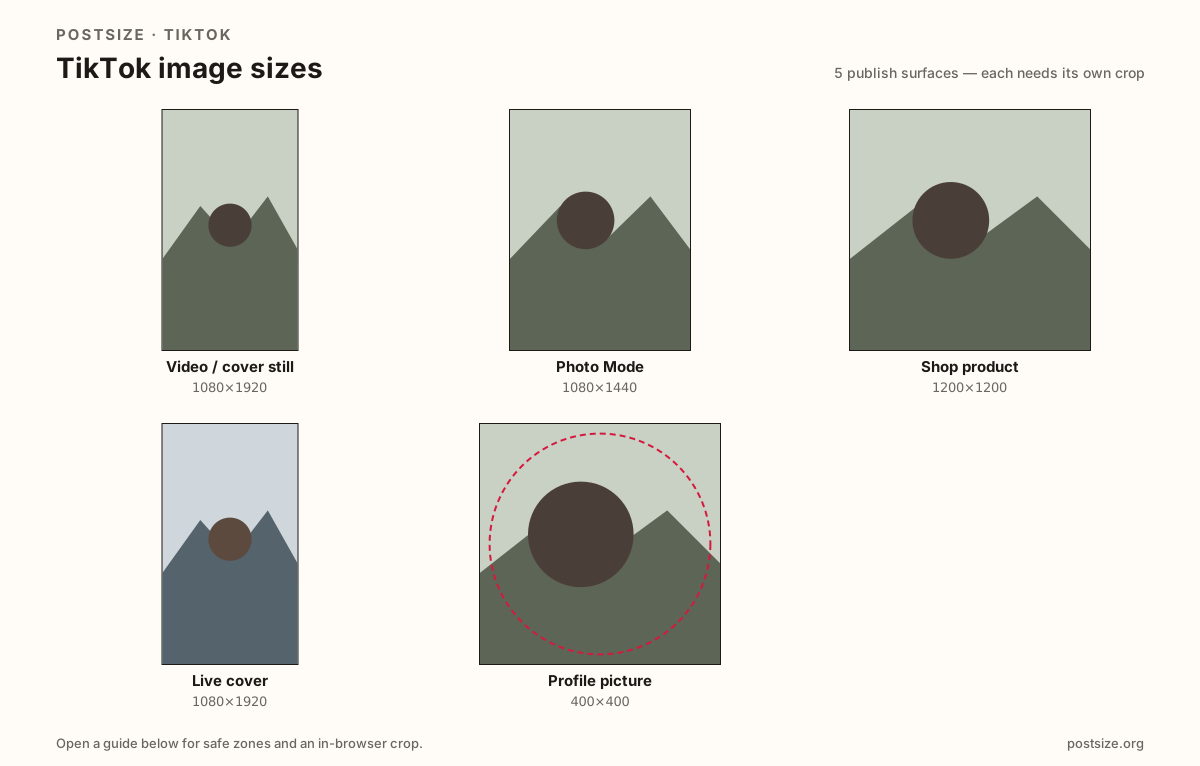
Sizes on TikTok
Open a guide for exact pixels, safe zones, and an in-browser crop for that surface.
Video / cover still
1080 × 1920
9:16 frame with UI clearance for captions and the action column.
Photo Mode
1080 × 1440
Practical 3:4 multi-photo posts—keep every slide on the same ratio.
Shop product
1200 × 1200
Square listing master for TikTok Shop—not a video cover.
Live cover
1080 × 1920
Stream entry still—same pixels as video covers, Live chrome and job.
Profile picture
400 × 400
Circular avatar for profile and comments—tight face, quiet corners.
Full-screen video is not a clear canvas—and Photo Mode is not 9:16
TikTok’s For You feed draws username, captions, sounds, and Like/Share controls over your pixels—especially the right edge and lower third. A cover still or opening freeze-frame must keep the hook in the clear center-left band.
Photo Mode multi-image posts often prefer a taller 3:4 habit (~1080×1440), not a stretched 9:16 video still. Shop product shots want a clean square master. Live covers often reuse 1080×1920 pixels with different Live chrome.
The profile picture is a different file entirely. Do not stretch a 9:16 thumbnail into the avatar slot—export a centered headshot that still reads beside a scrolling comment.
Quick picks
Match the task to the guide so you do not export the wrong ratio.
- Choosing a cover or first-frame still → Video / cover still; keep the face out of the right button stack.
- Multi-photo Photo Mode post → Photo Mode at 1080×1440; match slide ratios.
- TikTok Shop listing photo → Shop product square.
- Going live → Live cover at 1080×1920; re-check Live chrome even if you reuse a video still.
- Only the circle on your profile → Profile picture; fill the guide with one clear face.
- Repurposing a Reel → Same pixels, different chrome—open the TikTok video guide and re-check safe zones.
Frequently asked questions
What is the TikTok video size?
1080×1920 (9:16). Design cover stills and opening frames so captions and right-side buttons do not cover the subject.
What size is a TikTok Live cover?
1080×1920 (9:16) is a practical Live entry still. Same pixels as video covers—different Live UI. Re-check before you go live.
What size is a TikTok profile picture?
A square shown as a circle—400×400 is a strong upload target. Smaller soft files look blurry next to HD video.
Can I use an Instagram Reel cover on TikTok?
As a starting file, yes—both are 9:16—but re-check TikTok’s caption and button layout before you publish.
Does this site crop TikTok video?
The tool crops still cover frames at 1080×1920. Match the same safe zone when you export video from your editor.