
Vimeo · Image sizes
Crop Vimeo for the thumbnail or the channel header
Video thumbs and channel headers are different ratios. Open the matching guide, then crop before you upload.
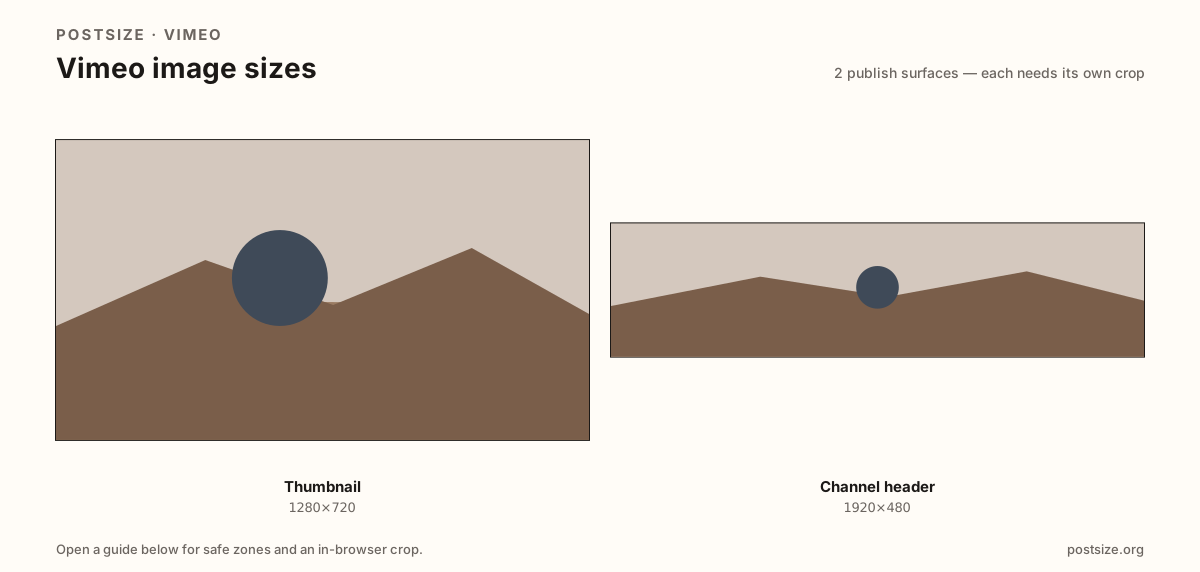
Sizes on Vimeo
Open a guide for exact pixels, safe zones, and an in-browser crop for that surface.
Click cards vs channel billboards
Thumbnails are 16:9 click cards at 1280×720 for players, galleries, and embeds. Prefer a sharp custom still over a random auto frame.
Channel headers use a wider practical strip—try 1920×480 (~4:1) and always preview on the live channel. Layouts can vary; this is a community target, not a fake official law.
Each guide includes practical pixels, a checklist, and an in-browser crop. Stretching one surface into the other is the fastest way to soft, letterboxed branding.
Quick picks
Match the task to the guide so you do not export the wrong ratio.
- Custom video still → Thumbnail at 1280×720.
- Channel page branding → Header at 1920×480, then preview live.
- Coming from YouTube → Re-crop; do not stretch channel art blindly.
- Thumb looks soft in a showcase → You used a blurry mid-roll frame—pick a sharper still.
- Header logo clips on mobile → Keep the mark inside the center band.
Frequently asked questions
What size is a Vimeo thumbnail?
1280×720 (16:9) is a strong practical default for player and gallery cards.
What size is a Vimeo channel header?
1920×480 is a practical community target—preview on your live channel because layouts can vary.
Can I reuse a YouTube thumbnail on Vimeo?
Often as a starting file—both are commonly 1280×720. Still re-check titles and safe zones.
Is the channel header size official?
It is a practical size, not a single official pixel mandate. Always preview after upload.
Can I crop Vimeo sizes in the browser?
Yes. Every guide on this hub includes an in-browser crop—files stay on your device until you download and upload yourself.