
Tumblr · Image sizes
Pick the Tumblr surface you are publishing to
Avatars, blog headers, and photo posts are different uploads. Open the guide that matches the slot, keep the safe zone clear, then download a clear file.
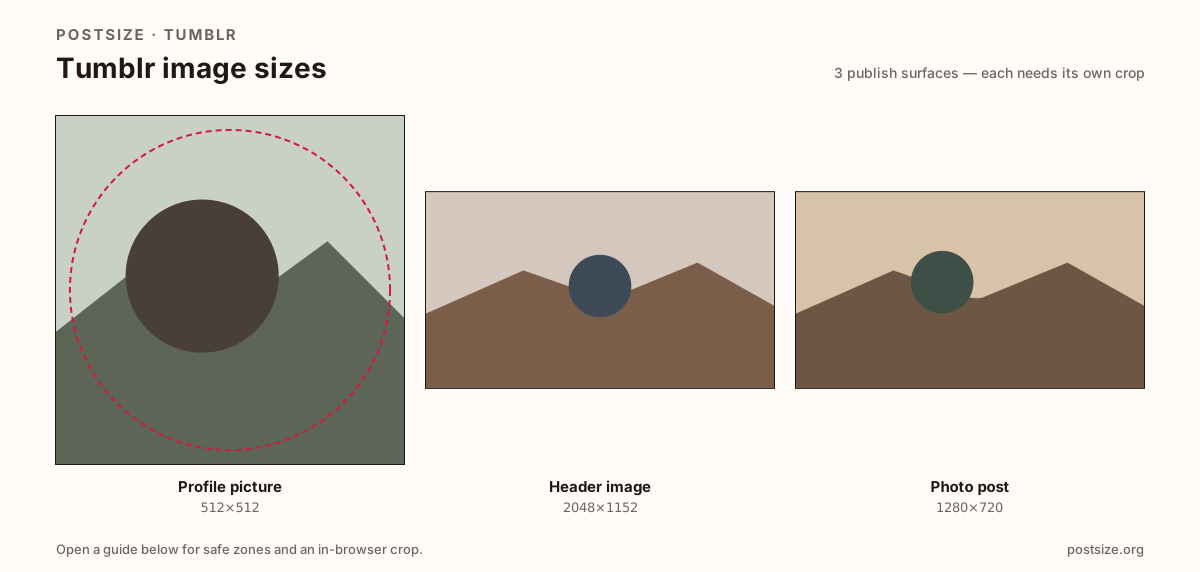
Sizes on Tumblr
Open a guide for exact pixels, safe zones, and an in-browser crop for that surface.
Blog identity vs dashboard stills
Your avatar is a small square tile (help ideal 128×128—prefer 512×512). The header follows Tumblr appearance help around 2048×1152 (16:9); older themes sometimes want ~3000×1055. Photo posts are flexible—export intentional 1280×720 or tall 2:3 frames instead of random phone dumps.
Themes re-crop headers. Keep heroes centered. Do not stretch an X banner into Tumblr and hope, and do not paste the header into a photo post as a shortcut.
Each guide includes practical pixels, a checklist, and an in-browser crop. Nothing is uploaded to a server—you download the file and publish on Tumblr yourself.
Quick picks
Match the task to the guide so you do not export the wrong ratio.
- Only the tile beside posts → Profile picture at 512×512.
- Blog banner → Header at 2048×1152; switch to 3000×1055 only if the theme asks.
- New photo post → Post guide at 1280×720 or tall 1080×1620.
- Coming from X or Facebook covers → Re-crop; theme safe zones differ.
Frequently asked questions
What size is a Tumblr header?
Tumblr appearance help cites about 2048×1152 (16:9). Older guides used ~3000×1055—follow your theme if it asks for that wider strip.
What size is a Tumblr avatar?
Help cites an ideal around 128×128. Prefer a clearer 512×512 square so dashboard thumbs stay readable.
What size should Tumblr posts be?
Flexible. 1280×720 (16:9) and 1080×1620 (2:3) are strong practical exports for clear dashboard photos.
Can I crop Tumblr sizes in the browser?
Yes. Every guide on this hub includes an in-browser crop—files stay on your device until you download and upload to Tumblr yourself.