
Tool · Ratio & platform crop
Convert one photo into the sizes you actually need
Pick a ratio or platform preset, drag the subject into the safe margin, then download. Need a tall feed frame and a square for the grid? Export both around the same focus without starting over.
Last verified 2026-09-25 Practical social crop presets sizes observed in community UI as of 2026-09-25. Not an official single-pixel mandate—preview on-device before you publish.
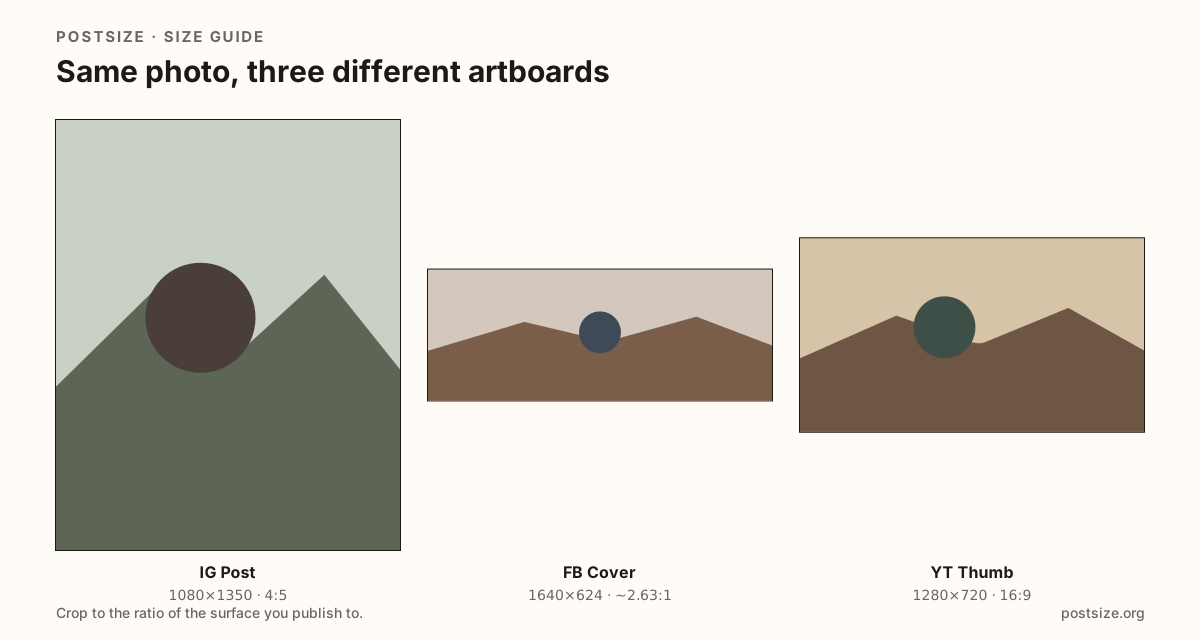
Presets in this converter
Common publish sizes. Open a platform guide when you need deeper safe-zone notes; use this page when you already know the ratio and want a fast export.
| Platform | Surface | Size | Ratio | Guide |
|---|---|---|---|---|
| Instagram / Facebook | Feed 4:5 Tall feed default on both apps. | 1080 × 1350 | 4:5 | Open |
| Square Grid-friendly square post. | 1080 × 1080 | 1:1 | Open | |
| Stories / Reels / Shorts | Vertical 9:16 Full-screen vertical. | 1080 × 1920 | 9:16 | Open |
| Post image Shared still / link-style card. | 1200 × 627 | ~1.91:1 | Open | |
| YouTube | Thumbnail | 1280 × 720 | 16:9 | Open |
| TikTok | Photo Mode Still posts—not 9:16 video covers. | 1080 × 1440 | 3:4 | Open |
| Open Graph | Link card | 1200 × 630 | ~1.91:1 | Open |
| Google Business | Post / photo | 720 × 720 | 1:1 | Open |
-
Instagram / Facebook
Feed 4:5
1080 × 1350 · 4:5
Tall feed default on both apps.
-
Instagram
Square
1080 × 1080 · 1:1
Grid-friendly square post.
-
Stories / Reels / Shorts
Vertical 9:16
1080 × 1920 · 9:16
Full-screen vertical.
-
LinkedIn
Post image
1200 × 627 · ~1.91:1
Shared still / link-style card.
-
YouTube
Thumbnail
1280 × 720 · 16:9
-
TikTok
Photo Mode
1080 × 1440 · 3:4
Still posts—not 9:16 video covers.
-
Open Graph
Link card
1200 × 630 · ~1.91:1
-
Google Business
Post / photo
720 × 720 · 1:1
Browser crop · stays on your device
Convert and crop your image
1080 × 1350
Add a photo to crop
Upload a photo—or try the sample—then pick a preset from the chart above.
Ratios first, then the platform guide
Converting a photo for social media is really choosing an artboard: 4:5 for tall feeds, 1:1 for squares, 9:16 for Stories, 16:9 for thumbnails, ~1.91:1 for LinkedIn and Open Graph cards. Lock the ratio here, keep the subject centered, then download.
When you need two shapes from one shot—an Instagram feed post and a square grid crop—use Download 4:5 + square. Both files keep the same focus so faces do not jump between exports.
Uploads that feel too heavy can use Smaller JPG for a lighter file at the same pixel size. For deep checklists (carousel rules, cover safe zones), open the matching platform guide after you export.
Quick picks
Match the job to the row so you do not export the wrong ratio.
- Instagram or Facebook feed → 4:5 (1080×1350).
- Also need a grid square → Download 4:5 + square.
- Stories / Reels / Shorts → 9:16.
- LinkedIn shared still → 1200×627.
- TikTok Photo Mode → 3:4 (not 9:16 video).
- Google Business post → 720×720 square.
Frequently asked questions
How do I convert an image to Instagram post size?
Choose Feed 4:5 (1080×1350), drag so the subject sits in the margin, then download JPG. Add a square export if you also need the grid look.
Can I export more than one size at once?
Yes. Download 4:5 + square saves both around the same focus. Switch the Size menu for other single exports.
Is this the same as a platform size guide?
This page is the fast converter. Platform guides add safe-zone detail, checklists, and FAQs for that surface.
How do I make the file smaller?
Use Smaller JPG for a lighter upload at the same width and height. Prefer PNG only for hard-edged logos.