
Event cover (practical)
Recommended1776×444 ~4:1
Practical LinkedIn Event cover from community guides. Not a personal profile banner and not a Company Page cover.
Use in toolLinkedIn · Image size
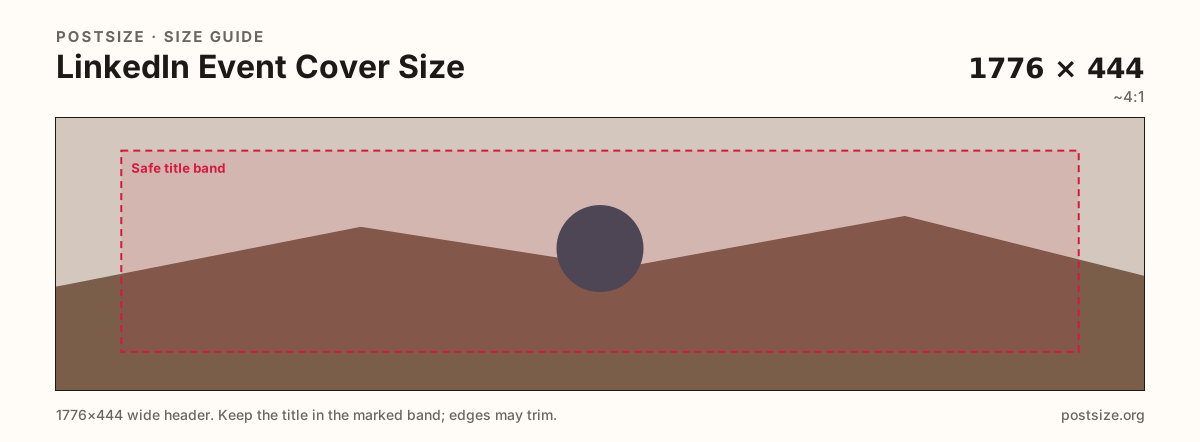
LinkedIn Event covers work best as a practical 1776×444 (~4:1) banner. Keep the title and date readable, then download in your browser before you publish the event.
Browser crop · stays on your device
1776 × 444
Add a photo to crop
Upload a wide photo—or try the sample—then keep the event title and date inside the safe band before you download.
Publish at 1776×444 when the art allows it. Do not stretch a personal 1584×396 cover or a company 4200×700 strip into this event slot.
Export this for LinkedIn upload.
1776×444 ~4:1
Practical LinkedIn Event cover from community guides. Not a personal profile banner and not a Company Page cover.
Use in tool| Asset | Pixels | Ratio | Notes | Action |
|---|---|---|---|---|
| Event cover (practical) Recommended | 1776×444 | ~4:1 | Practical LinkedIn Event cover from community guides. Not a personal profile banner and not a Company Page cover. | Use in tool |
LinkedIn Events are shared in invites, search, and the event page header. A practical community size is 1776×444 (~4:1)—close to a personal banner ratio, but a different upload job with its own framing.
Personal profile covers (1584×396) and Company Page covers (4200×700 upload / slim display) are not drop-in substitutes. Stretching either into an event warps faces and often clips the date line.
People decide whether to join from a small preview first. Soft upscales, microscopic venue names, or logos stuck on the far edge fail before anyone opens the full page. Design for the thumbnail, then confirm the large header still holds.
Leave a quiet margin so slight re-crops across desktop and mobile invites do not cut faces or the event title. One clear file beats a collage of unread text.
Same header strip—keep the avatar pocket clear and the subject in the open band.
Tick these off against your crop preview—nothing is saved.
Similar-looking slots often use different ratios—do not reuse one export for all of them.
1776 × 444
This page. Practical ~4:1 event banner.
1584 × 396
Profile banner—different upload.
4200 × 700
Company Page strip—do not swap.
1920 × 1005
Taller ~1.91:1—re-crop for LinkedIn.
| Surface | Typical size | Note |
|---|---|---|
| Event cover | 1776 × 444 | This page. Practical ~4:1 event banner. |
| Personal cover | 1584 × 396 | Profile banner—different upload. |
| Company cover | 4200 × 700 | Company Page strip—do not swap. |
| Facebook Event cover | 1920 × 1005 | Taller ~1.91:1—re-crop for LinkedIn. |
Most people see the event small before they open it. Put the name, date, and one strong visual in the center band. Treat the far left and right as atmosphere only.
Same brand, four artboards. Crop once for LinkedIn Events, once for your profile, once for Company Pages, and again if you also run a Facebook Event.
Export 1776×444 in sRGB. Keep titles inside the safe band. Prefer JPG for photos; PNG for flat brand graphics when edges must stay crisp.
Upload your wide source, keep Event cover (1776×444) selected, drag until the title and date sit in the safe band, then download. Upload the file on LinkedIn yourself.
From this download to a live upload in a few minutes.
Download the 1776×444 JPG (or PNG for flat graphics).
Open the LinkedIn Event → edit cover / media → upload the file.
Preview invite and event-page framing on desktop and phone if you can.
If the title clips, enlarge it inside the safe band and replace the cover.
A practical community size is 1776×444 (~4:1). Keep the event title and date inside a quiet safe band for invite previews.
Not cleanly. Personal covers are 1584×396. Re-crop to 1776×444 so faces and type land correctly on the event artboard.
No. Company Pages use a much wider upload (often 4200×700). Events use a practical ~4:1 banner—crop separately.
Facebook Events are taller (~1920×1005). Re-crop to 1776×444 rather than stretching the Facebook file.
Yes. Crop in the browser, then upload the file on LinkedIn yourself.