
Pinterest · Image sizes
Pick the Pinterest surface you are publishing to
Tall Pins, vertical Idea Pins, wide board covers, and circular profile photos are different jobs. Open the guide that matches where the image will sit, then crop before you upload.
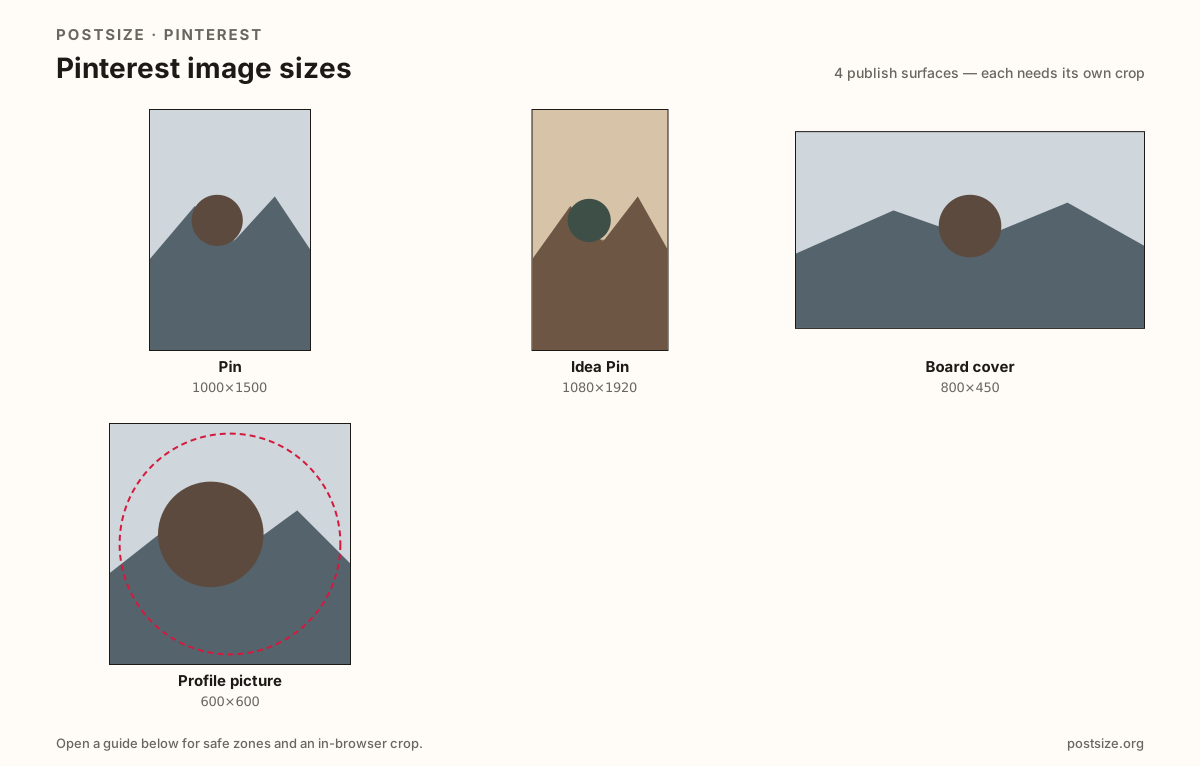
Sizes on Pinterest
Open a guide for exact pixels, safe zones, and an in-browser crop for that surface.
Pin
1000 × 1500
2:3 vertical Pins that hold attention in the home feed.
Idea Pin
1080 × 1920
9:16 vertical story pages—not a 2:3 standard Pin.
Board cover
800 × 450
Wide board thumbnail—do not stretch a tall Pin here.
Profile picture
600 × 600
Circular avatar—design for small cards, upload a clear file.
Why one Pinterest export is not enough
A standard Pin is a tall 2:3 card (1000×1500) built for the home feed. Idea Pins and multi-page vertical stories often want full 9:16 at 1080×1920. A board cover is a wide ~800×450 label for your profile grid. Your profile photo is a circle that often displays smaller than the file you upload.
Most soft or clipped uploads happen when people stretch a Pin into a board cover, paste a landscape blog hero into a Pin slot, or reuse a 2:3 Pin as an Idea Pin without re-checking chrome.
Each guide includes exact pixels, a checklist, and an in-browser crop. Nothing is uploaded to a server—you download the JPG or PNG and publish on Pinterest yourself.
Quick picks
Match the task to the guide so you do not export the wrong ratio.
- New idea for the home feed → Pin at 1000×1500; protect the top two-thirds.
- Multi-page vertical story → Idea Pin at 1080×1920; do not stretch a 2:3 Pin.
- Labeling a collection on your profile → Board cover at ~800×450.
- Only the circle next to your name → Profile picture; keep the face inside the guide.
- Coming from Instagram 4:5 → Re-crop to 2:3 for Pins or 9:16 for Idea Pins.
Frequently asked questions
What is the standard Pinterest image size?
There is no single size. Pins are usually 1000×1500 (2:3), Idea Pins often 1080×1920 (9:16), board covers about 800×450, and profile photos a square (try 600×600) shown as a circle.
Is an Idea Pin the same as a standard Pin?
No. Standard Pins are typically 2:3. Idea Pins use taller 9:16 pages. Re-crop—do not stretch one export into the other.
Can I use one image for Pin and board cover?
You can reuse the photo, but not the finished export. Re-crop to 2:3 for Pins and ~16:9 for board covers.
Is 2:3 better than square for Pins?
Usually yes—2:3 claims more vertical space in the masonry feed. Square can work for logos or product packs.
Can I crop Pinterest sizes in the browser?
Yes. Every guide on this hub includes an in-browser crop—files stay on your device until you download and upload to Pinterest yourself.