
Medium · Image sizes
Pick the Medium surface you are publishing to
Publication logos and article OG cards are different uploads. Open the matching guide, then crop before you publish.
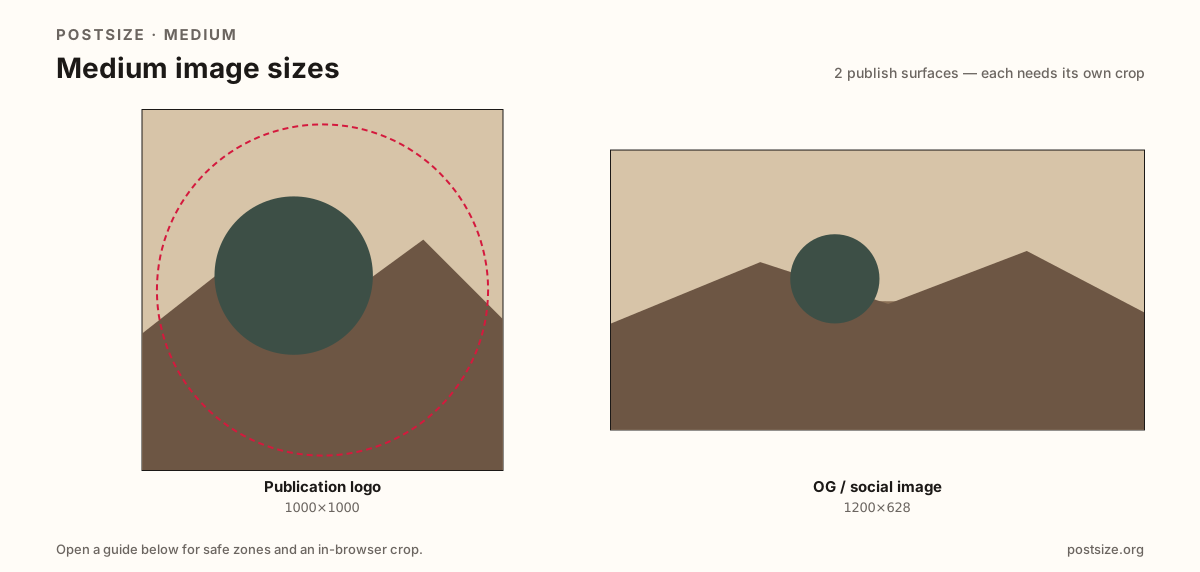
Sizes on Medium
Open a guide for exact pixels, safe zones, and an in-browser crop for that surface.
Square marks vs wide share cards
Publication logos are squares that appear small beside the name and in lists. Prefer 1000×1000 (or a bold 400×400 when the mark is already simple). Design for rounded masks—corners can vanish.
Article and social OG images are wide ~1200×628 cards for X, Facebook, LinkedIn, and Slack unfurls. Do not stretch the logo into that slot; put the story hook on the wide card instead.
Each guide includes practical pixels, a checklist, and an in-browser crop. Nothing is uploaded to a server—you download the file and publish on Medium yourself.
Quick picks
Match the task to the guide so you do not export the wrong ratio.
- Refreshing the publication mark → Logo at 1000×1000.
- Setting a story share image → OG image at 1200×628.
- Logo looks soft in bylines → Simplify the glyph; avoid hairline wordmarks.
- Share preview clips the headline → Keep type inside the OG center band.
- Coming from Substack → Re-crop both surfaces; do not reuse one file for both jobs.
Frequently asked questions
What size is a Medium publication logo?
A square—1000×1000 recommended; 400×400 is a practical lighter option when the mark is bold.
What size is a Medium OG image?
About 1200×628 (~1.91:1) for social / link previews.
Can I use the logo as the OG image?
No. Logos are squares for chrome. OG cards are wide story share images—export separately.
Can I crop Medium sizes in the browser?
Yes. Every guide on this hub includes an in-browser crop—files stay on your device until you download and upload yourself.