
Substack · Image sizes
Pick the Substack surface you are publishing to
Logos, welcome covers, social previews, and email banners are four different uploads. Open the matching guide, keep the safe zone clear, then download a clear file.
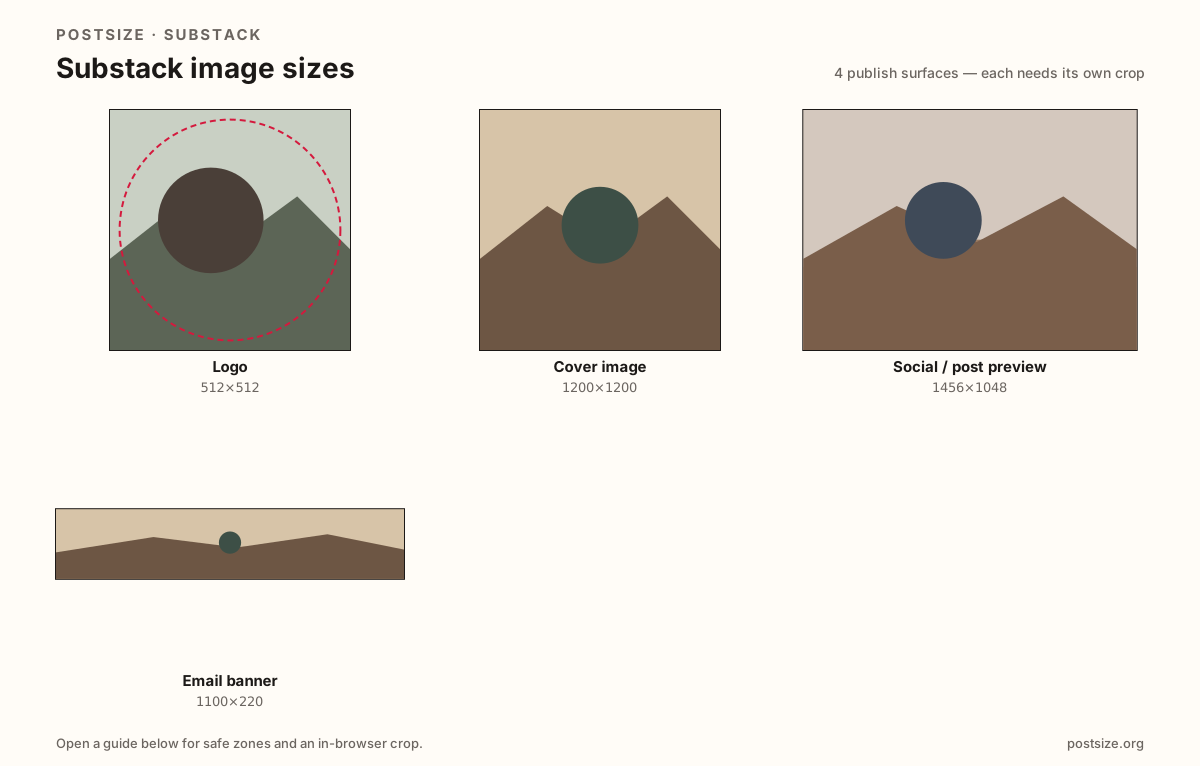
Sizes on Substack
Open a guide for exact pixels, safe zones, and an in-browser crop for that surface.
Inbox stamps, welcome squares, and share cards
The publication logo is a tiny square (at least 256×256—try 512×512) for inboxes and headers. The welcome cover is a larger square (at least 600×600). Social / post previews use a wider ~14:10 card (often 1456×1048). Email banners are short strips around 1100×220.
Mixing those exports is the usual failure mode: a welcome square stretched into a share card, or a social landscape forced into the logo slot. Reuse photography if you want—export each ratio on purpose.
Each guide includes practical pixels, a checklist, and an in-browser crop. Nothing is uploaded to a server—you download the file and publish on Substack yourself.
Quick picks
Match the task to the guide so you do not export the wrong ratio.
- Sender tile in email / app → Logo at 512×512.
- Dressing the welcome page → Cover square at 1200×1200.
- Share card for a post → Social preview at 1456×1048.
- Horizontal mail header → Email banner at 1100×220.
Frequently asked questions
What size is a Substack logo?
At least 256×256 square. Prefer 512×512 so inbox thumbs stay readable. Transparent PNG helps for flat marks.
What size is the Substack cover image?
At least 600×600 square for the welcome page. Prefer a clearer 1200×1200 upload.
What size is a Substack social preview?
About 1456×1048 (~14:10). Keep faces centered; Substack may apply smart cropping.
Can I crop Substack sizes in the browser?
Yes. Every guide on this hub includes an in-browser crop—files stay on your device until you download and upload to Substack yourself.