
Bandcamp · Image sizes
Pick the Bandcamp surface you are publishing to
Release covers and profile photos are different squares. Open the matching guide, then crop before you upload.
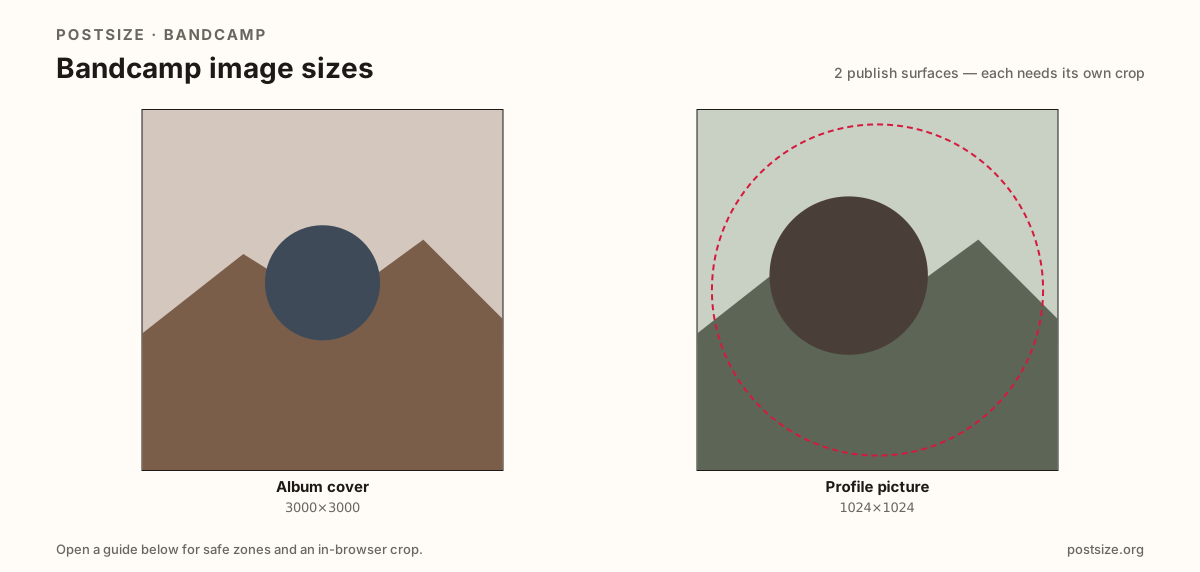
Sizes on Bandcamp
Open a guide for exact pixels, safe zones, and an in-browser crop for that surface.
Storefront jackets vs profile stamps
Album covers want a large 3000×3000 master so storefront tiles and share cards stay sharp. Design for the shrink—micro credits on the rim fail on phones.
Profile pictures are a practical 1024×1024 stamp for the artist or label—not a downscaled album collage. Preview after upload; masks can round corners.
Spotify jackets often share the large-square habit. Still re-crop per surface, and never stretch one Bandcamp square into the other job.
Quick picks
Match the task to the guide so you do not export the wrong ratio.
- New release → Album cover at 3000×3000.
- Only the profile mark → Profile picture at 1024×1024.
- Coming from Spotify → Re-check titles; re-export if needed.
- Profile looks busy → You dumped the album jacket—crop a face or monogram.
- Cover text vanishes on mobile → Enlarge the title inside the readable center.
Frequently asked questions
What size is a Bandcamp album cover?
A square—3000×3000 is the quality master this hub recommends.
What size is a Bandcamp profile picture?
A practical square around 1024×1024—preview after upload.
Can I use the album cover as my profile picture?
Only with a dedicated crop. Full jackets are too detailed for the profile stamp.
Can I reuse Spotify album art on Bandcamp?
Often as a starting file—both commonly want large squares. Still re-check titles and crops.
Can I crop Bandcamp sizes in the browser?
Yes. Every guide on this hub includes an in-browser crop—files stay on your device until you download and upload yourself.