
Discord · Image sizes
Size Discord avatars, banners, emoji, and stickers separately
Personal avatars, server icons, Nitro banners, custom emoji, and stickers are different jobs. Crop each surface instead of stretching one file.
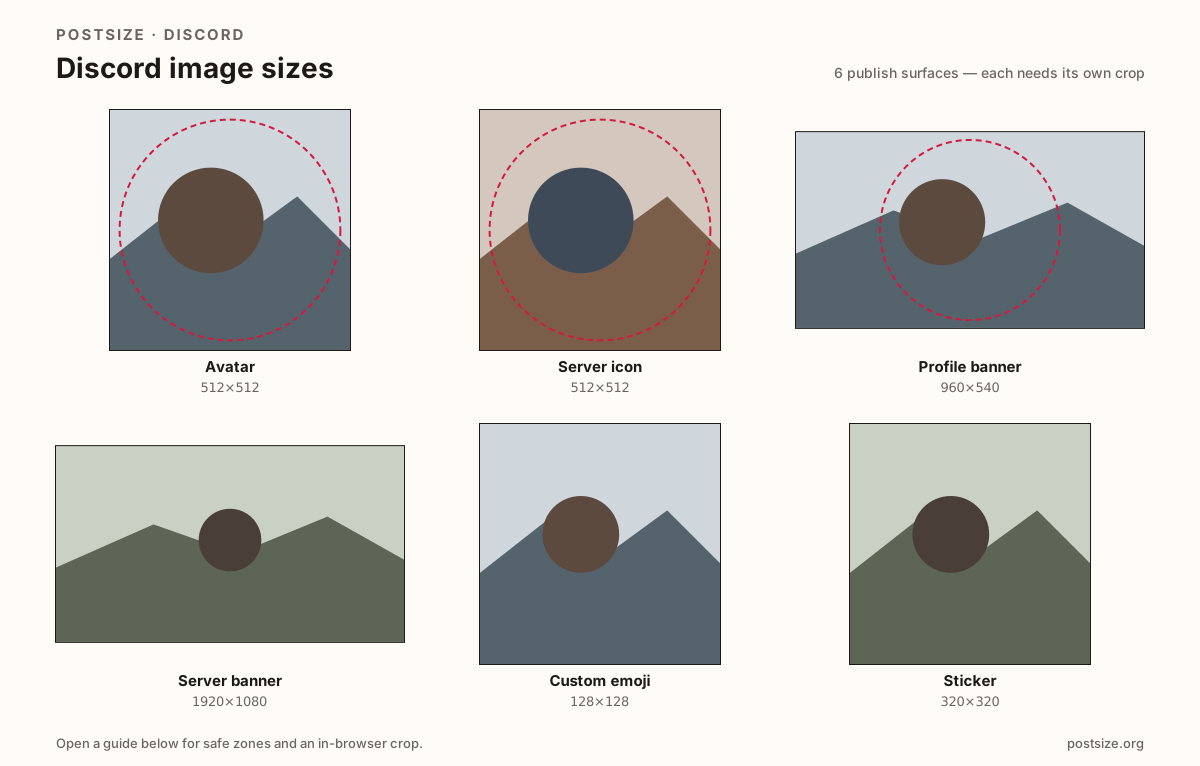
Sizes on Discord
Open a guide for exact pixels, safe zones, and an in-browser crop for that surface.
Avatar
512 × 512
Circular user icon—design for tiny chat size.
Server icon
512 × 512
Sidebar server mark—same circle rules, different brand job.
Profile banner
960 × 540
Nitro profile flair with margin for UI.
Server banner
1920 × 1080
Boosted server header—practical Full HD upload.
Custom emoji
128 × 128
Reaction / shortcut glyph—bold center mark.
Sticker
320 × 320
Larger express chat stamp—not an emoji.
Chat icons vs flair vs reaction stamps
Discord avatars and server icons both need to read at tiny sidebar sizes—busy designs fail. Fill the circle with a bold mark.
Personal profile banners (Nitro) are a different ratio from boosted server banners. Treat them like short billboards—not square upscales.
Custom emoji (128×128) and stickers (320×320) are reaction art—not shrunk server icons. Export dedicated glyphs.
Quick picks
Match the task to the guide so you do not export the wrong ratio.
- Changing the circle in chat → Avatar.
- Server list icon → Server icon at 512×512.
- Nitro profile strip → Profile banner.
- Boosted server header → Server banner at 1920×1080.
- Reaction :shortcut: → Custom emoji at 128×128.
- Expressive pack art → Sticker at 320×320.
Frequently asked questions
What size is a Discord avatar?
512×512 is a strong square upload. Discord displays it as a circle.
What size is a Discord server icon?
512×512 square, shown as a circle in the server list—same pixel habit as avatars, different art.
What size is a Discord banner?
Personal profile banners often use 960×540. Boosted server banners look sharper at 1920×1080.
What size are Discord custom emoji?
A practical export is 128×128. Keep the glyph bold—tiny detail disappears as reactions.
What size are Discord stickers?
A practical still upload is 320×320. Do not confuse stickers with 128×128 emoji.