
Weibo · Image sizes
Pick the Weibo surface you are publishing to
Hot-topic feed squares, tiny comment discs, and short profile strips are different jobs. Practical sizes—preview on Weibo.
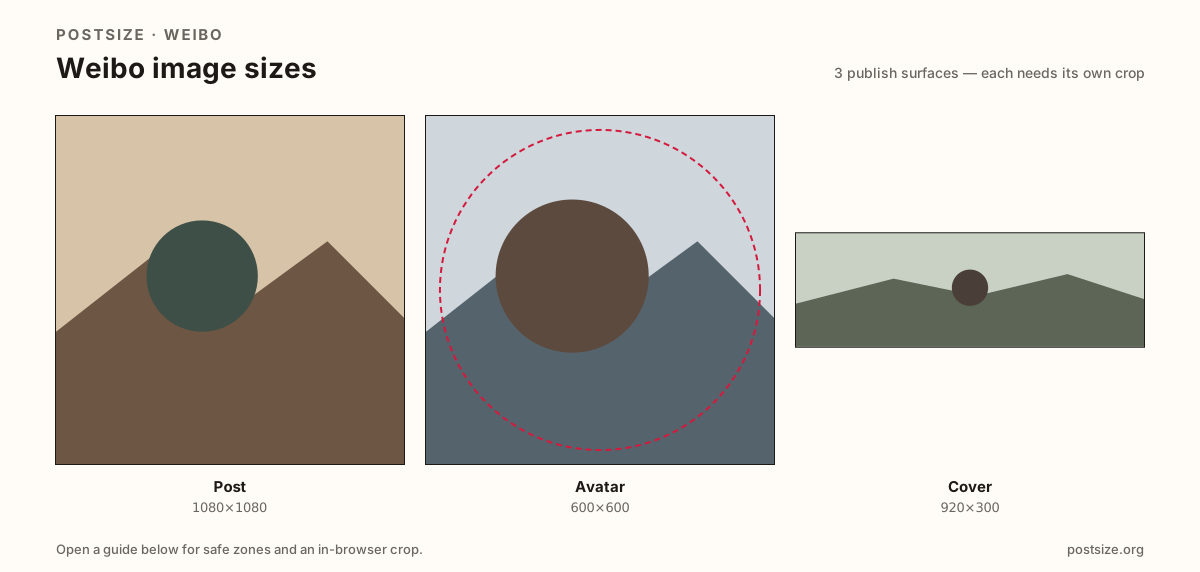
Sizes on Weibo
Open a guide for exact pixels, safe zones, and an in-browser crop for that surface.
Feed squares vs circles vs short banners
Feed posts often use a practical 1080×1080 square for timeline cards in China’s fast-moving microblog feed.
Avatars want 600×600 for circular profile and comment stamps. Covers lean on a practical 920×300 short strip—thinner than many X banners.
Do not stretch an X 1500×500 header into Weibo’s cover, and do not stretch a cover into a feed square. Keep three exports.
Quick picks
Match the task to the guide so you do not export the wrong ratio.
- Timeline card → Post at 1080×1080.
- Only the disc → Avatar at 600×600.
- Profile strip → Cover at 920×300.
- Coming from X → Re-crop; banner ratios differ.
- Sizes are practical—preview on Weibo.
Frequently asked questions
What size is a Weibo post image?
A practical export is 1080×1080 (1:1). Preview on Weibo after upload.
What size is a Weibo cover?
A practical export is 920×300—a short strip, not an X-style 1500×500 paste.
Is the cover the same as a post?
No. Posts are feed cards; covers are short profile banners; avatars are circles.
Are these official Weibo sizes?
No. Practical community targets as of 2026-08-21. Preview before you publish.
Can I crop Weibo sizes in the browser?
Yes. Every guide on this hub includes an in-browser crop—files stay on your device.