
Etsy · Image sizes
Pick the Etsy surface you are publishing to
Listing photos, shop banners, and shop icons are three different uploads. Open the guide that matches the slot, keep the safe zone clear, then download a clear file.
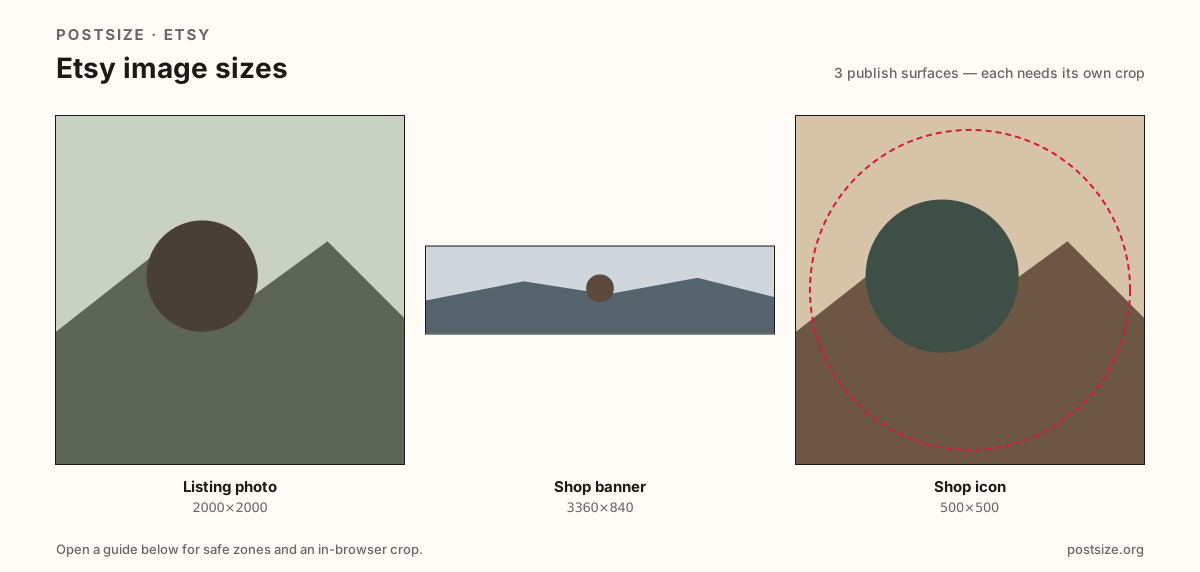
Sizes on Etsy
Open a guide for exact pixels, safe zones, and an in-browser crop for that surface.
Product gallery vs shop storefront chrome
Listing photos sell one item—prefer 2000×2000 (longest side ≥2000), with an optional 2000×2500 portrait when height helps. The shop banner is a wide 3360×840 homepage header. The shop icon is a 500×500 circle-safe mark in search and favorites.
Stretching a banner into the listing gallery, or cropping a product hero into the shop icon, is how soft and mismatched shops happen. Reuse photography if you want—export each ratio separately.
Each guide includes practical pixels, a checklist, and an in-browser crop. Nothing is uploaded to a server—you download the file and publish on Etsy yourself.
Quick picks
Match the task to the guide so you do not export the wrong ratio.
- New listing gallery still → Listing photo at 2000×2000 (longest side ≥2000).
- Refreshing the shop homepage header → Shop banner at 3360×840.
- Only the tiny mark in search → Shop icon at 500×500.
- Coming from Shopify or Instagram → Re-crop; those ratios are not Etsy’s banner or icon.
Frequently asked questions
What size should Etsy listing photos be?
A practical primary size is 2000×2000. Keep the longest side at least 2000px. Use 2000×2500 when a taller frame helps.
What size is an Etsy shop banner?
3360×840 (~4:1) is the practical recommended shop banner. Keep logos in the center band for phone crops.
What size is an Etsy shop icon?
Upload 500×500. It often displays as a circle or rounded tile—keep the mark centered.
Can I crop Etsy sizes in the browser?
Yes. Every guide on this hub includes an in-browser crop—files stay on your device until you download and upload to Etsy yourself.