
Instagram · Image sizes
Choose the Instagram frame you are filling
Feed posts, carousels, Reels, Stories, Live covers, profile photos, and Highlight icons share a camera roll—but not a job. Open the matching guide, protect the safe zone, then download.
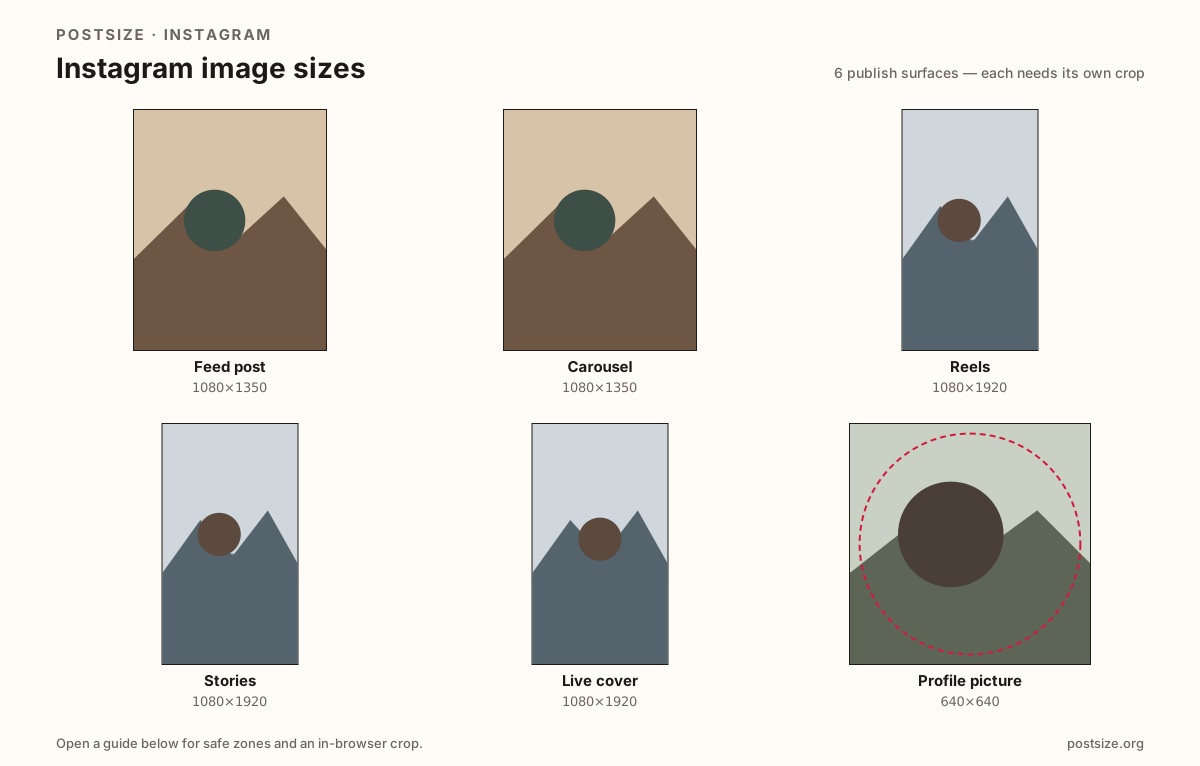
Sizes on Instagram
Open a guide for exact pixels, safe zones, and an in-browser crop for that surface.
Feed post
1080 × 1350
4:5 default; also square & landscape (~1.91:1) in the guide—watch the grid preview.
Carousel
1080 × 1350
Multi-image slides—match every frame to the first slide’s ratio.
Reels
1080 × 1920
Vertical cover stills with room for captions and the right-side button stack.
Stories
1080 × 1920
9:16 frames with top/bottom clearance for stickers, polls, and replies.
Live cover
1080 × 1920
Stream entry still—same pixels as Stories, different Live chrome.
Profile picture
640 × 640
Circular avatar—design for comment size, not only the large profile header.
Highlight cover
1080 × 1080
Circular icons under the bio—keep marks centered for tiny row size.
Feed height, carousels, full-screen chrome, Live cards, and tiny circles
Instagram rewards taller feed frames (4:5) on phones, while Reels, Stories, and Live covers use the full 9:16 screen under captions, stickers, and action buttons. Carousels need every slide on the same ratio as the first. Your profile photo is a circle that also appears in comments and Story rings. Highlight covers are another circle row under the bio.
Mixing those exports is the usual failure mode: a 9:16 Story stretched into the feed, mixed carousel ratios that jump mid-swipe, a Live cover reused as a Reel with the face under the like column, or a landscape vacation shot that shrinks into a short strip between captions.
Each page below lists exact pixels, carousel or UI notes where they matter, and a browser crop so you can see the frame before Instagram compresses it.
Quick picks
Match the task to the guide so you do not export the wrong ratio.
- Single photo in the main feed → Feed post; landscape is optional in that guide.
- Swipeable multi-image set → Carousel; keep every slide on the same ratio.
- Vertical video thumbnail or opening frame → Reels; protect the mid-band from UI.
- 24-hour stickers, polls, or Close Friends → Stories; leave bottom space if a link sticker is coming.
- Going live → Live cover at 1080×1920; re-check Live chrome even if you reuse a Story master.
- Only the circle on your grid header → Profile picture; corners of a square will be cropped away.
- Icons under the bio → Highlight covers; match style across the row.
Frequently asked questions
What size should Instagram posts be?
1080×1350 (4:5) is the practical feed default. Square 1080×1080 also works; landscape posts usually look smaller while scrolling.
Are Reels, Stories, and Live covers the same size?
All often export at 1080×1920 (9:16), but UI chrome differs. Re-check captions, stickers, and Live controls on each surface.
What about the profile grid?
The grid shows a center-weighted square crop of your posts. Keep the hero near the middle of 4:5 frames so thumbnails still read.
Can I crop Instagram sizes in the browser?
Yes. Every guide on this hub includes an in-browser crop—files stay on your device until you download and upload to Instagram yourself.