
VK · Image sizes
Pick the VK surface you are publishing to
VK (VKontakte) walls and communities use wide cards, long covers, and circular avatars. Practical sizes—preview on VK.
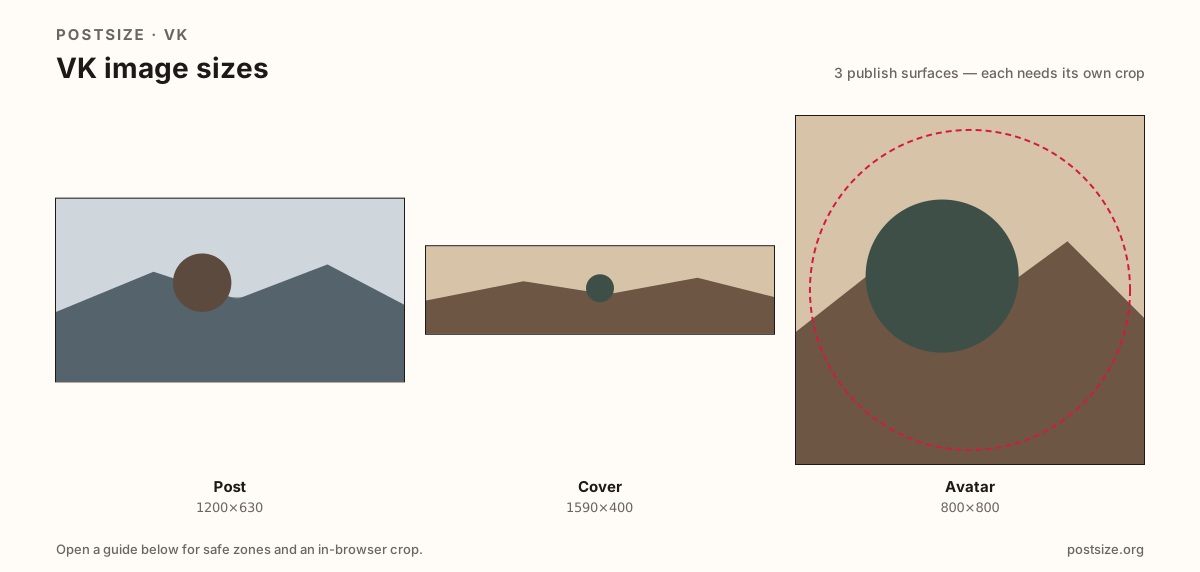
Sizes on VK
Open a guide for exact pixels, safe zones, and an in-browser crop for that surface.
Feed cards vs long covers vs circles
Posts often use a practical 1200×630 share-style card—familiar if you ship Facebook or Open Graph images, but still preview VK chrome.
Covers lean on a practical 1590×400 strip for profiles and communities. Avatars want 800×800 circles for friends lists and comments.
Do not stretch a post into a cover or paste a Facebook cover without a VK re-crop. Keep three dedicated exports.
Quick picks
Match the task to the guide so you do not export the wrong ratio.
- Wall or community update → Post at 1200×630.
- Profile or community strip → Cover at 1590×400.
- Only the disc → Avatar at 800×800.
- Coming from Facebook → Reuse the ratio, then preview on VK.
- Sizes are practical—preview on-device.
Frequently asked questions
What size is a VK post image?
A practical export is 1200×630 (~1.91:1). Preview on VK after upload.
What size is a VK cover?
A practical export is 1590×400 for profile and community banners.
Is VK the same as Facebook for sizes?
Close for share cards, not identical products. Re-crop and preview on VK.
Are these official VK sizes?
No. Practical community targets as of 2026-08-21. Preview before you publish.
Can I crop VK sizes in the browser?
Yes. Every guide on this hub includes an in-browser crop—files stay on your device.