
Bluesky · Image sizes
Match Bluesky post, multi-image, banner, avatar, or link card
Single timeline photos, multi-image sets, the profile banner, the circular avatar, and URL embeds are different artboards. Crop each before you publish.
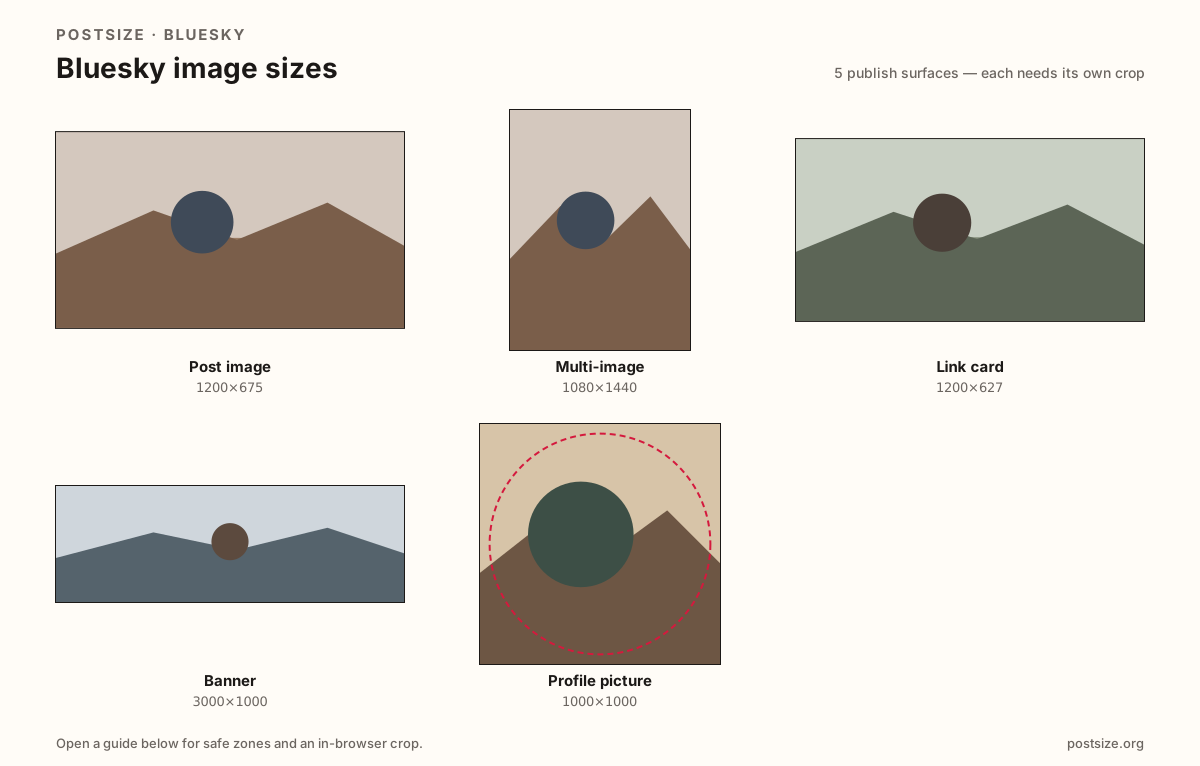
Sizes on Bluesky
Open a guide for exact pixels, safe zones, and an in-browser crop for that surface.
Post image
1200 × 675
~16:9 timeline photos with safe margins.
Multi-image
1080 × 1440
Practical 3:4 frames for multi-photo posts.
Link card
1200 × 627
~1.91:1 URL embed—set og:image on the destination.
Banner
3000 × 1000
Wide profile header—quiet avatar corner.
Profile picture
1000 × 1000
Circular avatar for the feed.
A new network with familiar crop traps
Widescreen single posts look clear around 1200×675. Multi-image posts are often cropped toward a taller ~3:4 habit—export that set separately from a single landscape still.
Banners are very wide (about 3:1). Keep headlines away from the far edges and the avatar overlap. Link embeds commonly use a ~1200×627 share card—set that on the destination page, not as a banner substitute.
Avatars are circles in the feed—center the face and export a large square.
Quick picks
Match the task to the guide so you do not export the wrong ratio.
- Attaching one photo to a post → Post image.
- Two or more photos in one post → Multi-image at ~3:4.
- Sharing a URL with a rich embed → Link card at 1200×627 on the destination page.
- Profile header strip → Banner.
- Feed circle only → Profile picture.
- Coming from X → Re-crop; safe zones and overlap still differ.
Frequently asked questions
What size are Bluesky posts?
1200×675 (~16:9) is a strong practical default for timeline photos.
What size is a Bluesky link card?
A practical embed card is 1200×627 (~1.91:1). Set it via Open Graph / social preview on the destination URL.
What size is a Bluesky banner?
About 3000×1000 (3:1) is a common upload target—keep type off the far edges.
What size is a Bluesky avatar?
A large square (try 1000×1000) shown as a circle.
Can I reuse an X banner?
Reuse the photo, then re-crop—safe zones and overlap still differ.