
Slack · Image sizes
Size Slack avatars, workspace icons, and emoji separately
Personal photos, workspace marks, and custom emoji are three uploads. Crop each one—do not stretch one file into all three.
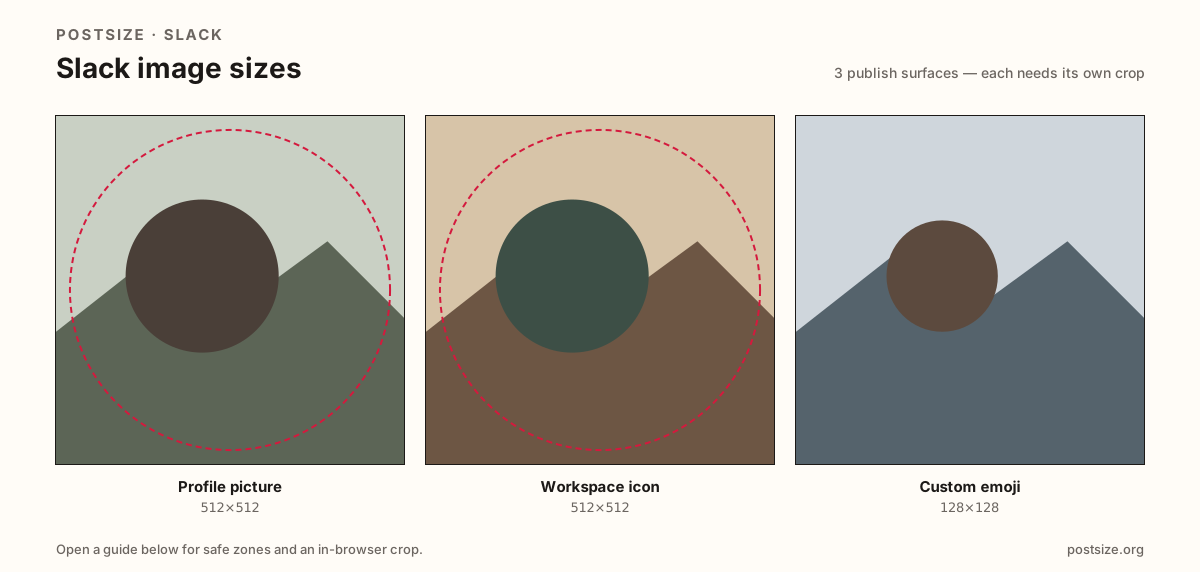
Sizes on Slack
Open a guide for exact pixels, safe zones, and an in-browser crop for that surface.
Chat circles vs team marks vs reaction glyphs
Profile pictures and workspace icons often share 512×512 pixels but not the same job. Your photo identifies you in every message; the workspace icon brands the switcher for the whole team.
Custom emoji want a bold 128×128 glyph. Thin logos and busy photos fail in the picker and as reactions. Animated GIF rules vary by plan—start with a sharp still.
Each guide includes practical pixels, circle-safe guidance, and an in-browser crop. Download the file and upload in Slack yourself.
Quick picks
Match the task to the guide so you do not export the wrong ratio.
- Only your face in chat → Profile at 512×512.
- Team switcher mark → Workspace icon at 512×512.
- Custom reaction → Emoji at 128×128—redraw, do not shrink the logo blindly.
- Avatar ears clip → Keep the face inside the circle-safe zone.
- Emoji looks muddy → Simplify the silhouette and prefer PNG.
Frequently asked questions
What size is a Slack profile picture?
A square—512×512 is a strong practical upload, shown as a circle in chat.
What size is a Slack workspace icon?
Also commonly 512×512—but it brands the team switcher, not your personal face.
What size are Slack custom emoji?
128×128 square. Keep the glyph bold; thin detail disappears.
Can I reuse one file for profile, workspace, and emoji?
No. Export each surface separately—same pixels do not mean the same job.
Can I crop Slack sizes in the browser?
Yes. Every guide on this hub includes an in-browser crop—files stay on your device until you download and upload yourself.