
LINE · Image sizes
Pick the LINE surface you are publishing to
VOOM is social; Official Accounts are brand channels; chat avatars are tiny circles. Practical sizes—preview in LINE.
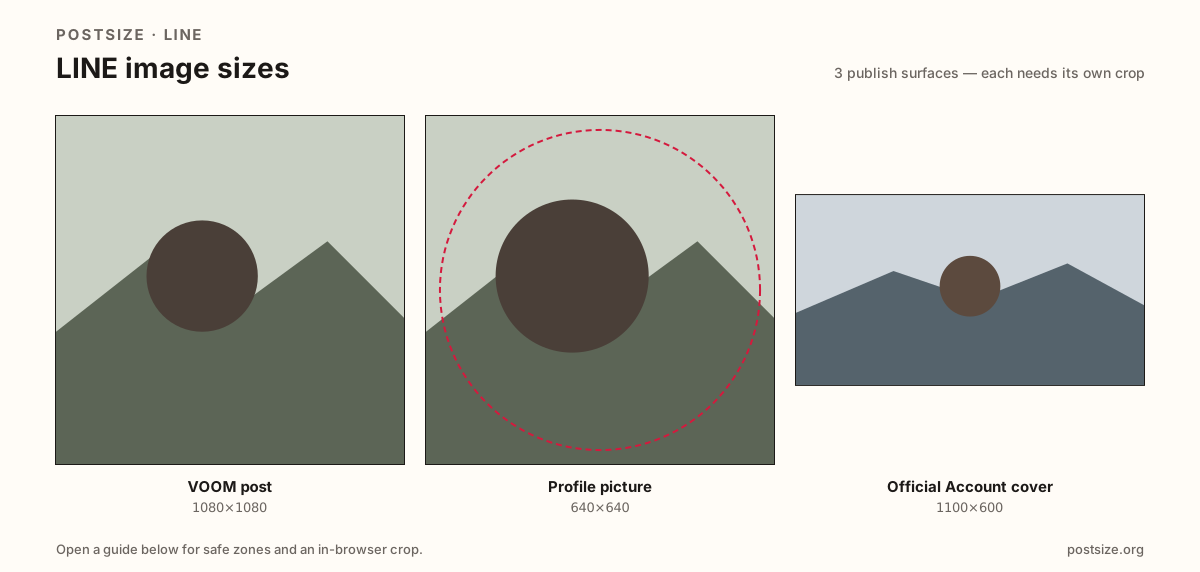
Sizes on LINE
Open a guide for exact pixels, safe zones, and an in-browser crop for that surface.
VOOM squares vs chat circles vs OA banners
VOOM posts commonly use a practical 1080×1080 square for the timeline—LINE’s social feed across Japan, Taiwan, Thailand, and more.
Profile photos want 640×640 for chat lists. Official Account covers lean on a practical 1100×600 brand strip—not a VOOM square.
WeChat Moments and OA headers are related messenger jobs with different ratios. Keep LINE and WeChat as separate exports when you run both.
Quick picks
Match the task to the guide so you do not export the wrong ratio.
- Social timeline → VOOM post at 1080×1080.
- Only the chat disc → Profile picture at 640×640.
- Brand storefront → Official Account cover at 1100×600.
- Coming from WeChat OA → Re-crop; ratios differ.
- Sizes are practical—preview in LINE.
Frequently asked questions
What size is a LINE VOOM post?
A practical export is 1080×1080 (1:1). Preview in LINE after upload.
What size is a LINE Official Account cover?
A practical export is 1100×600. It is not a VOOM square.
Is VOOM the same as an Official Account?
No. VOOM is the social timeline. Official Accounts are brand channels with messaging tools and a wide cover.
Are these official LINE sizes?
No. Practical community targets as of 2026-08-21. Preview before you publish.
Can I crop LINE sizes in the browser?
Yes. Every guide on this hub includes an in-browser crop—files stay on your device.