
Kick · Image sizes
Size Kick avatar, channel banner, and offline screen separately
Your avatar is a tiny circle in chat. The channel banner is 1280×700. The offline screen is full 1920×1080. Crop each one—do not stretch Twitch art into Kick.
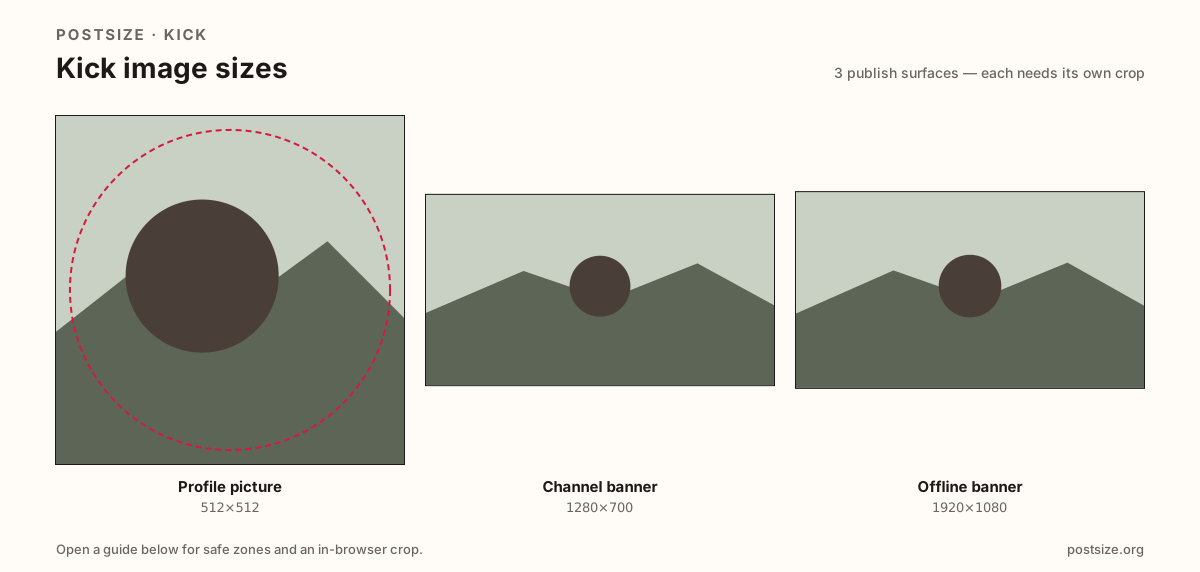
Sizes on Kick
Open a guide for exact pixels, safe zones, and an in-browser crop for that surface.
Three Kick uploads people mix up
Kick’s help lists a profile picture minimum around 128×128—treat 512×512 as the practical upload so chat still looks clear. Manage branding on kick.com in the browser, not as a casual swap in the mobile watch app.
The channel banner minimum is 1280×700 (~64:35). That is taller than Twitch’s common 1200×480 strip. Stretching Twitch banners warps faces and hides type.
The offline banner is 1920×1080 for ended or offline stream context. Put schedule CTAs there. It is not Twitch under-About panels and not a stretched 1280×700 channel strip.
Quick picks
Match the task to the guide so you do not export the wrong ratio.
- Only the circle in chat → Profile picture at 512×512.
- Strip on the channel page → Banner at 1280×700; re-crop from Twitch.
- Offline or ended stream screen → Offline banner at 1920×1080.
- Coming from Twitch → New crops for every slot; ratios differ.
Frequently asked questions
What size is a Kick profile picture?
512×512 is the recommended practical square. Kick help lists a minimum of 128×128—prefer the clearer export.
What is the Kick banner size?
1280×700 is the official minimum channel banner. It is not Twitch’s 1200×480 profile strip.
What size is the Kick offline banner?
1920×1080 (16:9) for offline / ended-stream context. Different upload from the 1280×700 channel banner.
Can I crop Kick sizes here?
Yes—each guide includes an in-browser crop. Files stay on your device until you download and upload on kick.com.