
Carousel slide (practical)
Recommended1080×1350 4:5
Best default for Instagram carousel slides. Match every slide to this ratio.
Use in toolInstagram · Image size
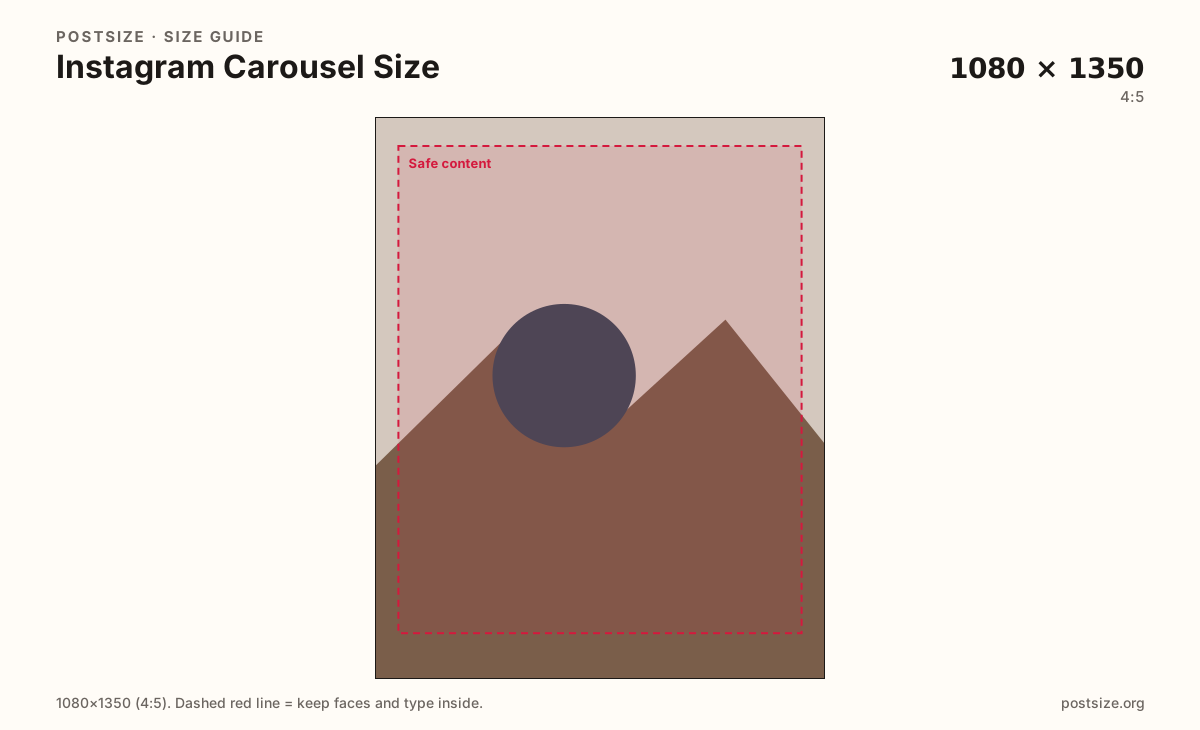
Instagram carousels work best at 1080×1350 (4:5). Keep every slide on that same ratio, leave a safe margin, then download each frame.
Browser crop · stays on your device
1080 × 1350
Add a photo to crop
Upload a slide—or try the sample—then keep faces and type inside the margin before you download.
This is a carousel slide—not a Story/Reels 9:16 still and not a mixed-ratio stack. Export every slide at the same size as the first.
Export this for Instagram upload.
1080×1350 4:5
Best default for Instagram carousel slides. Match every slide to this ratio.
Use in tool1080×1080 1:1
Use only when the whole set is square—never mix with 4:5 in one carousel.
Use in tool| Asset | Pixels | Ratio | Notes | Action |
|---|---|---|---|---|
| Carousel slide (practical) Recommended | 1080×1350 | 4:5 | Best default for Instagram carousel slides. Match every slide to this ratio. | Use in tool |
| Square carousel slide | 1080×1080 | 1:1 | Use only when the whole set is square—never mix with 4:5 in one carousel. | Use in tool |
Instagram carousels are a swipe stack. A practical 1080×1350 (4:5) habit keeps every slide tall in the feed and avoids jump cuts when people swipe. Pick the ratio on slide 1, then export every later frame from that same preset.
A carousel is not a Story. Stories and Reels use 1080×1920 (9:16). Stretching a full-screen vertical into a feed carousel letterboxes or crops awkwardly. Re-crop for the feed—or keep Stories on their own page.
Your profile grid often shows a tighter ~3:4-style preview of the cover. Keep the hero near the center so the grid still reads even when the in-feed view is taller 4:5.
Single posts and carousels share the same 4:5 habit, but carousels punish mixed ratios harder. One landscape mid-deck can reframe the whole swipe. Treat the set as one system—same margins, type scale, and subject size.
Same feed frame—keep the subject inside the margin phones actually show.
Tick these off against your crop preview—nothing is saved.
Similar-looking slots often use different ratios—do not reuse one export for all of them.
1080 × 1350
This page. One 4:5 frame in the swipe set.
1080 × 1350
Same ratio habit—one image, not a stack.
1080 × 1920
Full-screen 9:16—not a carousel slide.
~3:4 crop of cover
Profile grid often tightens the first slide.
| Surface | Typical size | Note |
|---|---|---|
| Carousel slide | 1080 × 1350 | This page. One 4:5 frame in the swipe set. |
| Single feed post | 1080 × 1350 | Same ratio habit—one image, not a stack. |
| Story / Reels still | 1080 × 1920 | Full-screen 9:16—not a carousel slide. |
| Grid preview | ~3:4 crop of cover | Profile grid often tightens the first slide. |
People often stop after slide 1. Make the cover carry the promise, keep middle slides one idea each, and end with a clear CTA—same margins so the set feels intentional.
A single insightful photo belongs on the post page. A multi-step story belongs here as matching 4:5 slides. A full-screen vertical belongs on Story/Reels—not in this stack.
Export 1080×1350 per slide in sRGB—or all 1080×1080 if the whole set is square. Keep titles inside the safe margin. Prefer a consistent naming scheme (01–10) before upload.
Upload each slide’s source, keep Carousel slide (1080×1350) selected—or Square for an all-square set—drag until the subject sits in the safe margin, then download. Repeat for the full set.
From this download to a live upload in a few minutes.
Download each 1080×1350 slide (JPG for photos, PNG for flat graphics).
Open Instagram → new post → select all slides in order.
Avoid extra pinch-zoom in the Instagram editor if the crop is already final.
Preview the swipe on a phone; confirm height stays steady across slides.
If a title clips, enlarge it inside the margin and replace that slide.
A practical size is 1080×1350 (4:5) per slide. Square 1080×1080 works only if every slide in the set is square.
Yes—match every slide to the first slide’s aspect ratio. Mixed ratios cause jump cuts and uneven crops while people swipe.
No. Carousels use feed ratios (typically 4:5). Stories are 1080×1920 (9:16). Re-crop when you move a frame between them.
The grid often shows a tighter ~3:4-style preview of the cover. Keep the main subject near the center so it still reads on your profile.
Yes. Crop each slide in the browser, then upload the set on Instagram yourself.