
Profile / logo (recommended)
Recommended720×720 1:1
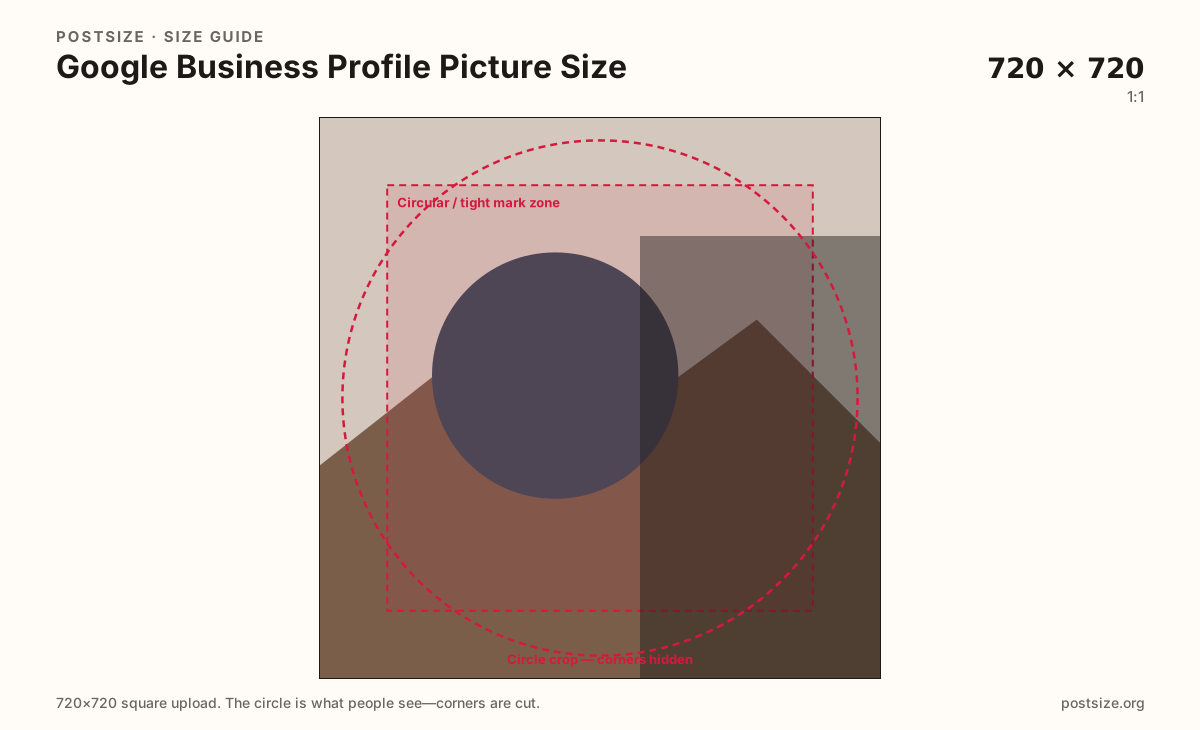
Practical square for Google Business Profile logos and profile marks. Center the mark—cards are often tiny.
Use in toolGoogle Business · Image size
Your Google Business logo or profile mark shows small in Search and Maps. Export a clear square, keep the mark centered inside the safe circle, then download in your browser.
Browser crop · stays on your device
720 × 720
Add a photo to crop
Upload a logo or mark—or try the sample—then keep the full mark inside the circle guide before you download.
Square upload, often shown small (sometimes circular or tightly cropped). Wide wordmarks get clipped—prefer a centered icon or stacked lockup.
Export this for Google Business upload.
720×720 1:1
Practical square for Google Business Profile logos and profile marks. Center the mark—cards are often tiny.
Use in tool| Asset | Pixels | Ratio | Notes | Action |
|---|---|---|---|---|
| Profile / logo (recommended) Recommended | 720×720 | 1:1 | Practical square for Google Business Profile logos and profile marks. Center the mark—cards are often tiny. | Use in tool |
Reference sizes and crops—not always separate upload files.
1080×1080 1:1
Same 1:1 ratio at higher pixels when the source logo is clean vector or printed high-res.
Use in tool| Asset | Pixels | Ratio | Notes | Action |
|---|---|---|---|---|
| Larger clear square | 1080×1080 | 1:1 | Same 1:1 ratio at higher pixels when the source logo is clean vector or printed high-res. | Use in tool |
Google Business Profile uses several image jobs that people mix up when they search “profile picture,” “logo,” “photo,” or the older “Google My Business” name. The profile mark is the small identity badge next to your business name. The cover is a wide landscape header. Posts and gallery photos are often squares that show the place or product—not the logo alone.
A clear 720×720 square (or 1080×1080 when the source is detailed) keeps the mark readable after Google compresses and shrinks it for Search and Maps. Soft screenshots of a website header, or a wide wordmark designed for a billboard, usually fail when the card is only a coin-sized circle or square.
Owners often upload the same Facebook cover or Instagram post into every Google slot. That stretches buildings into the logo hole and leaves empty letterboxing on the cover. Export a dedicated logo square here, then use the cover and photo guides for the other surfaces.
Keep the mark honest. Misleading logos, temporary promo stickers baked into the avatar, and outdated rebrands confuse customers who compare the listing to the storefront. Put offers in Google posts and profile fields—not as microscopic text inside the logo crop.
Same circle mask—corners disappear; design for the tiny comment-size icon.
Tick these off against your crop preview—nothing is saved.
Similar-looking slots often use different ratios—do not reuse one export for all of them.
720 × 720 (try 1080×1080)
This page. Small identity mark in Search and Maps.
1024 × 576 common
Wide landscape header—different guide.
720 × 720
Storefront and product posts—usually not the logo file.
Clear, well-lit originals
Interiors, team, menus—separate from the profile mark.
| Surface | Typical size | Note |
|---|---|---|
| Profile picture / logo | 720 × 720 (try 1080×1080) | This page. Small identity mark in Search and Maps. |
| Cover photo | 1024 × 576 common | Wide landscape header—different guide. |
| Square photo / post | 720 × 720 | Storefront and product posts—usually not the logo file. |
| Additional photos | Clear, well-lit originals | Interiors, team, menus—separate from the profile mark. |
People mix up three uploads: the small logo beside the business name, square photos of the place or product, and the wide cover at the top of the profile. This page is only for the logo / profile mark.
Use the photo guide when you are posting a square storefront or product image. Use the cover guide when you are updating the landscape header.
Design for the smallest placement first. If the mark fails at Maps-card size, larger placements will not save it. Prefer a centered icon or a short stacked wordmark that fits inside the guide.
Transparent PNG marks with hard edges often look cleaner than a photo of a physical signboard—unless your brand is the photographed sign and it still reads when tiny.
PNG is ideal for flat logos. JPG suits photo-based marks. Prefer sRGB. A clean 720×720 file is a dependable upload; larger same-ratio masters help when the source is clean vector.
Upload your logo or mark, choose Profile / logo (720×720), drag until the full mark sits inside the guide, then download. Nothing is uploaded to our servers for cropping.
From this download to a live upload in a few minutes.
Download the square PNG (or JPG) from the tool.
Open Google Business Profile → edit business information / logo / profile photo.
Upload the file and confirm the small preview still shows the full mark.
Check the listing on your phone in Search or Maps.
If letters clip, switch to an icon-first lockup and re-crop.
Use a clear square. 720×720 is a practical default; 1080×1080 helps when the source is detailed. Keep the full logo inside a circular-safe center—listings often show the mark small.
Yes. Google My Business was the older name for Google Business Profile. The logo / profile picture is still this square identity mark.
No. Photos and posts often show the storefront or product. The profile picture is the small identity logo. See the photo guide for 720×720 place photos.
Reuse the artwork if it is already a clean square mark. Re-crop here so wide social banners and cover strips are not forced into the logo hole.
PNG for flat logos with hard edges. JPG for photo-based marks. Prefer sRGB either way.
Wide wordmarks and corner detail get clipped when Google shows a tight crop. Redesign for a centered icon, or place a simplified mark inside the guide.
No. Covers are wide landscape frames (commonly 1024×576). Use the cover guide for the header.