
Email banner (recommended)
Recommended1100×220 5:1
Substack help recommends ~1100×220 with a transparent background when possible; taller banners can work.
Use in toolSubstack · Image size
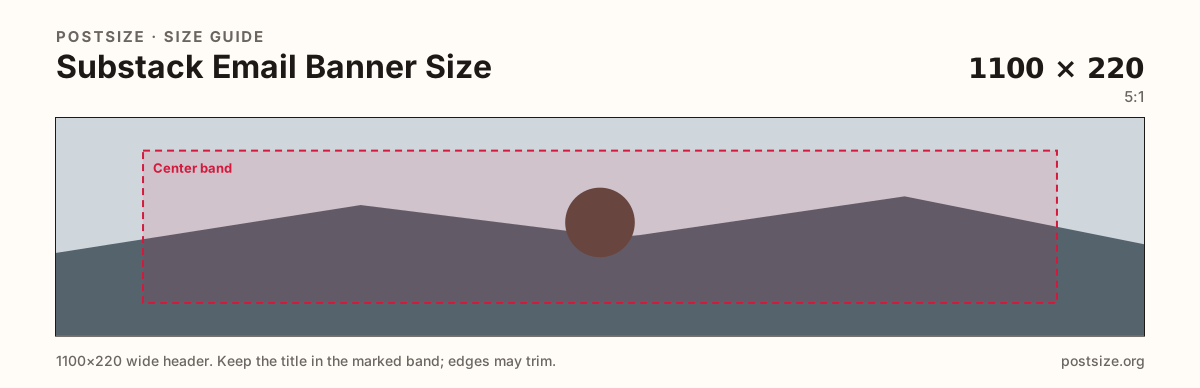
Substack recommends about 1100×220 for email banners (can be taller). Keep marks in the center band, then download a clear file in your browser.
Browser crop · stays on your device
1100 × 220
Add a photo to crop
Upload a wide graphic—or try the sample—then keep the mark in the center band before you download.
This is the horizontal email header strip—not the welcome cover square and not the social preview card.
Export this for Substack upload.
1100×220 5:1
Substack help recommends ~1100×220 with a transparent background when possible; taller banners can work.
Use in tool| Asset | Pixels | Ratio | Notes | Action |
|---|---|---|---|---|
| Email banner (recommended) Recommended | 1100×220 | 5:1 | Substack help recommends ~1100×220 with a transparent background when possible; taller banners can work. | Use in tool |
Substack help recommends about 1100×220 for email banners, preferably with transparency. The strip can be taller, but the practical habit is a short horizontal brand bar—not a poster.
Email clients clip and scale aggressively. Fine serifs and edge-only logos disappear. Keep one clear mark or short wordmark in the center band.
This is not the publication logo (square) and not the social preview (~14:10). Reuse brand colors if you want—export a dedicated 5:1 strip for mail.
Dark-mode inboxes and light themes both exist. Transparent PNGs with strong contrast survive better than a photo that only works on white.
Same short banner strip—quiet lower-left for the avatar, subject in the open mid/right band.
Tick these off against your crop preview—nothing is saved.
Similar-looking slots often use different ratios—do not reuse one export for all of them.
1100 × 220
This page. Newsletter header strip.
512 × 512
Square identity—separate file.
1456 × 1048
Share card—different ratio.
| Surface | Typical size | Note |
|---|---|---|
| Email banner | 1100 × 220 | This page. Newsletter header strip. |
| Logo | 512 × 512 | Square identity—separate file. |
| Social preview | 1456 × 1048 | Share card—different ratio. |
Inboxes shrink width and may strip transparency poorly. Test a real send. Prefer flat color fields and bold marks over photographic banners that turn muddy after compression.
The logo is the square stamp. The cover is the welcome square. The email banner is the horizontal mail header. Three exports keep each surface intentional.
PNG with transparency is ideal for flat banners. JPG works for photographic strips. Prefer sRGB.
Upload a wide graphic, choose Email banner (1100×220), drag until the mark clears the center band, then download. Cropping stays in the browser.
From this download to a live upload in a few minutes.
Download the 1100×220 PNG (preferred) from the tool.
In Substack email / website branding settings, update the email banner.
Send a test email to yourself on phone and desktop.
If the mark clips, re-crop with a quieter center composition.
About 1100×220 (~5:1) is the practical recommended size. Substack notes banners can be taller—preview in real email clients.
When possible, yes—especially for flat logos on a colored mail background. Use PNG.
No. Covers are welcome-page squares. Email banners are short horizontal strips for newsletters.
Yes. The in-browser crop stays on your device until you download and upload to Substack yourself.