
Clearer upload
Recommended512×512 1:1
Practical square for modern screens. Tumblr scales it down for dashboard and search.
Use in toolTumblr · Image size
Tumblr help lists an ideal avatar around 128×128. Export a clearer 512×512 square so dashboard thumbs stay readable, then download in your browser.
Browser crop · stays on your device
512 × 512
Add a photo to crop
Upload a face or mark—or try the sample—then keep the subject in the center before you download.
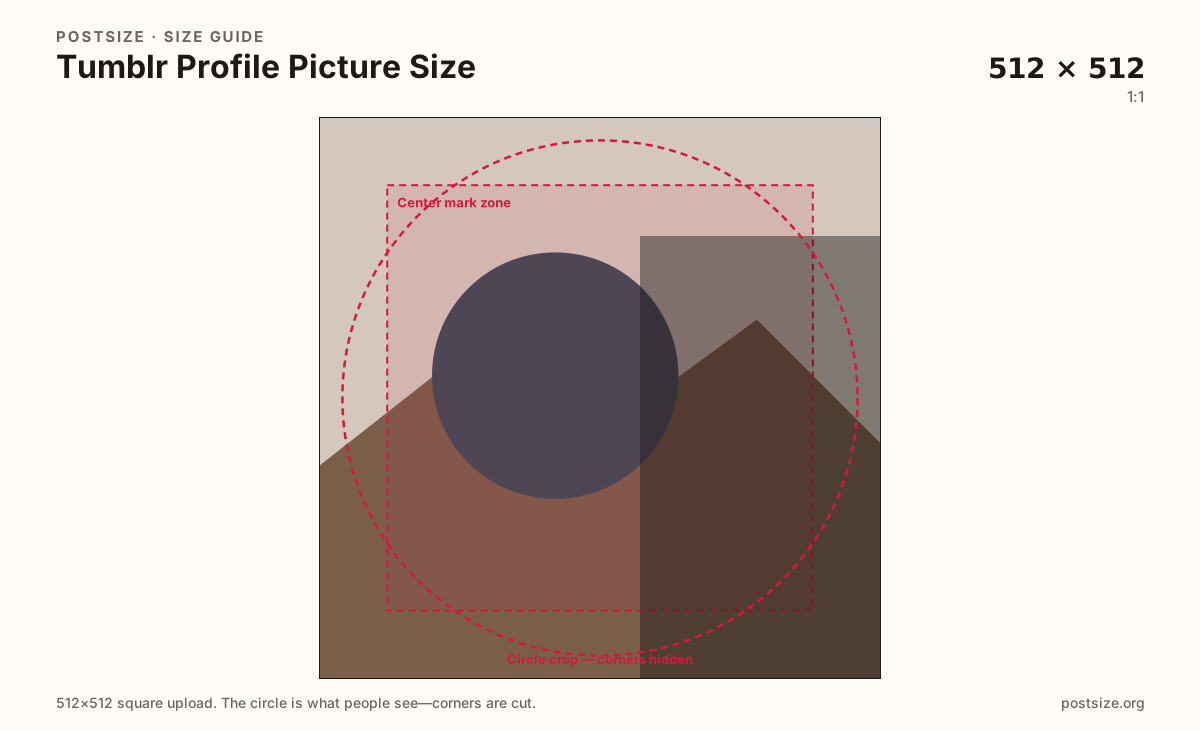
Always square. Dashboard and post chrome show a tiny tile—keep the face or mark centered.
Export this for Tumblr upload.
512×512 1:1
Practical square for modern screens. Tumblr scales it down for dashboard and search.
Use in tool| Asset | Pixels | Ratio | Notes | Action |
|---|---|---|---|---|
| Clearer upload Recommended | 512×512 | 1:1 | Practical square for modern screens. Tumblr scales it down for dashboard and search. | Use in tool |
Reference sizes and crops—not always separate upload files.
128×128 1:1
Tumblr appearance help cites 128×128 as an ideal size—not a reason to ship a soft file. Prefer 512×512.
Use in tool| Asset | Pixels | Ratio | Notes | Action |
|---|---|---|---|---|
| Help-center ideal (reference) | 128×128 | 1:1 | Tumblr appearance help cites 128×128 as an ideal size—not a reason to ship a soft file. Prefer 512×512. | Use in tool |
Your avatar appears beside posts, in search, and on the blog. Tumblr appearance help cites an ideal size around 128×128 with a 10 MB file cap. That ideal is a display-oriented target—shipping a soft 128 file looks muddy on phones. Prefer a clearer 512×512 master and let Tumblr scale down.
Themes and the modern Tumblr UI may show rounded squares or tight tiles. Keep the subject centered so neither corners nor theme masks remove the only face.
The header image is a wide blog banner (Tumblr help cites 2048×1152). Do not stretch that landscape into the avatar slot.
Photo posts are another job—dashboard columns are narrower than your camera roll. Crop posts on the post guide; keep this page for identity only.
Same circle mask—corners disappear; design for the tiny comment-size icon.
Tick these off against your crop preview—nothing is saved.
Similar-looking slots often use different ratios—do not reuse one export for all of them.
512 × 512
This page. Blog and dashboard identity.
2048 × 1152
Wide blog banner—separate export.
1280 × 720
Feed still—different job.
| Surface | Typical size | Note |
|---|---|---|
| Avatar / profile picture | 512 × 512 | This page. Blog and dashboard identity. |
| Header image | 2048 × 1152 | Wide blog banner—separate export. |
| Photo post | 1280 × 720 | Feed still—different job. |
Most people meet your avatar next to a post, not on a full-screen about page. Fill the tile with one clear face or mark. Thin wordmarks fail when the tile shrinks.
Headers are wide 16:9 banners per Tumblr help. Avatars are squares. Reuse photography if you want—export two files.
JPEG, PNG, or WEBP are commonly supported. Prefer sRGB. Keep weight reasonable—help cites a 10 MB cap for appearance images.
Upload a photo, choose Clearer upload (512×512), drag until the subject fills the center, then download. Processing stays in your browser.
From this download to a live upload in a few minutes.
Download the 512×512 JPG or PNG from the tool.
In Tumblr blog appearance / edit appearance, update the avatar.
Check the dashboard and your blog on phone and desktop.
If the face feels clipped, re-crop and upload again.
Tumblr help cites an ideal around 128×128. Prefer a clearer 512×512 square upload so dashboard thumbs stay readable.
Themes vary—many show a square or rounded tile. Keep the subject centered either way.
Tumblr may convert GIFs to still images for avatars. Confirm current behavior if motion matters to you.
Yes. The in-browser crop stays on your device until you download and upload to Tumblr yourself.