
Channel post (16:9)
Recommended1280×720 16:9
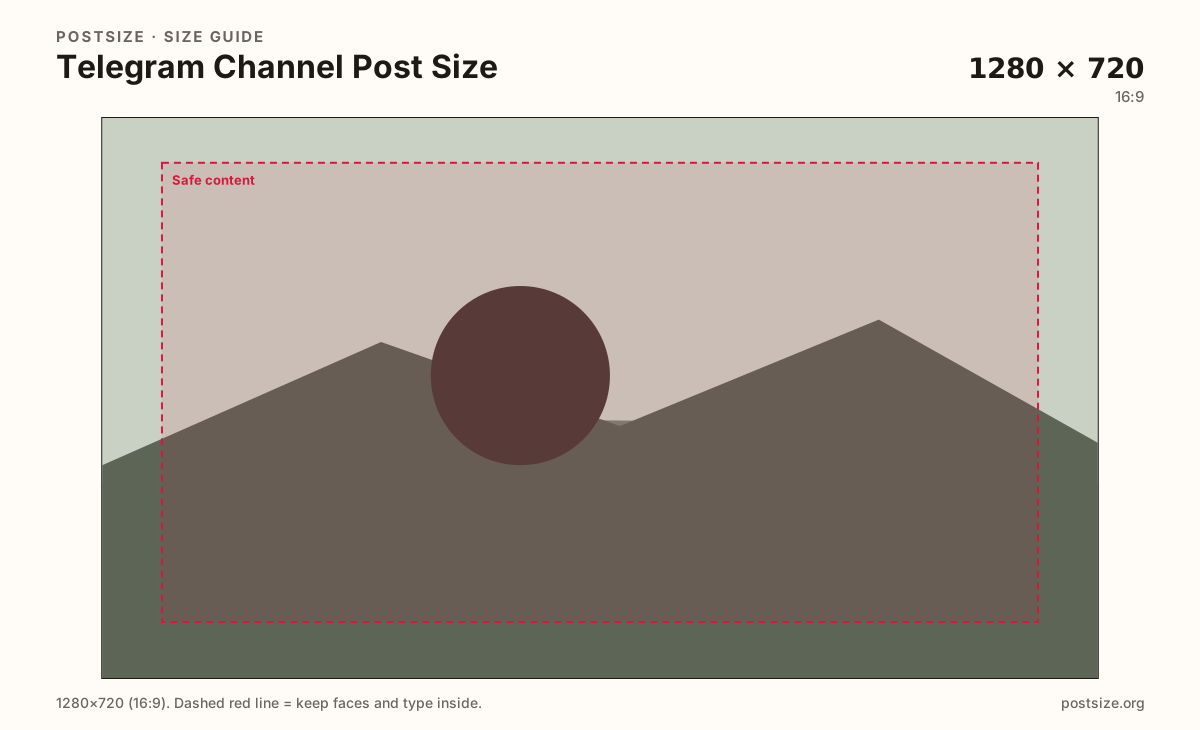
Practical widescreen frame for single-image channel announcements and news-style stills.
Use in toolTelegram · Image size
Channel posts look clear at 1280×720. Keep the subject inside a safe margin, expect photo compression when you send as an image, then download a ready file in your browser.
Browser crop · stays on your device
1280 × 720
Add a photo to crop
Upload a photo or graphic—or try the sample—then keep faces and type inside the margin before you download.
Start at 1280×720 for wide announcements. Use 1280×1280 when the subject is already centered. This is a channel post still—not a profile photo and not a fake banner.
Export this for Telegram upload.
1280×720 16:9
Practical widescreen frame for single-image channel announcements and news-style stills.
Use in tool1280×1280 1:1
Clean when the photo is already square—product packs, centered graphics, or tight faces.
Use in tool| Asset | Pixels | Ratio | Notes | Action |
|---|---|---|---|---|
| Channel post (16:9) Recommended | 1280×720 | 16:9 | Practical widescreen frame for single-image channel announcements and news-style stills. | Use in tool |
| Channel post (square) | 1280×1280 | 1:1 | Clean when the photo is already square—product packs, centered graphics, or tight faces. | Use in tool |
A Telegram channel post image sits in the channel feed as a photo or graphic subscribers scroll past. A clear 1280×720 (16:9) export fills that space cleanly for announcements, screenshots with context, and news-style cards. Square 1280×1280 works when the scene is already centered.
When you send the file as a photo, Telegram compresses it. Soft phone screenshots, noisy exports, and microscopic captions look worse after upload. If you need maximum fidelity—diagrams, UI captures, print-ready art—send as a file instead of as a compressed photo.
This crop is not your channel profile photo. The profile mark is a circle; the post is a wide or square feed still. Do not stretch a circular avatar into the post slot, and do not invent a wide “Telegram banner” export for a network that does not use an X/YouTube-style header here.
Keep on-image text large and short. Channel readers skim on phones. Dense flyers, full desktop UI captures, and watermark forests fail first. Put the long explanation in the post caption; let the image carry one clear subject.
Same landscape card—edges and tiny type fail after compression or multi-image crop.
Tick these off against your crop preview—nothing is saved.
Similar-looking slots often use different ratios—do not reuse one export for all of them.
1280 × 720
This page. Feed still for channel updates.
1280 × 1280
Alternate when the subject is already centered.
1024 × 1024 → circle
Identity mark—separate circular export.
Not a standard slot
Do not fake an X/YouTube header for Telegram.
| Surface | Typical size | Note |
|---|---|---|
| Channel post image | 1280 × 720 | This page. Feed still for channel updates. |
| Square channel still | 1280 × 1280 | Alternate when the subject is already centered. |
| Profile / channel photo | 1024 × 1024 → circle | Identity mark—separate circular export. |
| Wide profile banner | Not a standard slot | Do not fake an X/YouTube header for Telegram. |
Telegram’s photo pipeline shrinks and re-encodes images to keep chats fast. That is fine for photos and marketing stills. It is not fine for pixel-perfect diagrams, dense UI captures, or print-quality art.
Export a clean master here either way. Then choose the send mode on purpose: photo for speed and feed convenience, file when fidelity matters more than inline preview polish.
Center the hero face, product, or headline. Leave a modest margin so slight client framing does not clip the first word. Prefer one idea per image; save the essay for the caption.
JPG suits photographs. PNG suits flat graphics and hard-edged type. Prefer sRGB. Keep the file light when you send as a photo; size matters less when you intentionally send as a file.
Upload a photo or graphic, choose Channel post (16:9) or the square preset, keep the subject inside the margin, then download. Processing stays in your browser.
From this download to a live upload in a few minutes.
Download the 1280×720 (or square) JPG/PNG from the tool.
Open your Telegram channel as an admin and start a new post.
Attach the image as a photo for a normal feed post—or as a file if you must preserve quality.
Write the caption in text; keep on-image words short.
Preview on a phone before scheduling or publishing to subscribers.
1280×720 (16:9) is a strong practical default. Square 1280×1280 works when the subject is already centered.
Telegram compresses images sent as photos. Start from a clear export, keep type large, or send as a file when you must preserve quality.
Send as a photo for normal feed posts. Send as a file when diagrams, UI captures, or print-quality art must stay sharp.
No. The profile (and channel) photo is a circular identity mark. This page is for widescreen or square feed stills.
Not like X or YouTube. Do not invent a fake header. Use this channel-post crop for wide graphics, and the profile-picture guide for the circle.
Often as a starting file—ratios are similar. Still re-check margins and decide whether Telegram will send it as a compressed photo.
JPG for photographs, PNG for hard-edged graphics. Prefer sRGB either way.