
Profile banner (desktop-style)
Recommended1920×384 5:1
Widely used personal and community-style header. One wide file; phones may reframe edges.
Use in toolReddit · Image size
Reddit profile banners are a wide strip behind your name and avatar. Export 1920×384, keep headlines in the clear center band, then download in your browser.
Browser crop · stays on your device
1920 × 384
Add a photo to crop
Upload a wide photo—or try the sample—then keep logos inside the center band before you download.
Start at 1920×384 (5:1) for a clear desktop header. Use 1600×480 when you want a taller mobile-friendly master. Keep logos off the far edges phones may trim.
Export this for Reddit upload.
1920×384 5:1
Widely used personal and community-style header. One wide file; phones may reframe edges.
Use in tool1600×480 10:3
Taller relative frame some mobile layouts prefer. Keep the subject centered either way.
Use in tool| Asset | Pixels | Ratio | Notes | Action |
|---|---|---|---|---|
| Profile banner (desktop-style) Recommended | 1920×384 | 5:1 | Widely used personal and community-style header. One wide file; phones may reframe edges. | Use in tool |
| Mobile-oriented banner | 1600×480 | 10:3 | Taller relative frame some mobile layouts prefer. Keep the subject centered either way. | Use in tool |
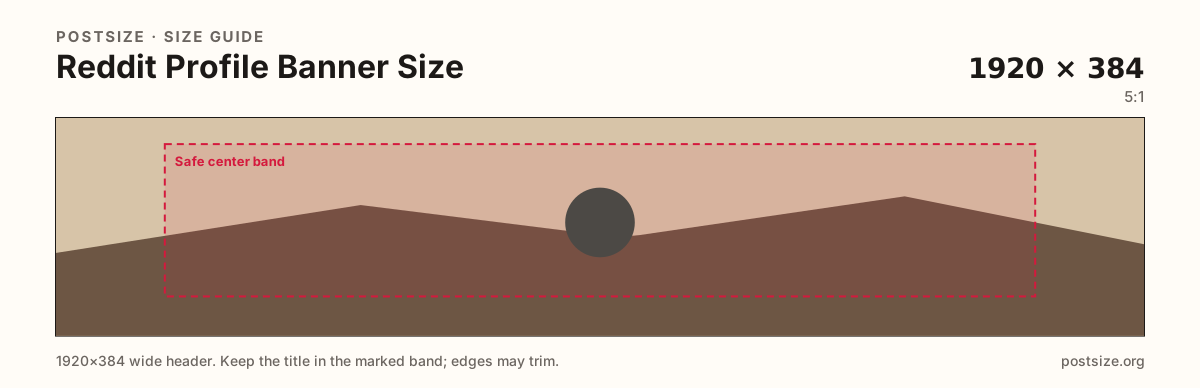
A Reddit profile banner is a short, very wide strip. Desktop shows more of the 5:1 width; phones often tighten the frame. A logo parked only on the far left or right can vanish when someone opens your profile from the app.
1920×384 is a practical desktop-style upload. Some layouts behave better with a slightly taller 1600×480 master. Either way, design the center band first and treat the rim as atmosphere.
Your circular avatar sits with the banner composition. Keep the lower mid area calmer so the circle and username row do not fight busy textures.
Subreddit community banners use the same wide habit but live in community settings. Reuse photography if you want—export a dedicated file for each slot.
Same short banner strip—quiet lower-left for the avatar, subject in the open mid/right band.
Tick these off against your crop preview—nothing is saved.
Similar-looking slots often use different ratios—do not reuse one export for all of them.
1920 × 384
This page. Personal profile header.
1600 × 480
Optional taller master for phone layouts.
1920 × 384 typical
Subreddit header—separate guide.
512 × 512
Circle that sits with this header.
| Surface | Typical size | Note |
|---|---|---|
| Profile banner | 1920 × 384 | This page. Personal profile header. |
| Mobile-oriented banner | 1600 × 480 | Optional taller master for phone layouts. |
| Community banner | 1920 × 384 typical | Subreddit header—separate guide. |
| Profile picture | 512 × 512 | Circle that sits with this header. |
Build the message in the middle third of the width. Soft gradients, sky, or blur on the sides survive crop better than a second logo on the rim.
Preview on a phone after publish. Desktop may flatter a wide design that fails in the app.
JPG for photos; PNG for hard-edged brand art. Prefer sRGB. Keep files light—headers load on every profile visit.
Both are wide headers, but one brands you and the other brands a subreddit. Mods should export community art in community settings—not from the personal profile editor.
Upload a wide photo, choose 1920×384 (or 1600×480), drag until the subject sits in the center band, then download. Nothing is uploaded to our servers for cropping.
From this download to a live upload in a few minutes.
Download the JPG (or PNG) from the tool.
On Reddit, open your profile → edit → banner / header → upload.
Nudge the position if Reddit offers a drag control.
Open the profile on your phone and confirm the center still reads.
If the logo sits off-frame, re-crop with more center margin and replace the banner.
1920×384 (5:1) is a practical desktop-style upload. Keep critical content in the center band; phones may trim the sides.
1600×480 (10:3) is a useful mobile-oriented master. Pick one ratio for the campaign, keep the subject centered, and preview on a phone after upload.
No. Ratios differ. Reuse the photo if you want, then re-crop for Reddit’s wide short strip.
Same wide habit, different settings. Community banners belong to the subreddit—see the community banner guide.
JPG for photographs, PNG for hard-edged logos or flat type. Prefer sRGB either way.
In the open center band, away from the far edges and clear of the lower mid where profile chrome sits.
Phones often show a tighter window. Keep the message centered and re-check in the Reddit app after you publish.