
Community banner (desktop-style)
Recommended1920×384 5:1
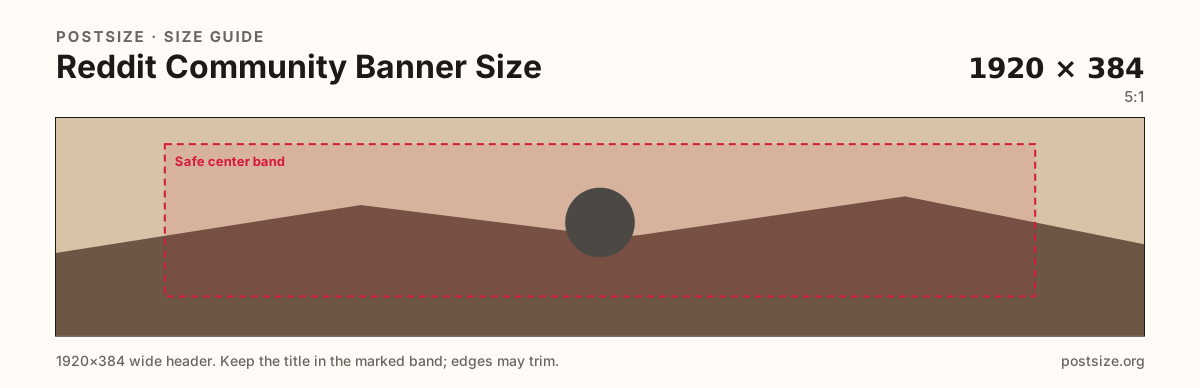
Practical wide header for modern Reddit community pages. Phones may reframe the sides.
Use in toolReddit · Image size
Community banners brand a subreddit at the top of the page. Export 1920×384, keep the name and mark in the center band, then download in your browser.
Browser crop · stays on your device
1920 × 384
Add a photo to crop
Upload a wide community graphic—or try the sample—then keep the title in the center band before you download.
Publish a true wide header. Keep community names and icons in the center; treat far edges as atmosphere for mobile trim.
Export this for Reddit upload.
1920×384 5:1
Practical wide header for modern Reddit community pages. Phones may reframe the sides.
Use in tool1600×480 10:3
Taller relative frame some mobile community headers prefer. Keep subjects centered.
Use in tool| Asset | Pixels | Ratio | Notes | Action |
|---|---|---|---|---|
| Community banner (desktop-style) Recommended | 1920×384 | 5:1 | Practical wide header for modern Reddit community pages. Phones may reframe the sides. | Use in tool |
| Mobile-oriented community banner | 1600×480 | 10:3 | Taller relative frame some mobile community headers prefer. Keep subjects centered. | Use in tool |
When someone opens a subreddit, the banner sets the mood before they read a single post. A clean 1920×384 strip with the community name readable in the center beats a stretched meme that clips on phones.
Desktop shows more width; mobile often trims the sides. Put the title and primary mark in the center band. Leave the rim as soft color or texture.
Pair the banner with the community icon. Matching palette helps recognition in search and feed lists. Still export two files—the circle and the wide header are different jobs.
Personal profile banners look similar but upload from the user profile editor. Moderators change community banners in community appearance / mod tools.
Same short banner strip—quiet lower-left for the avatar, subject in the open mid/right band.
Tick these off against your crop preview—nothing is saved.
Similar-looking slots often use different ratios—do not reuse one export for all of them.
1920 × 384
This page. Subreddit header.
1600 × 480
Optional taller master for phone layouts.
256 × 256 (try 512×512)
Circle mark in feeds—separate guide.
1920 × 384
Personal header—different settings screen.
| Surface | Typical size | Note |
|---|---|---|
| Community banner | 1920 × 384 | This page. Subreddit header. |
| Mobile-oriented banner | 1600 × 480 | Optional taller master for phone layouts. |
| Community icon | 256 × 256 (try 512×512) | Circle mark in feeds—separate guide. |
| Profile banner | 1920 × 384 | Personal header—different settings screen. |
Community names are often short—keep them large and centered. Long rule paragraphs belong in the sidebar or wiki, not burned into the banner.
Seasonal banners are fine; archive the previous export so you can roll back after the event.
JPG for photographic banners; PNG for flat graphics. Prefer sRGB. Keep weight reasonable for mobile visitors.
Same wide proportions, different owners. Profile banners brand a person; community banners brand a sub. Upload each in the correct settings panel.
Upload a wide community graphic, choose 1920×384 (or 1600×480), drag until the title sits in the center band, then download. Processing stays on your device.
From this download to a live upload in a few minutes.
Download the JPG (or PNG) from the tool.
Open the subreddit → Mod tools / community appearance → banner → upload.
Adjust position if Reddit offers a crop step.
Check the community on desktop and in the mobile app.
If the title sits off-frame, re-crop with more center margin and replace the banner.
1920×384 (5:1) is a practical desktop-style upload for subreddit headers. Keep the community name in the center band for mobile trim.
Some communities also prepare 1600×480. If you only ship one file, design the center carefully and preview on a phone.
Proportions are similar, but the upload lives in community appearance settings—not on a personal profile.
Moderators with appearance permissions. Confirm inside Reddit mod tools for your sub.
JPG for photographs, PNG for hard-edged graphics. Prefer sRGB either way.
Reuse the photo, then re-crop. Those networks use different ratios and safe zones.
Legacy layouts can style headers differently. Design for the current default UI first, then spot-check older views if your community still uses them.