
Idea Pin still (practical)
Recommended1080×1920 9:16
Practical full-screen vertical for Idea Pin pages. Not the standard 2:3 home-feed pin (1000×1500).
Use in toolPinterest · Image size
Idea Pins (multi-page / story-style Pins) commonly use full-phone 1080×1920 frames. Keep text out of chrome bands, then download in your browser—this is not the classic 2:3 pin.
Browser crop · stays on your device
1080 × 1920
Add a photo to crop
Upload a vertical page—or try the sample—then keep hooks between the UI risk bands. Use the 2:3 pin guide for classic Pins.
Idea Pins are taller 9:16 pages. Classic Pins win the home feed at 2:3 (try 1000×1500). Stretching one into the other softens type and wastes height.
Export this for Pinterest upload.
1080×1920 9:16
Practical full-screen vertical for Idea Pin pages. Not the standard 2:3 home-feed pin (1000×1500).
Use in tool| Asset | Pixels | Ratio | Notes | Action |
|---|---|---|---|---|
| Idea Pin still (practical) Recommended | 1080×1920 | 9:16 | Practical full-screen vertical for Idea Pin pages. Not the standard 2:3 home-feed pin (1000×1500). | Use in tool |
Pinterest still rewards tall images in the home feed, but Idea Pins (story-style / multi-page Pins) behave more like full-phone vertical slides. Creator practice commonly exports each page at 1080×1920 (9:16). That is taller and narrower than the classic 2:3 pin at 1000×1500.
If you stretch a 2:3 pin into 9:16, you invent empty bands or chop the sides. If you shrink an Idea page into 2:3 for a standard pin, you lose the vertical storytelling space you designed for. Keep two masters when you publish both formats.
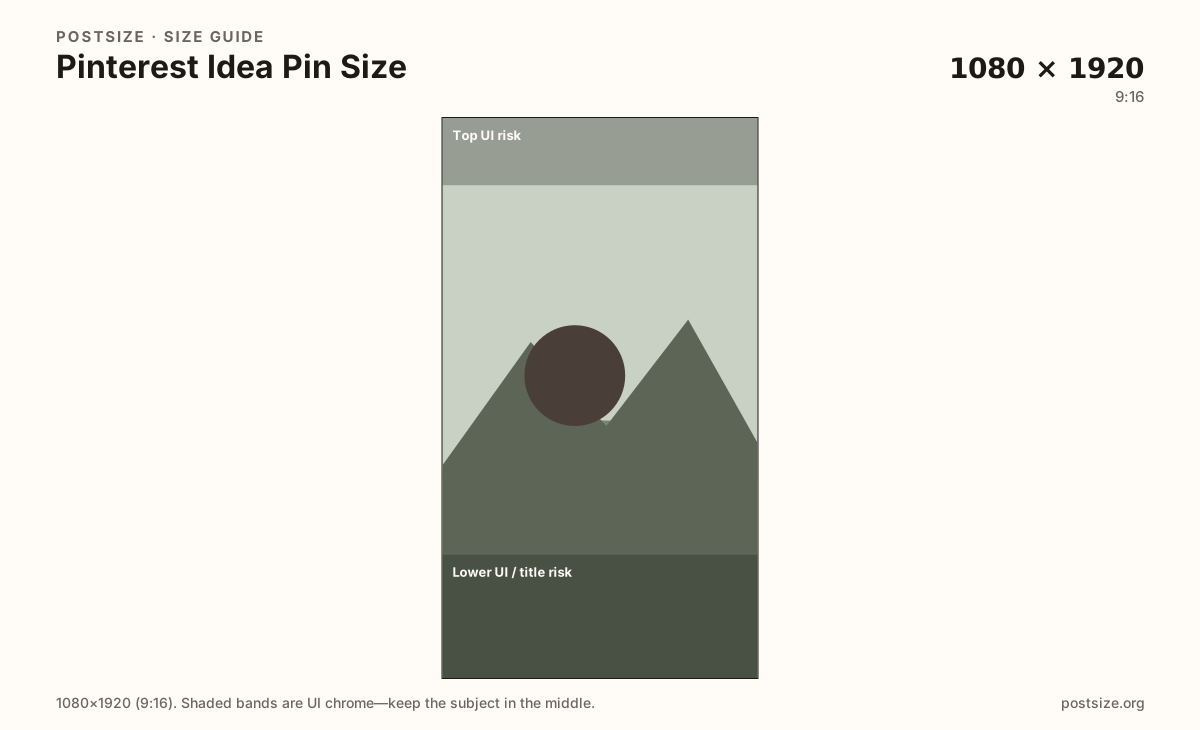
Each Idea page needs its own hook near the clear mid band. Stickers, progress dots, and product tags can cover edges depending on client. Quiet top and bottom remain the safe habit even when Pinterest renames the format.
Board covers and profile photos are separate square or cropped jobs. Do not use an Idea page as a board cover without a dedicated crop. Video Idea sequences still benefit from a strong first-frame still cropped here before you edit motion.
Same full-screen frame—top and bottom UI chrome cover anything glued to the edges.
Tick these off against your crop preview—nothing is saved.
Similar-looking slots often use different ratios—do not reuse one export for all of them.
1080 × 1920
This page. Full-screen vertical Idea / story-style still.
1000 × 1500
Classic 2:3 home-feed pin—different ratio.
Varies
Board thumbnail—not an Idea page.
Square
Circular avatar—separate guide.
| Surface | Typical size | Note |
|---|---|---|
| Idea Pin page | 1080 × 1920 | This page. Full-screen vertical Idea / story-style still. |
| Standard Pin | 1000 × 1500 | Classic 2:3 home-feed pin—different ratio. |
| Board cover | Varies | Board thumbnail—not an Idea page. |
| Profile picture | Square | Circular avatar—separate guide. |
Standard Pins compete as 2:3 stamps in the home feed—1000×1500 is the practical default on this site. Idea Pins present taller 9:16 pages meant to be swiped. Same brand photography can feed both; finished exports should not be identical files.
Viewers may never swipe. Put the promise on page one inside the safe mid band. Later pages can deepen the how-to, but they still need quiet edges for chrome.
Keep fonts and margins consistent across the sequence so the Idea feels intentional, not like five unrelated screenshots.
JPG for photos, PNG for flat how-to graphics. Prefer sRGB. Export true 1080×1920 pages—avoid soft phone screenshots.
Upload a vertical page, choose Idea Pin still (1080×1920), keep the hook between the risk bands, then download. Repeat for each page. Cropping stays in the browser.
From this download to a live upload in a few minutes.
Download the 1080×1920 JPG or PNG for each Idea page.
In Pinterest create flow, choose Idea Pin / multi-page (labels vary) and upload the stills in order.
Preview on a phone before you publish.
If type sits under chrome, re-crop toward the mid band on every page that fails.
1080×1920 (9:16) is a practical full-phone size for Idea Pin pages. Keep hooks out of top and bottom UI bands.
No. Standard Pins usually use 2:3 (try 1000×1500). Idea Pins are taller 9:16 pages—export separately.
Often as a starting file—both are 9:16—but re-check Pinterest chrome and product tags before you publish.
Yes—keep a consistent 1080×1920 frame so the sequence feels intentional and crops cleanly.
Yes. The in-browser crop stays on your device until you download and upload to Pinterest yourself.