
Cover / hero (recommended)
Recommended1600×400 4:1
Patreon cover help recommends 1600×400 for the creator-page hero strip.
Use in toolPatreon · Image size
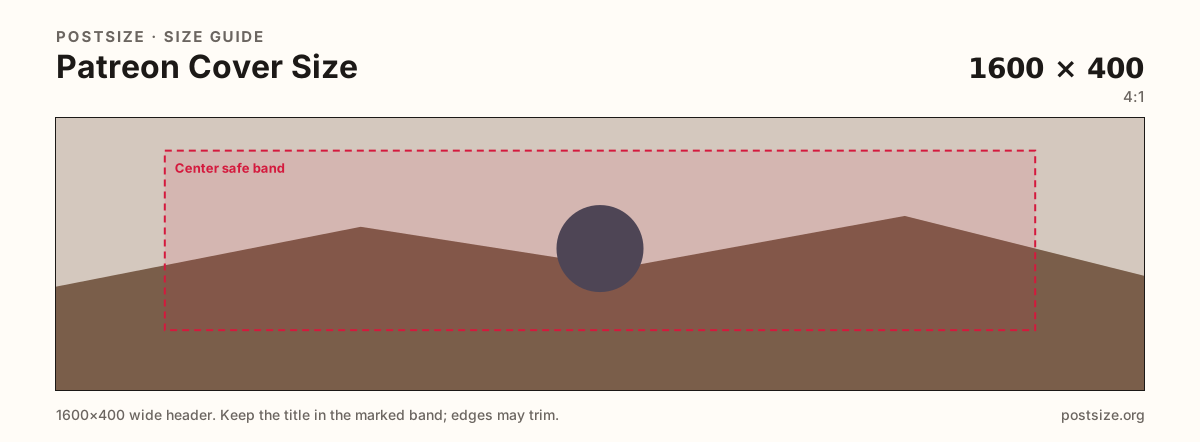
Patreon creator covers commonly target 1600×400 (4:1). Keep logos in the center band, leave the avatar pocket quiet, then download a clear file in your browser.
Browser crop · stays on your device
1600 × 400
Add a photo to crop
Upload a wide photo—or try the sample—then keep wordmarks inside the center band before you download.
Start at 1600×400 (4:1). This is the page hero—not the circular profile photo and not a 16:9 post still.
Export this for Patreon upload.
1600×400 4:1
Patreon cover help recommends 1600×400 for the creator-page hero strip.
Use in tool| Asset | Pixels | Ratio | Notes | Action |
|---|---|---|---|---|
| Cover / hero (recommended) Recommended | 1600×400 | 4:1 | Patreon cover help recommends 1600×400 for the creator-page hero strip. | Use in tool |
Reference sizes and crops—not always separate upload files.
2500×1000 2.5:1
Some Patreon customize docs also cite ~2500×1000. Prefer 1600×400 unless your editor asks for the taller upload.
Use in tool| Asset | Pixels | Ratio | Notes | Action |
|---|---|---|---|---|
| Alternate larger header | 2500×1000 | 2.5:1 | Some Patreon customize docs also cite ~2500×1000. Prefer 1600×400 unless your editor asks for the taller upload. | Use in tool |
The creator-page cover is a wide, short strip. Patreon’s cover help recommends 1600×400 (4:1). That is closer to LinkedIn’s short banner habit than to an X 3:1 header or a Kick 1280×700 channel strip.
Your circular profile photo sits on the lower part of the hero. Logos glued into that pocket disappear under the avatar. Keep headlines in the open mid band and treat the lower-left as quiet atmosphere.
Some customize screens also mention a larger ~2500×1000 header option. Ratios differ. If your editor asks for the larger file, use the alternate preset—otherwise ship a true 1600×400 so Patreon does not crop a mismatched frame.
Post feed images are a different job at 1920×1080. Do not paste the cover into a post and accept letterboxing, and do not stretch a post still into this 4:1 slot.
Same short banner strip—quiet lower-left for the avatar, subject in the open mid/right band.
Tick these off against your crop preview—nothing is saved.
Similar-looking slots often use different ratios—do not reuse one export for all of them.
1600 × 400
This page. Wide strip on the creator page.
1024 × 1024
Circular avatar—separate square export.
1920 × 1080
16:9 feed still—different upload.
| Surface | Typical size | Note |
|---|---|---|
| Cover / hero | 1600 × 400 | This page. Wide strip on the creator page. |
| Profile picture | 1024 × 1024 | Circular avatar—separate square export. |
| Post image | 1920 × 1080 | 16:9 feed still—different upload. |
Patreon stacks the circular profile photo on the hero. Treat that pocket like X or LinkedIn: no critical wordmark under the circle. Put the campaign line in the open mid/right band.
Use 1600×400 when following Patreon’s cover-image help. If your customize flow explicitly recommends a larger ~2500×1000 header, switch to that preset and re-check the live preview—do not stretch one file into the other ratio.
Photos usually look best as JPG; hard-edged logos can stay PNG. Prefer sRGB. Keep the file light enough for mobile networks.
Upload a wide photo, choose Cover / hero (1600×400), drag until the subject clears the edge risk and avatar pocket, then download. Processing stays in your browser.
From this download to a live upload in a few minutes.
Download the 1600×400 JPG (or PNG for hard-edged graphics) from the tool.
On Patreon, open Edit page → Basics / cover image and upload the file.
Confirm framing with your profile photo overlapping the lower band.
Check phone and desktop. If type sits under the avatar, re-crop here and upload again.
1600×400 pixels (4:1) is the practical recommended cover / hero size. Keep critical content centered and clear of the avatar overlap.
Both are short banners, but pixels differ (LinkedIn is often 1584×396). Reuse the photo, then re-crop for Patreon.
Some Patreon customize docs cite a larger ~2500×1000 header. Use that preset only when your editor asks—do not stretch a 1600×400 file into it.
Yes. Leave the lower-left quieter so the circular profile photo does not hide your only logo.
Yes. This guide includes an in-browser crop—files stay on your device until you download and upload to Patreon yourself.