
Header / banner
Recommended1500×500 3:1
Mastodon docs downscale the profile header to 1500×500. Export this frame so processing does not surprise-crop a mismatched ratio.
Use in toolMastodon · Image size
Mastodon profile headers target 1500×500 (3:1). Keep logos out of the avatar pocket, calm the side edges for mobile, then download a clear file in your browser.
Browser crop · stays on your device
1500 × 500
Add a photo to crop
Upload a wide photo—or try the sample—then keep wordmarks out of the avatar pocket before you download.
Publish at 1500×500 (3:1). This is the profile header—not the circular avatar and not a post attachment.
Export this for Mastodon upload.
1500×500 3:1
Mastodon docs downscale the profile header to 1500×500. Export this frame so processing does not surprise-crop a mismatched ratio.
Use in tool| Asset | Pixels | Ratio | Notes | Action |
|---|---|---|---|---|
| Header / banner Recommended | 1500×500 | 3:1 | Mastodon docs downscale the profile header to 1500×500. Export this frame so processing does not surprise-crop a mismatched ratio. | Use in tool |
Mastodon documentation describes downscaling the profile header to 1500×500. That 3:1 frame is the practical export target—similar in habit to an X header, but still its own upload on your instance.
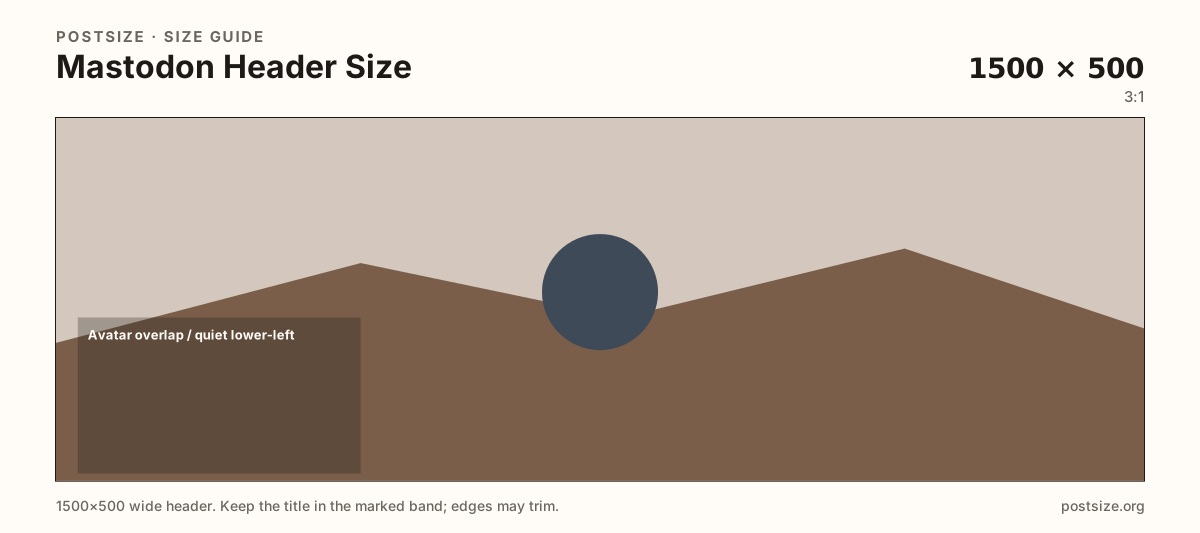
Your circular (or rounded) avatar sits on the lower part of the hero. Logos glued into that pocket disappear under the photo. Keep headlines in the open mid band and treat the lower-left as quiet atmosphere.
Phones and alternate clients may trim the far edges. Keep critical type away from the left and right rims so a narrow viewport does not clip the only slogan.
Default image uploads are often capped around 2MB, but federated instances can change limits. The avatar and post attachment are different files—do not stretch this banner into a square, and do not paste it into a timeline media slot.
Same header strip—keep the avatar pocket clear and the subject in the open band.
Tick these off against your crop preview—nothing is saved.
Similar-looking slots often use different ratios—do not reuse one export for all of them.
1500 × 500
This page. Profile header; avatar overlaps the lower-left.
800 × 800 (try)
Circular / rounded avatar—separate square export.
Often 1920 × 1080
Timeline media—different upload.
| Surface | Typical size | Note |
|---|---|---|
| Header / banner | 1500 × 500 | This page. Profile header; avatar overlaps the lower-left. |
| Profile picture | 800 × 800 (try) | Circular / rounded avatar—separate square export. |
| Post attachment | Often 1920 × 1080 | Timeline media—different upload. |
Mastodon stacks the avatar on the header much like X or LinkedIn. Treat that pocket as quiet: no critical wordmark under the circle. Put the campaign line in the open mid/right band.
Many servers sit near a ~2MB image default, but admins can change media size and formats. If your crisp 1500×500 file is rejected, check the instance about page before downscaling quality blindly.
Photos usually look best as JPG; hard-edged logos can stay PNG. Prefer sRGB. Keep the file light enough for mobile networks and typical instance caps.
Upload a wide photo, choose Header / banner (1500×500), drag until the subject clears the edge risk and avatar pocket, then download. Processing stays in your browser.
From this download to a live upload in a few minutes.
Download the 1500×500 JPG (or PNG for hard-edged graphics) from the tool.
On your instance, open Preferences → Profile and update the header image.
Confirm framing with your avatar overlapping the lower band.
Check phone and desktop. If type sits under the avatar, re-crop here and upload again.
1500×500 pixels (3:1) is the practical docs-aligned header size. Keep critical content clear of the avatar overlap and soft on the side edges.
Same 1500×500 habit, but still a separate upload on your Mastodon instance. Reuse the photo if you want—re-check the live profile after upload.
Yes. Leave the lower-left quieter so the circular profile photo does not hide your only logo.
Often the instance file limit (commonly around 2MB) or an unsupported format. Compress carefully or ask your admin for the current cap.
Yes. This guide includes an in-browser crop—files stay on your device until you download and upload to your instance yourself.