
Clearer upload
Recommended800×800 1:1
Clearer source before the instance processes it. Mastodon docs still downscale avatars to 400×400 for display.
Use in toolMastodon · Image size
Mastodon shows your avatar as a circle or rounded square on timelines and profiles. Export a clear 800×800 square, keep the face inside the guide, then download in your browser.
Browser crop · stays on your device
800 × 800
Add a photo to crop
Upload a headshot or logo—or try the sample—then keep the subject inside the circle guide before you download.
Always start from a square. Timelines show a tiny circle or rounded tile—eyes and marks must live inside the guide, not in the corners.
Export this for Mastodon upload.
800×800 1:1
Clearer source before the instance processes it. Mastodon docs still downscale avatars to 400×400 for display.
Use in tool| Asset | Pixels | Ratio | Notes | Action |
|---|---|---|---|---|
| Clearer upload Recommended | 800×800 | 1:1 | Clearer source before the instance processes it. Mastodon docs still downscale avatars to 400×400 for display. | Use in tool |
Reference sizes and crops—not always separate upload files.
400×400 1:1
Mastodon documentation cites 400×400 as the processed avatar size. Prefer the clearer 800×800 upload when your source allows it.
Use in tool| Asset | Pixels | Ratio | Notes | Action |
|---|---|---|---|---|
| Docs downscale target | 400×400 | 1:1 | Mastodon documentation cites 400×400 as the processed avatar size. Prefer the clearer 800×800 upload when your source allows it. | Use in tool |
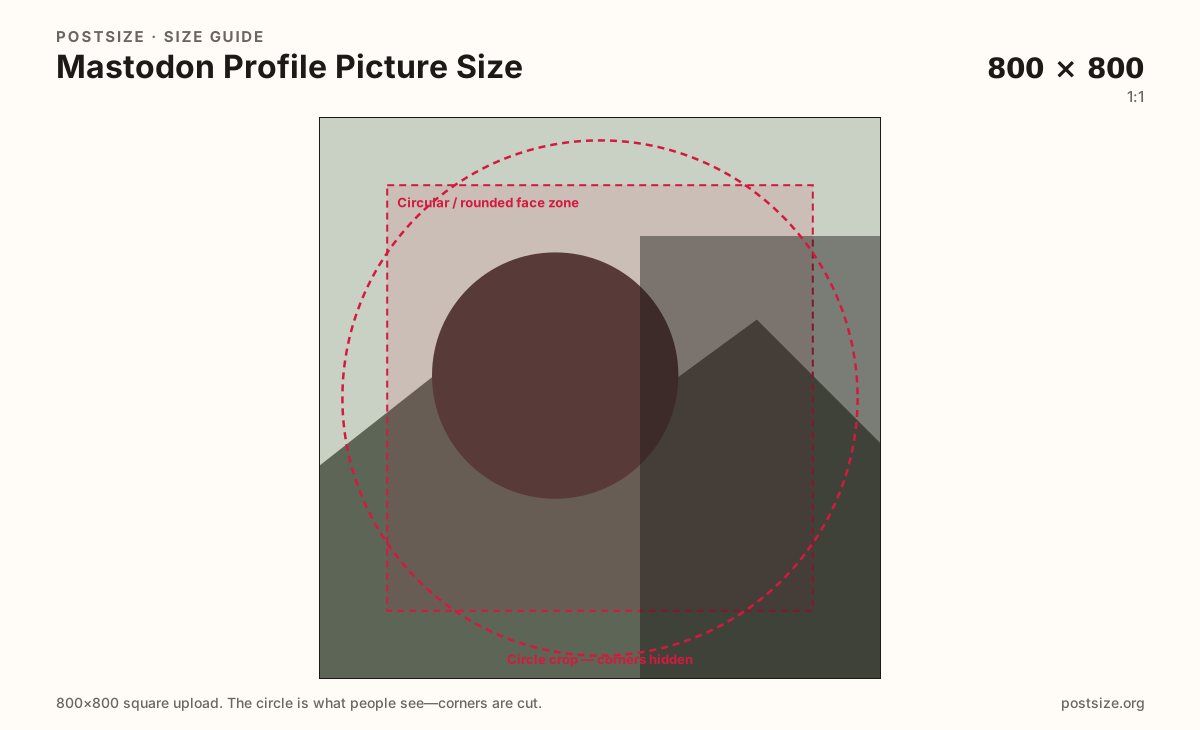
You upload a square, but Mastodon almost never shows the full square. Home timelines, notifications, and profile headers draw a circle or rounded square—often very small. Anything in the four corners disappears when the mask applies.
Mastodon’s own documentation describes downscaling avatars to 400×400. That is a processing target, not an excuse to ship a soft 120×120 upscale. Prefer a clearer 800×800 upload when the photo allows it, then keep the face or mark bold inside the safe zone.
Default media limits are commonly around 2MB for images, but federated instances can raise or lower upload caps, change allowed formats, or restyle the avatar chrome. Always check your home instance’s about or settings page if a file is rejected.
The header banner and the post attachment are different jobs. Do not stretch a 1500×500 header into this square, and do not treat a landscape post still as an avatar.
Same circle mask—corners disappear; design for the tiny comment-size icon.
Tick these off against your crop preview—nothing is saved.
Similar-looking slots often use different ratios—do not reuse one export for all of them.
800 × 800 (try)
This page. Circle or rounded square on timelines and profiles.
1500 × 500
Wide 3:1 profile header—separate export.
Often 1920 × 1080
Timeline media—different upload; limits vary by instance.
| Surface | Typical size | Note |
|---|---|---|
| Profile picture / avatar | 800 × 800 (try) | This page. Circle or rounded square on timelines and profiles. |
| Header / banner | 1500 × 500 | Wide 3:1 profile header—separate export. |
| Post attachment | Often 1920 × 1080 | Timeline media—different upload; limits vary by instance. |
Themes and clients may use a full circle or a rounded square, but corners still fail. Keep eyes or the logo center inside the guide. Leave rim detail out—busy edges look chopped in notifications.
Mastodon is federated. Your home server’s max upload size, allowed MIME types, and even avatar chrome can differ from mastodon.social. Treat ~2MB as a common default, not a universal guarantee.
JPG suits photographs. PNG suits flat marks. Prefer sRGB. Instances may recompress after upload—bold geometry survives better than film grain.
Upload a photo, choose Clearer upload (800×800), drag until the face clears the circle guide, then download. Processing stays in your browser.
From this download to a live upload in a few minutes.
Download the 800×800 JPG (photos) or PNG (flat logos) from the tool.
On your Mastodon instance, open Preferences → Profile and update the avatar.
Save, then check the profile and a home-timeline row on phone and desktop.
If the face sits off-center in the circle, re-crop here and upload again.
Upload a square. Prefer 800×800 for a clearer source. Mastodon docs describe downscaling avatars to 400×400—keep the face centered for the circle or rounded mask.
No. Upload limits, themes, and processing can differ. ~2MB is a common default image cap—confirm on your home instance if a file is rejected.
No. The header is a wide 1500×500 (3:1) banner. The profile picture is a square circle crop. Export them separately.
JPG for photographs, PNG for flat logos. Export sRGB either way.
Yes. This guide includes an in-browser crop—files stay on your device until you download and upload to your instance yourself.