
Event cover (recommended)
Recommended1920×1005 ~1.91:1
Practical high-resolution upload for Facebook Events. Same family as link-preview ratios—not a profile/Page cover.
Use in toolFacebook · Image size
Event covers sit closer to ~1.91:1 than a Page banner. Export 1920×1005, keep the title and date readable, then download in your browser before you publish the event.
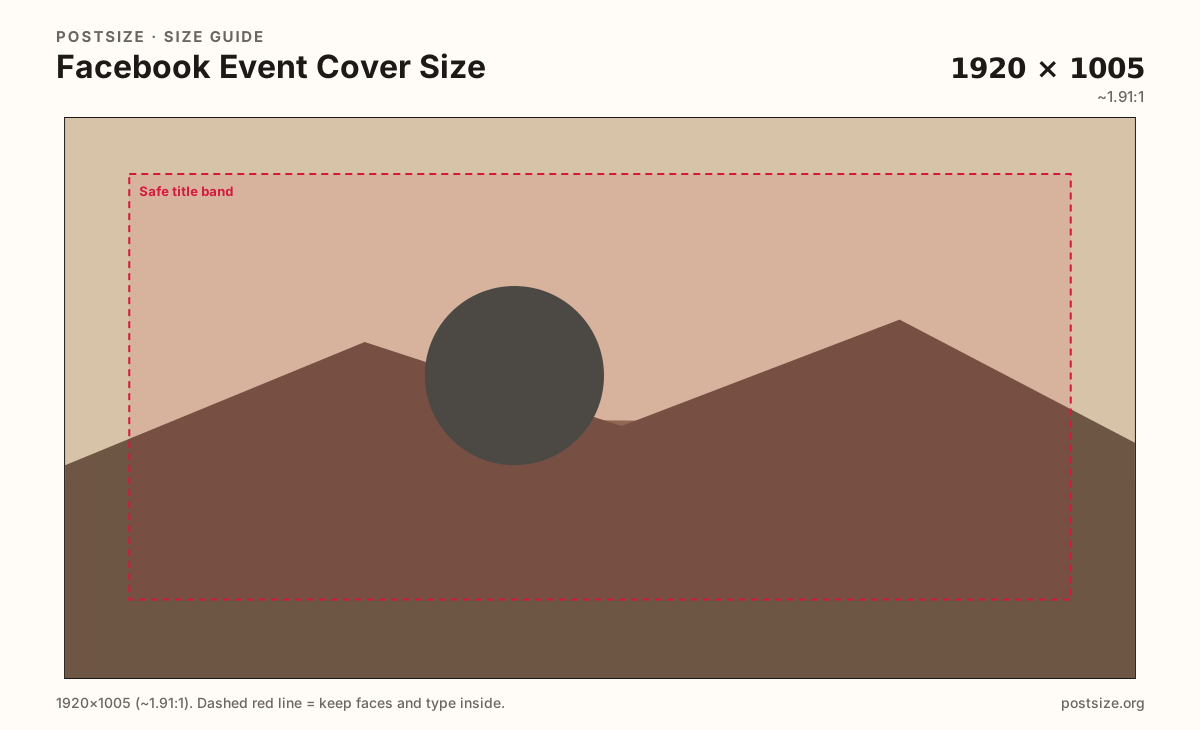
Browser crop · stays on your device
1920 × 1005
Add a photo to crop
Upload a wide photo—or try the sample—then keep event title and date inside the safe band before you download.
Publish at 1920×1005 when the photo allows it. Do not stretch a 1640×624 Page cover into this slot—Events use a taller relative frame.
Export this for Facebook upload.
1920×1005 ~1.91:1
Practical high-resolution upload for Facebook Events. Same family as link-preview ratios—not a profile/Page cover.
Use in tool| Asset | Pixels | Ratio | Notes | Action |
|---|---|---|---|---|
| Event cover (recommended) Recommended | 1920×1005 | ~1.91:1 | Practical high-resolution upload for Facebook Events. Same family as link-preview ratios—not a profile/Page cover. | Use in tool |
Reference sizes and crops—not always separate upload files.
1200×628 ~1.91:1
Same ratio at a lighter pixel count when the source is already soft. Prefer 1920×1005 when you can.
Use in tool| Asset | Pixels | Ratio | Notes | Action |
|---|---|---|---|---|
| Compact event frame | 1200×628 | ~1.91:1 | Same ratio at a lighter pixel count when the source is already soft. Prefer 1920×1005 when you can. | Use in tool |
Facebook Events are shared in search, invites, and the event page header. The cover is closer to a wide landscape card (~1.91:1) than the long profile/Page strip (~2.63:1). Reusing a Page cover stretches faces and often clips the date line.
People decide whether to attend from a small preview first. A soft upscale, a microscopic venue name, or a logo stuck on the far edge fails before anyone opens the full page. Design for the thumbnail, then confirm the large header still holds.
The ratio looks similar to Open Graph link previews (1200×630), but the job is different. An event cover sells a time and place; an OG image sells a shared URL. Keep branding and copy tuned for the event, not a blog share card.
Upload one clear file. Facebook may re-encode it and show slightly different framing across desktop and mobile invites. Leave a quiet margin so slight re-crops do not cut faces or the event title.
Same landscape card—edges and tiny type fail after compression or multi-image crop.
Tick these off against your crop preview—nothing is saved.
Similar-looking slots often use different ratios—do not reuse one export for all of them.
1920 × 1005
This page. Wide event header and invite previews.
1640 × 624
Different ratio—do not swap exports.
1640 × 856
Taller group banner; re-crop if you reuse art.
1200 × 630
Shared URL thumbnail—not an event header substitute.
| Surface | Typical size | Note |
|---|---|---|
| Event cover | 1920 × 1005 | This page. Wide event header and invite previews. |
| Profile / Page cover | 1640 × 624 | Different ratio—do not swap exports. |
| Group cover | 1640 × 856 | Taller group banner; re-crop if you reuse art. |
| Link preview (OG) | 1200 × 630 | Shared URL thumbnail—not an event header substitute. |
Lead with one visual idea: a venue, a performer, a product, or a bold color field with a short title. Busy collages flatten after compression and look worse in small invite cards.
Keep the most important words in the middle third. Side edges and the lower band can shift slightly across clients—treat them as atmosphere, not the only place for the date.
Photos as JPG; hard-edged logos or flat type as PNG. Prefer sRGB. A clean 1920×1005 file usually survives Facebook’s re-encode better than a noisy phone screenshot.
Page covers are wider relative to height. Group covers are taller (~1640×856). Link previews share a similar landscape ratio but are not the event header. Reuse the photo if you want—re-crop for each surface.
Upload a wide photo, choose Event cover (1920×1005), drag until title and subject sit inside the safe band, then download. Processing stays on your device.
From this download to a live upload in a few minutes.
Download the 1920×1005 JPG (or PNG for flat graphics) from the tool.
On Facebook, create or edit your Event → edit cover photo.
Upload the file and nudge the position if Facebook offers a drag control.
Check the invite preview on your phone—title and date should still read.
If anything important sits on the rim, re-crop and upload again.
Plan for 1920×1005 pixels (~1.91:1). That is the practical high-resolution upload for Events—not the same as a profile or Page cover.
No. Page covers are typically 1640×624. Events use a wider landscape closer to ~1.91:1. Re-crop instead of stretching.
The ratio is related, but prefer a dedicated 1920×1005 export so invite thumbnails and the event header stay clear. Do not treat OG art as a drop-in cover without checking framing.
Keep the title and date inside a centered safe band with margin from the edges. Tiny type on the rim often fails in invite previews.
JPG for photographs, PNG for hard-edged logos or flat graphics. Export sRGB and keep the file reasonably light.
Slight re-frames can happen across clients. Leave a quiet margin and preview the invite on your phone after upload.
Reuse the photo, not the finished export. Group and Page covers use different dimensions—open those guides and re-crop for Events.