
Page cover (practical)
Recommended1600×400 4:1
Practical 4:1 page cover strip for Ko-fi. Keep marks out of the avatar pocket.
Use in toolKo-fi · Image size
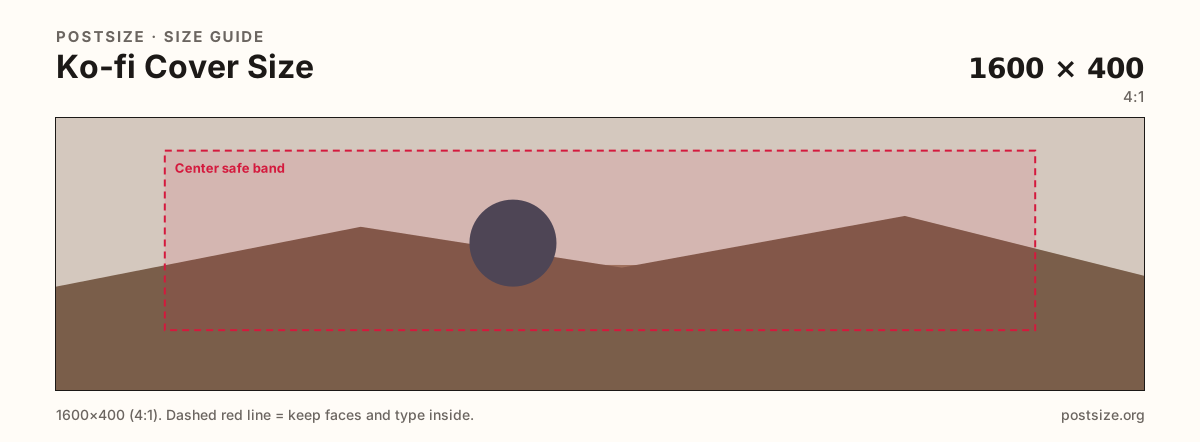
Ko-fi page covers work as short 1600×400 strips. Keep logos in the center band, then download a clear header.
Browser crop · stays on your device
1600 × 400
Add a photo to crop
Upload a wide photo or brand graphic—or try the sample—then keep wordmarks inside the center band before you download.
This is the page header strip—not the circular profile picture and not a 1200×630 social card.
Export this for Ko-fi upload.
1600×400 4:1
Practical 4:1 page cover strip for Ko-fi. Keep marks out of the avatar pocket.
Use in tool| Asset | Pixels | Ratio | Notes | Action |
|---|---|---|---|---|
| Page cover (practical) Recommended | 1600×400 | 4:1 | Practical 4:1 page cover strip for Ko-fi. Keep marks out of the avatar pocket. | Use in tool |
Your Ko-fi page opens with a wide, short header. A practical 1600×400 (4:1) strip matches the creator-page habit many tip platforms share—closer to Patreon covers than to a square profile photo or a tall OG card.
The circular profile picture sits on the lower part of the hero. Logos glued into that pocket disappear. Keep headlines in the open mid band and treat the lower corner as quiet atmosphere.
1200×630 social previews are for link shares, not this strip. Stretching one into the other crops faces and slogans. Ship dedicated exports.
Supporters decide in a glance whether the page feels cared for. Soft phone wallpapers and busy collages underperform next to a clear product shot or bold wordmark.
Same landscape card—edges and tiny type fail after compression or multi-image crop.
Tick these off against your crop preview—nothing is saved.
Similar-looking slots often use different ratios—do not reuse one export for all of them.
1600 × 400
This page. Wide header strip.
800 × 800
Circular avatar—separate square.
~1200 × 630
Share card—different ratio.
1600 × 400
Similar 4:1—re-check each site.
| Surface | Typical size | Note |
|---|---|---|
| Page cover | 1600 × 400 | This page. Wide header strip. |
| Profile picture | 800 × 800 | Circular avatar—separate square. |
| Social OG habit | ~1200 × 630 | Share card—different ratio. |
| Patreon cover habit | 1600 × 400 | Similar 4:1—re-check each site. |
Ko-fi overlays your profile photo on the cover. Designers who ignore that pocket lose logos every time. Compose the strip knowing a circle will sit on top.
Both often use ~1600×400 covers. Audiences and page chrome still differ. Re-crop and preview on Ko-fi even if you start from a Patreon master.
Export 1600×400 as JPG or PNG in sRGB. Keep subjects in the center band. Avoid enormous print files that slow mobile page loads.
Upload a wide graphic, keep Page cover (1600×400) selected, drag until the mark sits in the center band, then download. Cropping stays in the browser.
From this download to a live upload in a few minutes.
Download the 1600×400 JPG or PNG from the tool.
In Ko-fi page settings, update the cover / header image.
Open your public page on a phone and check the avatar overlap.
If the mark clips, enlarge it inside the center band and replace.
A practical page cover is 1600×400 (4:1). Keep logos out of the avatar overlap.
No. Covers are wide strips. Profile pictures are square circles—export both.
Often yes at 1600×400—re-upload and preview on Ko-fi for chrome differences.
JPG for photographs, PNG for flat graphics. Prefer sRGB either way.
Yes. In-browser crop—files stay on your device until you download and upload on Ko-fi.