
Header @2x (practical)
Recommended1200×400 3:1
Practical @2x master for ~600×200 email header slots. Sharp on retina without huge file weight.
Use in toolEmail · Image size
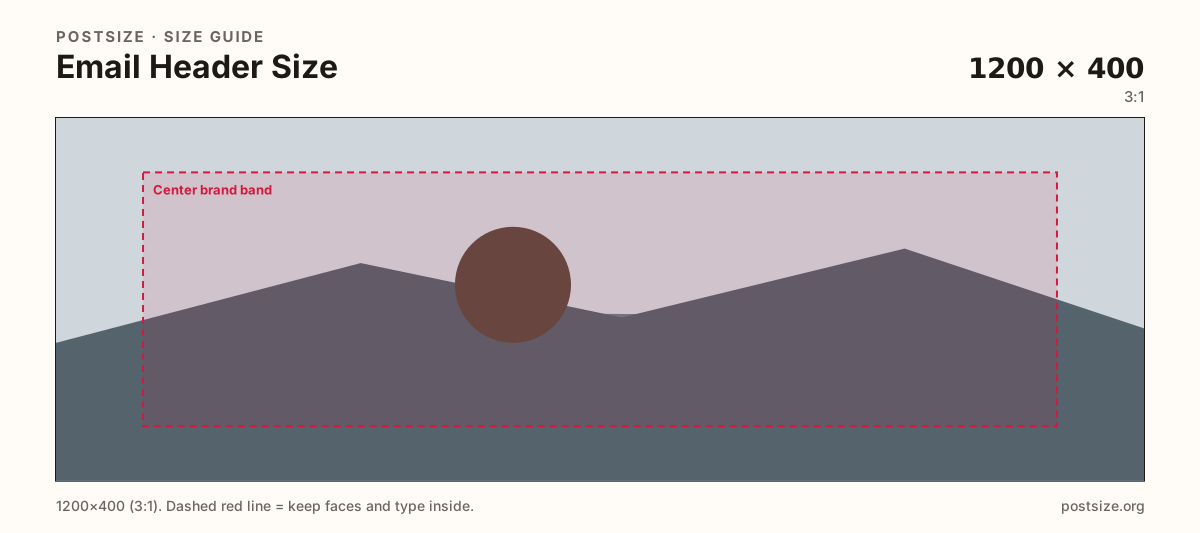
Newsletter and transactional headers look crisp at 1200×400 (@2x for ~600×200 layouts). Keep marks in the center band, then download.
Browser crop · stays on your device
1200 × 400
Add a photo to crop
Upload a wide brand graphic—or try the sample—then keep the logo inside the center band before you download.
This is the horizontal mail header strip—not a square logo and not a 1200×630 social OG card.
Export this for Email upload.
1200×400 3:1
Practical @2x master for ~600×200 email header slots. Sharp on retina without huge file weight.
Use in tool| Asset | Pixels | Ratio | Notes | Action |
|---|---|---|---|---|
| Header @2x (practical) Recommended | 1200×400 | 3:1 | Practical @2x master for ~600×200 email header slots. Sharp on retina without huge file weight. | Use in tool |
Reference sizes and crops—not always separate upload files.
600×200 3:1
Optional 1× display size when a template hard-codes ~600×200. Prefer the 1200×400 master when you can.
Use in tool| Asset | Pixels | Ratio | Notes | Action |
|---|---|---|---|---|
| Display ~600×200 | 600×200 | 3:1 | Optional 1× display size when a template hard-codes ~600×200. Prefer the 1200×400 master when you can. | Use in tool |
Most newsletter templates render a header around 600×200 CSS pixels. Shipping a 1200×400 (@2x) master keeps the strip sharp on retina phones without the weight of a full-bleed 1920-wide marketing hero. Optional 600×200 exists when a builder hard-codes 1× assets.
Outlook, Gmail, Apple Mail, and Yahoo clip or scale differently. Edge-hugging wordmarks and thin rules disappear when a client pads or rounds the module. Keep the logo and one short line inside the center band.
Social OG cards (~1200×630) and Substack email banners (~1100×220) are cousins, not twins. Reuse the photo if you want—then re-crop to 3:1 for this header slot.
Dark-mode clients may invert or wash images. High-contrast marks with quiet backgrounds survive better than delicate gray type on busy photos.
Same landscape card—edges and tiny type fail after compression or multi-image crop.
Tick these off against your crop preview—nothing is saved.
Similar-looking slots often use different ratios—do not reuse one export for all of them.
1200 × 400
This page. Practical retina master.
600 × 200
Optional when templates lock 1×.
~1200 × 630
Share preview—different ratio.
~1100 × 220
Platform-specific strip—re-crop.
| Surface | Typical size | Note |
|---|---|---|
| Email header @2x | 1200 × 400 | This page. Practical retina master. |
| Display 1× | 600 × 200 | Optional when templates lock 1×. |
| Social OG card | ~1200 × 630 | Share preview—different ratio. |
| Substack email banner | ~1100 × 220 | Platform-specific strip—re-crop. |
Email clients add padding, dark themes, and unpredictable image blocking. A header that only works as a full-bleed website hero will fail in the inbox. One clear mark beats a mini landing page.
OG cards are ~1.91:1 sales pitches for link unfurls. Email headers are shorter 3:1 strips. Stretching one into the other crops faces and slogans.
Prefer 1200×400 as the master. Use 600×200 only when a builder rejects @2x. JPG for photos; PNG for logos. Keep weight low for mobile inboxes.
Upload a wide graphic, keep Header @2x (1200×400) selected, drag until the logo sits in the center band, then download. Cropping stays in the browser.
From this download to a live upload in a few minutes.
Download the 1200×400 JPG or PNG (prefer PNG for hard logos).
Upload into your ESP or template header module at ~600×200 display width.
Send a test email to Gmail and Outlook on phone and desktop.
If the logo clips, enlarge it inside the center band and replace.
A practical master is 1200×400 (3:1) for ~600×200 display (@2x). Use 600×200 when a template hard-codes 1×.
No. OG cards are often ~1200×630. Email headers are shorter strips—re-crop.
When the ESP accepts it, yes—sharper on retina. Some builders only accept 600×200; use the optional preset then.
PNG for logos and flat art; JPG for photographs. Keep file weight low for inbox speed.
Yes. Files stay on your device until you download and upload to your ESP.