
Marketplace listing photo (practical)
Recommended1200×1200 1:1
Practical square listing photo for Marketplace. Clear product, quiet background—not a feed post or cover.
Use in toolFacebook · Image size
Facebook Marketplace listings look sharpest as a 1200×1200 square. Keep the item clear and centered, then download in your browser—this is not a feed post or a cover.
Browser crop · stays on your device
1200 × 1200
Add a photo to crop
Upload an item photo—or try the sample—then keep the product inside the safe margin before you download.
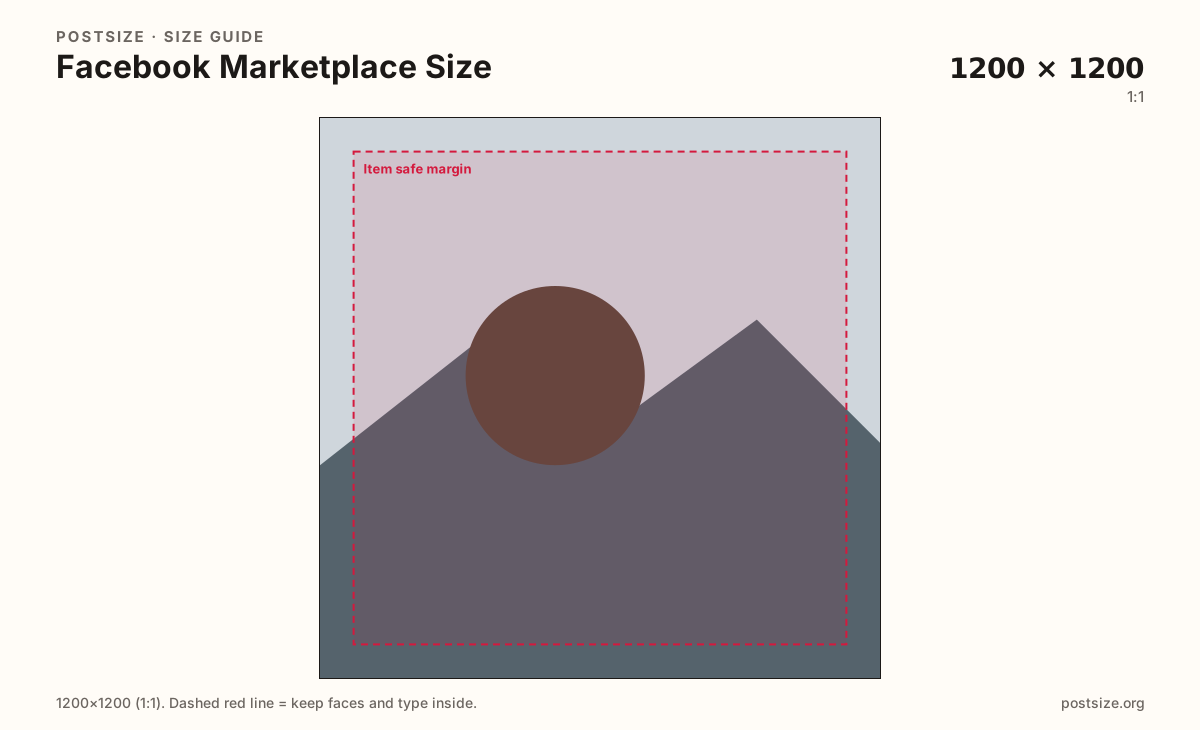
Ship a true 1200×1200 sRGB square for the primary listing photo. Marketplace is not a feed post (often 4:5) and not a Page/profile cover.
Export this for Facebook upload.
1200×1200 1:1
Practical square listing photo for Marketplace. Clear product, quiet background—not a feed post or cover.
Use in tool1080×1350 4:5
Optional taller frame when the item reads better on phones. Prefer square when you can keep one habit across the gallery.
Use in tool| Asset | Pixels | Ratio | Notes | Action |
|---|---|---|---|---|
| Marketplace listing photo (practical) Recommended | 1200×1200 | 1:1 | Practical square listing photo for Marketplace. Clear product, quiet background—not a feed post or cover. | Use in tool |
| Taller listing photo | 1080×1350 | 4:5 | Optional taller frame when the item reads better on phones. Prefer square when you can keep one habit across the gallery. | Use in tool |
Buyers scan Marketplace from small tiles. A practical 1200×1200 square keeps the product large after compression and avoids letterboxing from random phone crops. Lead with the clearest view of the item.
Marketplace is not a feed post and not a cover. Feed posts often use 1080×1350 (4:5). Page and profile covers are wide banners. Stretching either into a listing warps the product and looks unfinished next to native Marketplace galleries.
Optional 1080×1350 helps when a tall object needs vertical room on phones—but keep the gallery consistent. Mixing square and portrait without intent can make the browse grid feel jumpy.
Honest lighting beats heavy filters. Show damage clearly in later photos; use the first square for recognition—shape, color, brand, condition at a glance.
Same feed frame—keep the subject inside the margin phones actually show.
Tick these off against your crop preview—nothing is saved.
Similar-looking slots often use different ratios—do not reuse one export for all of them.
1200 × 1200
This page. Square browse tile.
1080 × 1350
Optional when height helps the item.
Often 1080 × 1350
Timeline post—different job.
Wide banner
Not a listing photo.
| Surface | Typical size | Note |
|---|---|---|
| Marketplace listing | 1200 × 1200 | This page. Square browse tile. |
| Taller listing option | 1080 × 1350 | Optional when height helps the item. |
| Feed post | Often 1080 × 1350 | Timeline post—different job. |
| Page / profile cover | Wide banner | Not a listing photo. |
Photo 1 should answer “what is this?” in a half-second. Later photos answer size, wear, packaging, and flaws. Buyers trust listings that show the truth early.
Same Facebook account, three artboards. Crop once for Marketplace, once for the feed, and again for covers—do not stretch one file into every surface.
Export 1200×1200 in sRGB for the primary photo—or 1080×1350 when a taller frame helps. Keep the item inside the safe margin. Prefer JPG for real-world photos.
Upload your item photo, keep Marketplace listing photo (1200×1200) selected—or Taller listing when height helps—drag until the item sits in the safe margin, then download. Upload in Marketplace yourself.
From this download to a live upload in a few minutes.
Download the 1200×1200 JPG (or PNG for flat graphics).
Open Facebook Marketplace → create listing → add photos in order.
Use the square as photo 1; add detail angles next.
Preview the tile on a phone before you publish.
If the item looks tiny, enlarge it inside the margin and re-export.
A practical primary size is 1200×1200 (1:1). Optional 1080×1350 (4:5) helps taller items on phones—prefer one clear habit for the gallery.
No. Feed posts often use 4:5. Marketplace listings sell best as clear square product photos. Re-crop when you move a frame between them.
No—covers are wide banners. Stretching them into a listing warps the product. Start from a product photo and crop to square.
Enough to show the item honestly—hero plus angles, scale, and flaws. Exact limits vary; check Facebook when you upload.
Yes. Crop in the browser, then upload the files on Facebook Marketplace yourself.