
Shop banner (recommended)
Recommended3360×840 4:1
Practical Etsy shop header upload. Wide 4:1 strip across the shop homepage.
Use in toolEtsy · Image size
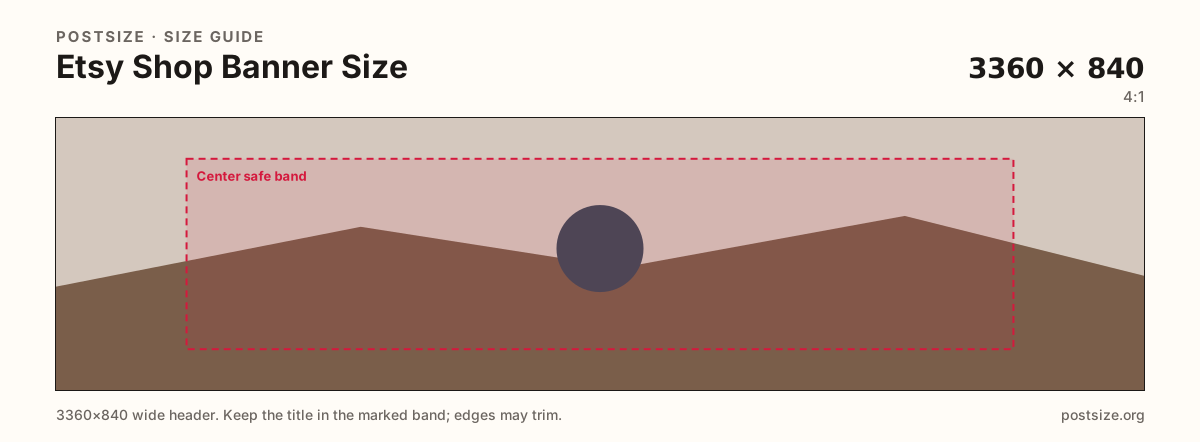
Etsy shop banners commonly upload at 3360×840. Keep the shop name in the center band, leave edges quieter for phone crops, then download a clear file in your browser.
Browser crop · stays on your device
3360 × 840
Add a photo to crop
Upload a wide photo or graphic—or try the sample—then keep the wordmark inside the center band before you download.
This is the shop homepage billboard—not a listing photo and not the circular shop icon. Design for a short, wide strip.
Export this for Etsy upload.
3360×840 4:1
Practical Etsy shop header upload. Wide 4:1 strip across the shop homepage.
Use in tool| Asset | Pixels | Ratio | Notes | Action |
|---|---|---|---|---|
| Shop banner (recommended) Recommended | 3360×840 | 4:1 | Practical Etsy shop header upload. Wide 4:1 strip across the shop homepage. | Use in tool |
The Etsy shop banner is a wide, short header across your shop homepage. A practical upload size is 3360×840 (about 4:1)—large enough for sharp desktop display without pretending to be a square product shot.
Phones crop more aggressively from the sides. Logos glued into the far left or right disappear first. Keep the shop name and primary motif inside the center safe band and treat the edges as atmosphere.
This is not a listing photo. Listing stills want ~2000px on the long side and usually a square or portrait product frame. Stretching a banner into the gallery looks unfinished next to real product photography.
The shop icon is a separate 500×500 mark. Coordinate color with the banner if you want a set, but export two files—never crop the banner down and call it an icon.
Same short banner strip—quiet lower-left for the avatar, subject in the open mid/right band.
Tick these off against your crop preview—nothing is saved.
Similar-looking slots often use different ratios—do not reuse one export for all of them.
3360 × 840
This page. Wide shop homepage header.
2000 × 2000
Product gallery still—different job.
500 × 500
Tiny shop mark—separate square.
| Surface | Typical size | Note |
|---|---|---|
| Shop banner | 3360 × 840 | This page. Wide shop homepage header. |
| Listing photo | 2000 × 2000 | Product gallery still—different job. |
| Shop icon | 500 × 500 | Tiny shop mark—separate square. |
Etsy’s shop header is wide. Mobile and responsive layouts trim the sides first. Treat the center band as the keep-in zone for the shop name and primary motif.
Listing photos sell one product at high resolution (often 2000×2000). The banner brands the whole shop. Reuse photography if you want—re-crop for the 4:1 strip.
JPG for photographic banners. PNG for hard-edged logos. Prefer sRGB. A sharp 3360×840 usually beats a huge noisy master Etsy will recompress.
Upload a wide photo, choose Shop banner (3360×840), drag until the wordmark clears the side risk, then download. Processing stays in the browser.
From this download to a live upload in a few minutes.
Download the 3360×840 JPG (photos) or PNG (flat graphics) from the tool.
In Etsy Seller Hub, open Shop Manager → Info & appearance (or Shop settings) and upload the banner.
Confirm framing on phone and desktop.
If type sits off-center or near the rim, re-crop here and upload again.
3360×840 pixels (~4:1) is the practical recommended shop banner size. Keep critical content centered for phone crops.
No. Listing photos are product stills (often 2000×2000). The banner is a wide shop header—export separately.
Yes—sides get tighter on narrow screens. Keep logos and type inside the center safe band.
JPG for photographs, PNG for hard-edged graphics. Export sRGB.
Yes. This guide includes an in-browser crop—files stay on your device until you download and upload to Etsy yourself.