
Channel cover (practical)
Recommended1080×360 3:1
Practical 3:1 Channel header habit. Not a Status still and not the circular Channel icon.
Use in toolWhatsApp · Image size
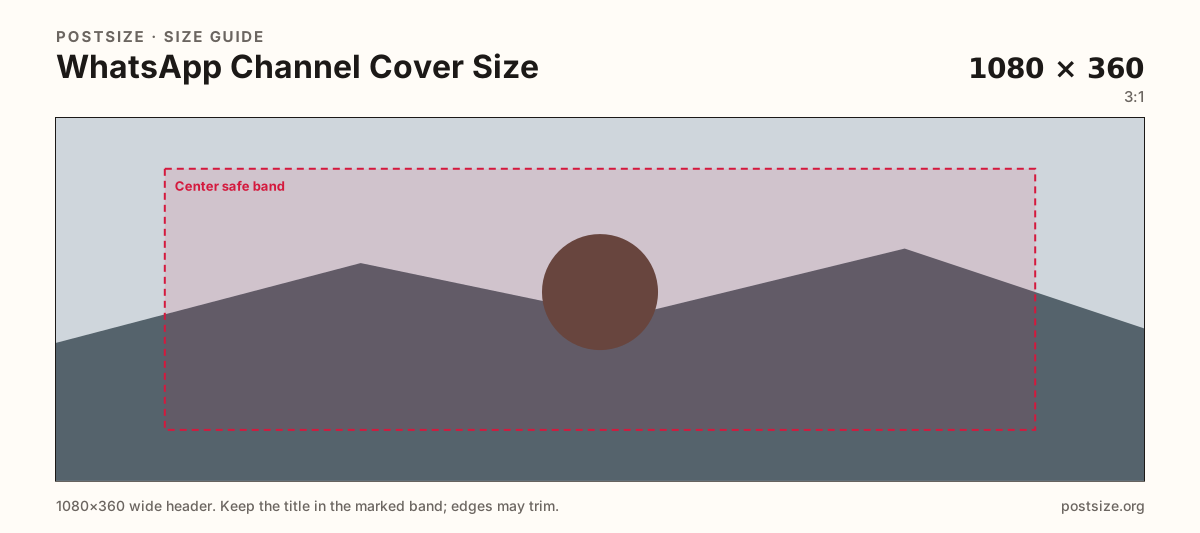
WhatsApp Channel covers are a short wide strip—export 1080×360 (3:1), keep the title in the center band, then download in your browser.
Browser crop · stays on your device
1080 × 360
Add a photo to crop
Upload a wide brand graphic—or try the sample—then keep the channel name in the center band before you download.
Primary export here is 1080×360 (3:1). Some creators also ship a 1280×720 (16:9) community alternate—preview on device either way. Do not stretch a Status (9:16) or a 640×640 profile into this slot.
Export this for WhatsApp upload.
1080×360 3:1
Practical 3:1 Channel header habit. Not a Status still and not the circular Channel icon.
Use in tool| Asset | Pixels | Ratio | Notes | Action |
|---|---|---|---|---|
| Channel cover (practical) Recommended | 1080×360 | 3:1 | Practical 3:1 Channel header habit. Not a Status still and not the circular Channel icon. | Use in tool |
WhatsApp Channels put a wide cover above updates so followers recognize the publisher before they read a single broadcast. A practical community habit is 1080×360 (3:1): short enough to read as a header, wide enough for a wordmark and one short line.
Status stills are full-phone 9:16 frames with progress and reply chrome. Stretching a Status export into a Channel cover flattens faces and leaves empty bars. Profile pictures and Channel icons are circles—they identify chats, not the Channel stage.
Some teams also keep a 1280×720 (16:9) alternate when their art started as a YouTube thumbnail or community card. That is an optional habit, not a second primary in this tool—if you use it, re-check the live Channel preview so LinkedIn-style crop surprises do not clip the title.
Keep type large and the far edges calm. Channel lists and phones can tighten the rim. Soft screenshots of the WhatsApp UI look unfinished next to a purpose-built strip with clear contrast.
Same short banner strip—quiet lower-left for the avatar, subject in the open mid/right band.
Tick these off against your crop preview—nothing is saved.
Similar-looking slots often use different ratios—do not reuse one export for all of them.
1080 × 360
This page. Wide Channel header (3:1).
1280 × 720
16:9 habit some teams reuse—preview live; not the in-tool primary.
1080 × 1920
9:16 full-screen still—separate guide.
640 × 640
Circle mark—separate upload.
| Surface | Typical size | Note |
|---|---|---|
| Channel cover | 1080 × 360 | This page. Wide Channel header (3:1). |
| Optional community alternate | 1280 × 720 | 16:9 habit some teams reuse—preview live; not the in-tool primary. |
| Status | 1080 × 1920 | 9:16 full-screen still—separate guide. |
| Channel / group icon | 640 × 640 | Circle mark—separate upload. |
Status fills the phone under progress dots and reply UI. Channel covers are short headers above a feed of updates. Reusing one master for both almost always fails one of the two crops.
The cover brands the Channel page. The Channel icon (and personal profile) are circular marks in lists. Export two files with two safe zones.
JPG suits photo backgrounds; PNG suits flat brand art. Prefer sRGB. Start sharp—WhatsApp compression punishes soft upscales.
Upload a wide graphic, choose Channel cover (1080×360), keep the title inside the center band, then download. Cropping stays in your browser.
From this download to a live upload in a few minutes.
Download the 1080×360 JPG or PNG from the tool.
In WhatsApp, open Channel admin / edit Channel and update the cover photo.
Confirm the strip on phone and desktop Channel views.
If the title clips, re-crop with more center margin and replace the file.
A practical primary size is 1080×360 (3:1). Some teams also use 1280×720 as a community alternate—always preview the live Channel.
No. Status is 1080×1920 (9:16). Channel covers are short wide headers—do not stretch one into the other.
1080×360 is the primary habit on this page. Use 1280×720 only if your art is already 16:9 and the live Channel preview still looks intentional.
No. Channel icons are 640×640 circles. The cover is a wide strip above Channel updates.
Yes. This guide includes an in-browser crop—files stay on your device until you download and upload to WhatsApp yourself.