
Practical square
Recommended640×640 1:1
Practical square for WeChat chat circles. Keep the face inside the guide—preview in WeChat.
Use in toolWeChat · Image size
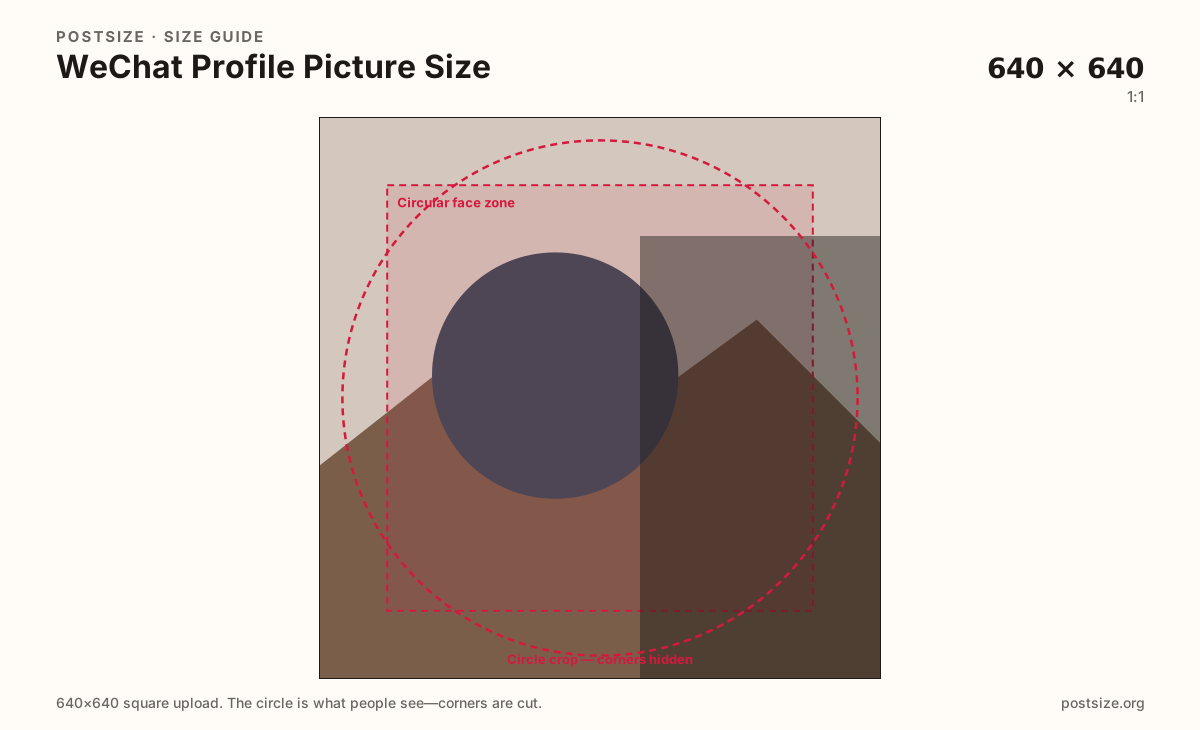
WeChat shows your photo as a circle in chats and Moments. Export a clear 640×640 square, keep the face inside the guide, then download.
Browser crop · stays on your device
640 × 640
Add a photo to crop
Upload a headshot or logo—or try the sample—then keep the subject inside the circle guide before you download.
Chat lists and Moments comments shrink this file. Moments covers and Official Account headers are different jobs.
Export this for WeChat upload.
640×640 1:1
Practical square for WeChat chat circles. Keep the face inside the guide—preview in WeChat.
Use in tool| Asset | Pixels | Ratio | Notes | Action |
|---|---|---|---|---|
| Practical square Recommended | 640×640 | 1:1 | Practical square for WeChat chat circles. Keep the face inside the guide—preview in WeChat. | Use in tool |
WeChat (微信) is daily infrastructure for many Chinese users: work groups, family chats, payments, and Moments. Your avatar is the stamp people see hundreds of times a day. A practical 640×640 square with a clear face beats a decorative Moments cover forced into a circle.
Circles clip corners hard. Wide logos and edge-only text fail in chat lists first. Fill most of the guide with one recognizable face or simple mark.
LINE profile photos use a similar practical 640×640 habit. Brands that operate in both ecosystems can share a master photo—but still preview WeChat live, especially under Moments comment chrome.
Moments covers are tall 9:16 stages; Official Account headers are wide brand cards. Neither replaces a dedicated avatar export.
Same circle mask—corners disappear; design for the tiny comment-size icon.
Tick these off against your crop preview—nothing is saved.
Similar-looking slots often use different ratios—do not reuse one export for all of them.
640 × 640
This page. Chat and Moments circle.
1080 × 1920
Tall personal banner—separate guide.
900 × 500
Official Account card—not the avatar.
640 × 640
Similar messenger circle—preview each app.
| Surface | Typical size | Note |
|---|---|---|
| Profile picture | 640 × 640 | This page. Chat and Moments circle. |
| Moments cover | 1080 × 1920 | Tall personal banner—separate guide. |
| OA header | 900 × 500 | Official Account card—not the avatar. |
| LINE profile picture | 640 × 640 | Similar messenger circle—preview each app. |
Most people recognize you as a tiny disc beside a message. If the face only works on the full profile page, the everyday WeChat experience still fails.
Both messengers use circular avatars from square uploads. Practical 640×640 is a sensible shared starting size for Greater China / SEA campaigns—still verify each app’s live mask.
JPG for photos; PNG for flat logos. Prefer sRGB. Keep weight light for mobile profile updates.
Upload a headshot, keep Practical square selected, drag until the face sits in the guide, then download.
From this download to a live upload in a few minutes.
Download the 640×640 JPG or PNG from the tool.
In WeChat, open Me → profile photo and upload.
Check a chat list and a Moments comment thread.
If the face clips, enlarge and re-export.
A practical export is 640×640 (1:1). WeChat shows it as a circle—preview in chats after upload.
No. Moments covers are tall 9:16 banners (practical 1080×1920). Avatars are squares shown as circles.
No. OA headers are wide brand cards (practical 900×500).
Often as a starter at the same practical square size. Still preview the circle inside WeChat.
Yes. Files stay on your device until you download and upload to WeChat yourself.