
Channel header (practical)
Recommended1920×480 4:1
Practical community size (~4:1). Vimeo layouts vary—preview on your channel after upload.
Use in toolVimeo · Image size
Vimeo channel headers are wide practical strips. Export 1920×480, keep branding centered, then download—preview on your live channel.
Browser crop · stays on your device
1920 × 480
Add a photo to crop
Upload a wide brand graphic—or try the sample—then keep the logo inside the center band before you download.
This is a practical header strip—not an official single-pixel mandate and not a 1280×720 thumb. Always preview live.
Export this for Vimeo upload.
1920×480 4:1
Practical community size (~4:1). Vimeo layouts vary—preview on your channel after upload.
Use in tool| Asset | Pixels | Ratio | Notes | Action |
|---|---|---|---|---|
| Channel header (practical) Recommended | 1920×480 | 4:1 | Practical community size (~4:1). Vimeo layouts vary—preview on your channel after upload. | Use in tool |
Channel pages show a wide branding strip above video grids. Exact crops can vary by layout, device, and how Vimeo presents the channel. Treat 1920×480 as a practical community target (~4:1), not as a single official pixel law.
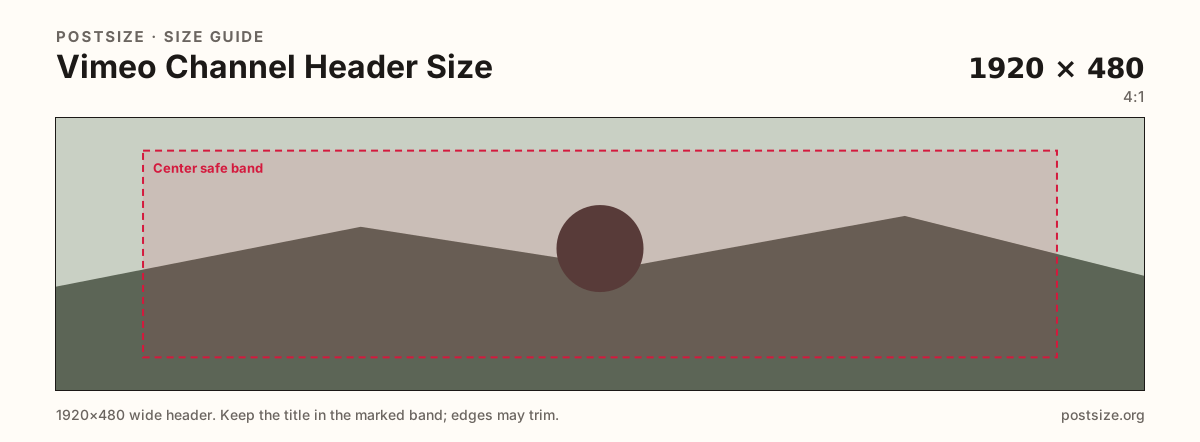
Keep logos, show titles, and key faces inside the center band. Phones and narrow windows trim the outer thirds more aggressively than a desktop monitor. Micro type on the far left or right is the first thing to disappear.
Do not stretch a 1280×720 video thumbnail into this slot. Thumbs are 16:9 click cards; headers are short billboards. Reuse photography if you want—export a dedicated wider crop so the brand mark does not look letterboxed or squashed.
After upload, open the live channel on desktop and mobile before you announce a rebrand. If Vimeo’s chrome covers part of the art, nudge the subject toward the center and replace. Practical honesty beats pretending one export fits every viewport forever.
Same short banner strip—quiet lower-left for the avatar, subject in the open mid/right band.
Tick these off against your crop preview—nothing is saved.
Similar-looking slots often use different ratios—do not reuse one export for all of them.
1920 × 480
This page. Practical community target.
1280 × 720
16:9 click card—separate guide.
Often 2560 × 1440
Different product—re-crop for Vimeo.
Various
Not interchangeable with this strip.
| Surface | Typical size | Note |
|---|---|---|
| Channel header | 1920 × 480 | This page. Practical community target. |
| Video thumbnail | 1280 × 720 | 16:9 click card—separate guide. |
| YouTube channel art | Often 2560 × 1440 | Different product—re-crop for Vimeo. |
| Twitch / Kick banners | Various | Not interchangeable with this strip. |
Vimeo does not always publish one immutable pixel pair for every channel layout. Creators still need a working master. 1920×480 (~4:1) is a widely used community target that looks sharp on modern displays without claiming to be the only legal size.
Always preview after upload. If your channel template crops differently, adjust the master—do not invent fake official numbers.
Thumbnails sell one film. Headers brand the channel. Share color and photography—not a forced stretch.
JPG suits photo headers; PNG suits flat graphics. Prefer sRGB. Start from a wide master—do not upscale a soft phone panorama.
Upload a wide graphic, keep Channel header (1920×480) selected, drag until the brand sits in the center band, then download. Cropping stays in the browser.
From this download to a live upload in a few minutes.
Download the 1920×480 JPG or PNG from the tool.
In Vimeo, open channel settings → header / cover (wording varies) and upload.
Open the live channel on desktop and a phone—judge the real crop.
If chrome covers the mark, recenter and replace.
1920×480 is a practical community target (~4:1). Preview on your live channel—layouts can vary.
It is a practical size, not a single official pixel mandate. Always preview after upload and adjust if your layout crops differently.
Reuse the photo, then re-crop. YouTube channel art is a different canvas—do not stretch it blindly into 1920×480.
No. Thumbnails are 1280×720 (16:9) click cards. Headers are a wider practical strip for channel branding.
Yes. This guide includes an in-browser crop—files stay on your device until you download and upload yourself.