
Summary card (practical)
Recommended800×418 ~1.91:1
Practical large-image / summary-card habit (~1.91:1). Not a native post still and not the 1500×500 banner.
Use in toolX (Twitter) · Image size
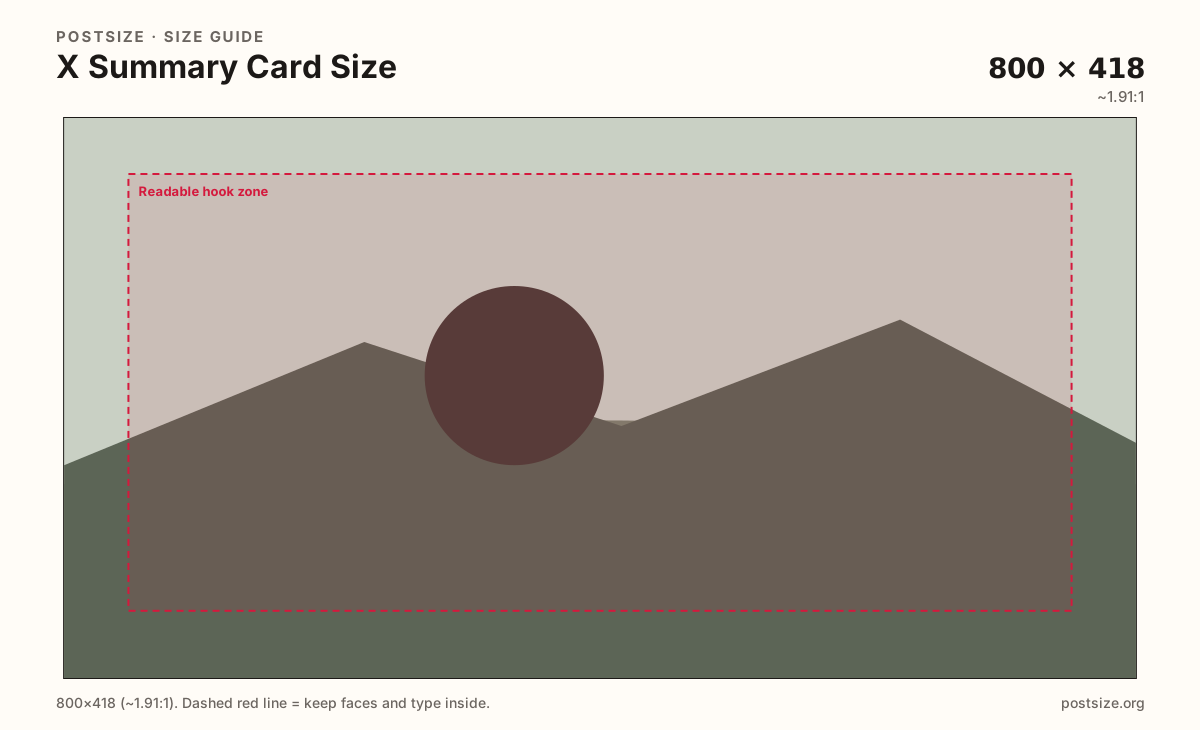
X summary cards are the landscape still behind a shared URL—not a feed photo and not your profile header. Export 800×418 (or a clearer 1200×628), keep the hook readable, then download in your browser.
Browser crop · stays on your device
800 × 418
Add a photo to crop
Upload a landscape photo—or try the sample—then keep the share hook inside the safe band. This export is for URLs, not posts or banners.
This page is for link / Open Graph–style cards only. Feed posts often use 1600×900; profile headers use 1500×500. Do not stretch those into this slot.
Export this for X (Twitter) upload.
800×418 ~1.91:1
Practical large-image / summary-card habit (~1.91:1). Not a native post still and not the 1500×500 banner.
Use in tool1200×628 ~1.91:1
Same landscape ratio with more detail for high-density screens. Many sites still serve ~800×418 in meta tags.
Use in tool| Asset | Pixels | Ratio | Notes | Action |
|---|---|---|---|---|
| Summary card (practical) Recommended | 800×418 | ~1.91:1 | Practical large-image / summary-card habit (~1.91:1). Not a native post still and not the 1500×500 banner. | Use in tool |
| Clearer same-ratio | 1200×628 | ~1.91:1 | Same landscape ratio with more detail for high-density screens. Many sites still serve ~800×418 in meta tags. | Use in tool |
When someone pastes a URL into X, the client looks for card meta (large image / summary card) and paints a landscape thumbnail next to the title and description. That still is a packaging job for the link, not a substitute for a native photo post and not the wide strip behind your avatar.
800×418 is a practical ~1.91:1 export that matches how many CMSs and social plugins still think about Twitter cards. 1200×628 keeps the same ratio with more pixels when the source is sharp and you want a clearer master. Both are landscape cards. Neither is the 16:9-ish feed photo habit (often 1600×900) and neither is the 3:1 profile banner (1500×500).
Creators regularly paste a banner crop into og:image or ship a 1600×900 post still as the card. The banner is too wide and short; faces sit wrong and type looks stretched. The post still is taller relative to width and often gets letterboxed or soft-cropped in the card slot. Export a dedicated card file with the hook fully inside the readable zone.
Put long copy in the page title and description tags. On-image text should be a short lockup that survives compression on a phone timeline. After you upload the file to your site, point twitter:image / og:image at it and refresh the card debugger when you change the art. This tool only crops on your device—it does not host the image for X.
Same landscape card—edges and tiny type fail after compression or multi-image crop.
Tick these off against your crop preview—nothing is saved.
Similar-looking slots often use different ratios—do not reuse one export for all of them.
800 × 418
This page. Shared URL thumbnail (~1.91:1).
1200 × 628
Same ratio, more detail—optional.
1600 × 900
In-feed photo/video frame—different crop.
1500 × 500
3:1 header behind the avatar—not a card.
| Surface | Typical size | Note |
|---|---|---|
| Summary / link card | 800 × 418 | This page. Shared URL thumbnail (~1.91:1). |
| Clearer card master | 1200 × 628 | Same ratio, more detail—optional. |
| Native post still | 1600 × 900 | In-feed photo/video frame—different crop. |
| Profile banner | 1500 × 500 | 3:1 header behind the avatar—not a card. |
A summary card is what appears when the tweet is mostly a URL. A native post still is what you attach as media—often closer to 1600×900. The profile banner is the 1500×500 strip people see when they open your profile. Three uploads, three ratios, three jobs.
If you only keep one landscape file and force it everywhere, at least one surface will look soft or cropped. Keep a dedicated card master even when the photography matches your post art.
X does not pull the card from this crop tool. You host the JPG/PNG, then reference it in twitter:image (and usually og:image for other networks). Relative paths and blocked hotlinking are common reasons a card fails even when the pixels are correct.
Prefer absolute HTTPS URLs, a stable filename when possible, and a fresh debugger check after CDN cache changes. Updating the file at the same URL sometimes needs a cache-bust query or a new path.
JPG for photographs; PNG for flat graphics and hard type. Prefer sRGB. 800×418 is the practical default; 1200×628 is the clearer same-ratio option, not a different layout.
Upload a landscape still, keep Summary card (800×418) selected unless you need the clearer 1200×628, drag until the hook sits inside the readable zone, then download. Cropping stays in the browser.
From this download to a live upload in a few minutes.
Download the 800×418 JPG or PNG (use 1200×628 if you chose the clearer preset).
Upload the file to your site or CDN and set twitter:image / og:image to that URL.
Validate with X’s card debugger (or your CMS preview) after each art change.
If the hook clips or looks soft, re-crop with fewer words and more fill, then replace the meta image once.
A practical large-image / summary card export is 800×418 (~1.91:1). 1200×628 is a clearer master at the same ratio. Design for a landscape link thumbnail, not a post or banner.
No. Native posts often use about 1600×900. Summary cards are ~1.91:1 link thumbnails (try 800×418). Export separately.
You should not. The banner is a 3:1 profile header with avatar overlap. Cards need a shorter landscape ratio and a different safe zone.
Start with 800×418 when that matches your CMS defaults. Use 1200×628 when the source is sharp and you want a clearer same-ratio file.
Host it on your website or CDN, then set twitter:image / og:image. This page only prepares the crop—it does not publish to X for you.
Usually a blocked URL, wrong meta path, or cached card. Fix the public image URL, then refresh X’s card debugger after each change.