
Track cover
Recommended800×800 1:1
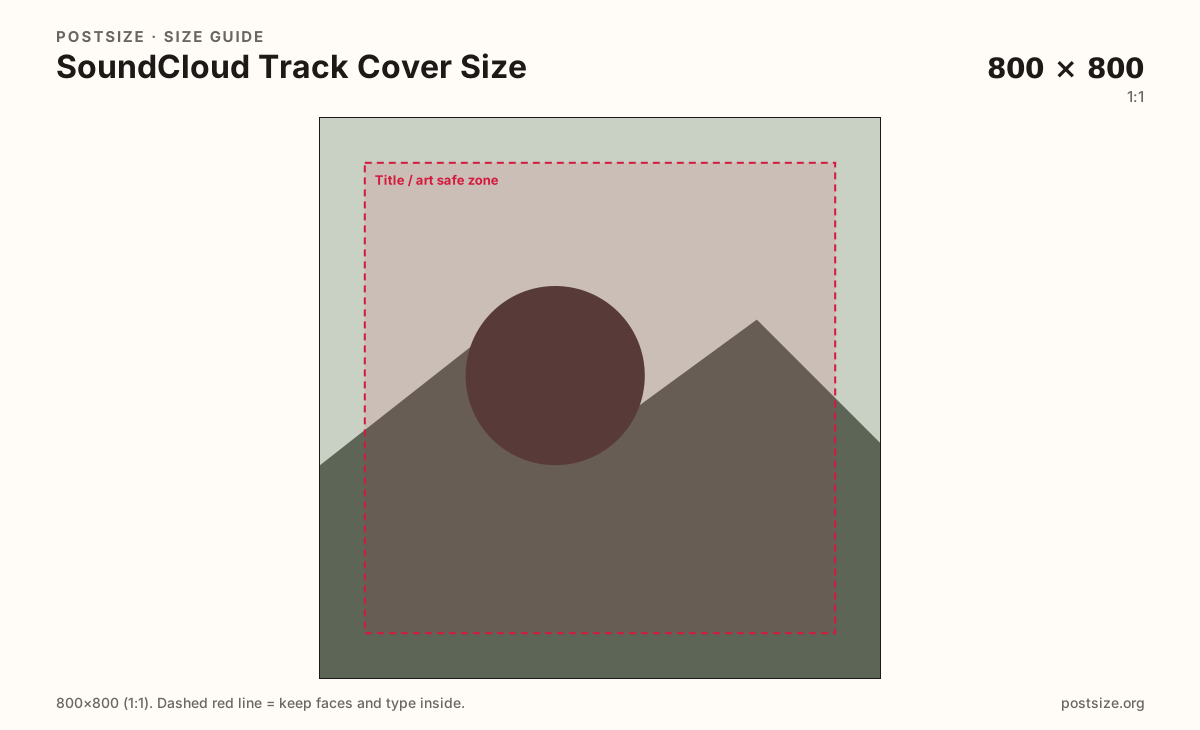
Square artwork for a track or upload. Distinct from the circular profile picture even when both are 800×800.
Use in toolSoundCloud · Image size
SoundCloud track covers are square artwork—export a clear 800×800 still, keep the title readable at thumbnail size, then download in your browser.
Browser crop · stays on your device
800 × 800
Add a photo to crop
Upload artwork—or try the sample—then keep the title or subject inside the safe margin before you download.
Always square. Library and player thumbs shrink this file—bold marks beat microscopic type.
Export this for SoundCloud upload.
800×800 1:1
Square artwork for a track or upload. Distinct from the circular profile picture even when both are 800×800.
Use in tool| Asset | Pixels | Ratio | Notes | Action |
|---|---|---|---|---|
| Track cover Recommended | 800×800 | 1:1 | Square artwork for a track or upload. Distinct from the circular profile picture even when both are 800×800. | Use in tool |
When you upload a track on SoundCloud, the cover art is a square face for that release in libraries, related tracks, and the player. 800×800 is a clear practical square that matches common artwork habits without inventing a fake “HD catalog” megapixel claim.
This is not the circular profile picture. The profile photo identifies you as an artist across the site. The track cover identifies one upload. Reusing the same file can work for branding, but you still crop for a full square here—corners matter on covers, while corners disappear on the avatar circle.
Thumbnails get small. Thin serif paragraphs and watermark corners fail first. Put the hook—title, face, or bold mark—near the center with enough contrast to survive compression.
The wide profile header (2480×520) is another job entirely. Do not stretch that strip into a square cover, and do not paste a cover into the header slot.
Same feed frame—keep the subject inside the margin phones actually show.
Tick these off against your crop preview—nothing is saved.
Similar-looking slots often use different ratios—do not reuse one export for all of them.
800 × 800
This page. Square artwork for a track upload.
1000 × 1000 (try)
Circular avatar—different crop habit even at similar pixels.
2480 × 520
Wide profile strip—separate export.
| Surface | Typical size | Note |
|---|---|---|
| Track cover | 800 × 800 | This page. Square artwork for a track upload. |
| Profile picture | 1000 × 1000 (try) | Circular avatar—different crop habit even at similar pixels. |
| Header / banner | 2480 × 520 | Wide profile strip—separate export. |
Both may land near 800×800 pixels, but the jobs differ. Profile photos are masked to a circle. Track covers keep the full square in most library views. Design the cover as a stamp; design the avatar as a face inside a disc.
Related tracks and mobile libraries shrink covers aggressively. If the only readable element is a thin caption along the rim, the release looks unfinished next to bold competitor art.
JPG suits photo-based art. PNG suits flat graphics. Prefer sRGB. Keep the file reasonable for mobile listeners loading many thumbs.
Upload artwork, choose Track cover (800×800), keep the title or subject inside the safe margin, then download. Processing stays in your browser.
From this download to a live upload in a few minutes.
Download the 800×800 JPG or PNG from the tool.
On SoundCloud, open the track edit / upload flow and set the artwork.
Save, then check the track page and a related-tracks row on phone.
If the title vanishes at thumbnail size, simplify and re-export.
Use a square—800×800 is a clear practical export for track artwork. Keep titles readable at thumbnail size.
No. The profile picture is a circular identity mark. The track cover is square release art. Crop each job separately.
Often yes as a starting file—both are squares—but re-check SoundCloud thumbnail size and export a dedicated 800×800 if needed.
Yes. This guide includes an in-browser crop—files stay on your device until you download and upload to SoundCloud yourself.