
Header / banner
Recommended2480×520 ~4.77:1
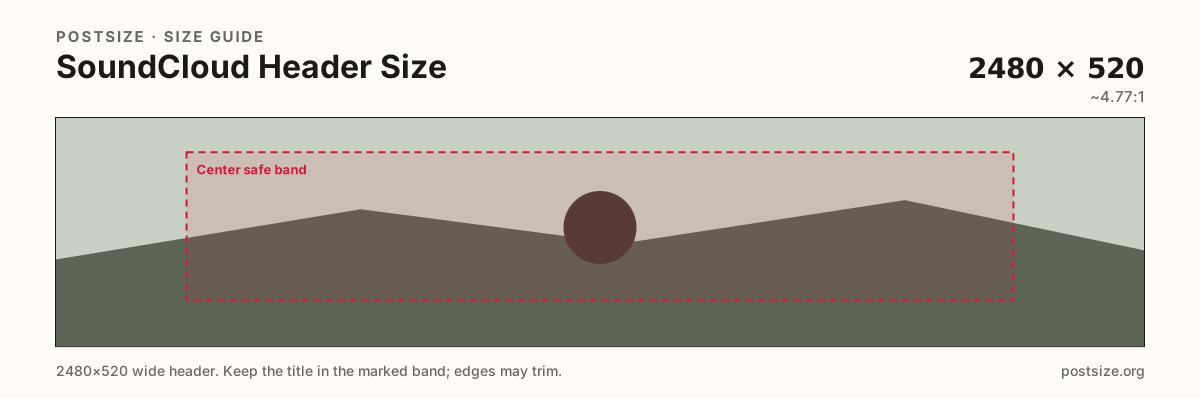
SoundCloud help cites at least 2480×520 (~4.77:1, often rounded to ~5:1). Avoid relying on tiny text—small screens crop the sides.
Use in toolSoundCloud · Image size
SoundCloud help asks for a header at least 2480×520. Keep text out of the far edges phones crop, stay under 2MB, then download a clear file in your browser.
Browser crop · stays on your device
2480 × 520
Add a photo to crop
Upload a wide photo—or try the sample—then keep headlines inside the center band before you download.
Export at least 2480×520. This is the profile header—not the circular avatar and not the square track cover.
Export this for SoundCloud upload.
2480×520 ~4.77:1
SoundCloud help cites at least 2480×520 (~4.77:1, often rounded to ~5:1). Avoid relying on tiny text—small screens crop the sides.
Use in tool| Asset | Pixels | Ratio | Notes | Action |
|---|---|---|---|---|
| Header / banner Recommended | 2480×520 | ~4.77:1 | SoundCloud help cites at least 2480×520 (~4.77:1, often rounded to ~5:1). Avoid relying on tiny text—small screens crop the sides. | Use in tool |
SoundCloud help recommends a header image of at least 2480×520. That is a short, very wide strip—about 4.77:1, often described as roughly 5:1. It is closer to a panoramic billboard than to an X 3:1 or Patreon 4:1 cover.
Help also warns against putting important text on the image: smaller screens crop the sides, so edge slogans vanish. Put the story in atmosphere and a bold mid-band subject, not a paragraph of type along the rim.
Stay under 2MB. A huge uncompressed TIFF will not look sharper on the live page once SoundCloud compresses it—export a clean sRGB JPG or PNG that already fits the limit.
The circular profile photo and the square track cover are different uploads. Do not stretch this banner into either square, and do not paste a track cover into the header slot.
Same short banner strip—quiet lower-left for the avatar, subject in the open mid/right band.
Tick these off against your crop preview—nothing is saved.
Similar-looking slots often use different ratios—do not reuse one export for all of them.
2480 × 520
This page. Wide profile strip—sides may crop on small screens.
1000 × 1000 (try)
Circular avatar—separate square export.
800 × 800
Square release artwork—not a banner substitute.
| Surface | Typical size | Note |
|---|---|---|
| Header / banner | 2480 × 520 | This page. Wide profile strip—sides may crop on small screens. |
| Profile picture | 1000 × 1000 (try) | Circular avatar—separate square export. |
| Track cover | 800 × 800 | Square release artwork—not a banner substitute. |
SoundCloud’s own guidance is blunt: do not rely on text in the header. Small screens trim the sides. If words must appear, keep them large, few, and inside the center band—and prefer putting the real message in your bio or track titles instead.
2480÷520 is about 4.77:1. Creators often round that to “roughly 5:1.” Export the exact 2480×520 help size rather than guessing a different panoramic ratio from another network.
Photos usually look best as JPG; hard-edged logos can stay PNG. Prefer sRGB. Stay under 2MB.
Upload a wide photo, choose Header / banner (2480×520), drag until the subject clears the side risk, then download. Processing stays in your browser.
From this download to a live upload in a few minutes.
Download the 2480×520 JPG (or PNG for hard-edged graphics)—confirm it is under 2MB.
On SoundCloud, open profile edit / header image and upload the file.
Check phone and desktop. If type sits on a cropped edge, re-crop here and upload again.
At least 2480×520 pixels (~4.77:1 / roughly 5:1). Keep subjects centered—small screens crop the sides—and stay under 2MB.
Help advises against it. Edge text disappears on small screens. Prefer atmosphere and a clear mid-band subject.
No. X uses 1500×500 (3:1). SoundCloud wants a wider ~2480×520 strip. Reuse the photo, then re-crop.
Help cites 2MB for the header image.
Yes. This guide includes an in-browser crop—files stay on your device until you download and upload to SoundCloud yourself.