
Server banner (practical)
Recommended1920×1080 16:9
Practical Boost server banner master. Community docs often cite ~960×540 as a minimum—prefer 1920×1080 when the source is sharp.
Use in toolDiscord · Image size
Discord server banners (Boost) brand the community header—try a clear 1920×1080. Keep subjects out of UI chrome, then download in your browser. This is not your personal Nitro profile banner.
Browser crop · stays on your device
1920 × 1080
Add a photo to crop
Upload a wide photo—or try the sample—then keep the guild mark inside the safe band. This is the server header, not your user profile banner.
Server banners need Boost (or equivalent perks). Personal profile banners are a separate Nitro upload at 960×540—do not treat them as the same file.
Export this for Discord upload.
1920×1080 16:9
Practical Boost server banner master. Community docs often cite ~960×540 as a minimum—prefer 1920×1080 when the source is sharp.
Use in tool| Asset | Pixels | Ratio | Notes | Action |
|---|---|---|---|---|
| Server banner (practical) Recommended | 1920×1080 | 16:9 | Practical Boost server banner master. Community docs often cite ~960×540 as a minimum—prefer 1920×1080 when the source is sharp. | Use in tool |
A Discord server banner is the wide image members see on the community / server surfaces once the server has enough Boost level (exact perk names shift). It is community packaging: event art, season themes, or a bold guild landscape. It is not the strip on your personal user profile.
1920×1080 (16:9) is a practical clear master that survives Discord’s compression and looks sharp on large clients. Creator and help docs have long mentioned a lower floor around 960×540—fine as a minimum when that is all you have, but soft when upscaled. Start from 1920×1080 when the photography allows it, then keep the hero inside the safe band.
Personal Nitro profile banners are commonly 960×540. The pixel count can overlap the “minimum” server habit, which is why people upload the same file to both slots. Resist it. Your profile banner follows your user card; the server banner represents the community. Reusing a personal selfie landscape as the guild header looks unfinished next to servers that shipped dedicated art.
Server icons remain the circular mark in the left rail (often 512×512). Invite splash and role icons are separate again. Export the banner as a true 16:9 still—do not stretch a square icon or a vertical meme into the header.
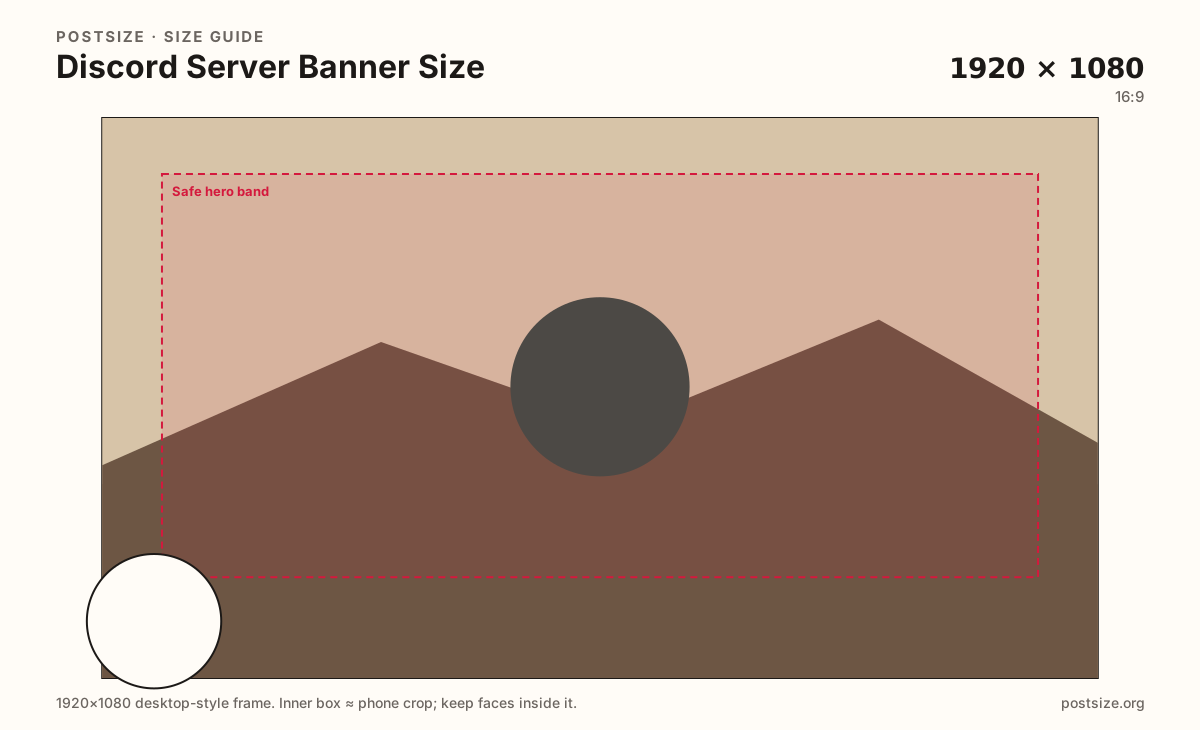
Same wide frame—placement decides whether phones still see your message.
Tick these off against your crop preview—nothing is saved.
Similar-looking slots often use different ratios—do not reuse one export for all of them.
1920 × 1080
This page. Community header; ~960×540 often cited as minimum.
960 × 540
Personal user card strip—different upload.
512 × 512
Circular guild mark in the rail.
512 × 512
Personal PFP—not server branding.
| Surface | Typical size | Note |
|---|---|---|
| Server banner (Boost) | 1920 × 1080 | This page. Community header; ~960×540 often cited as minimum. |
| Profile banner (Nitro) | 960 × 540 | Personal user card strip—different upload. |
| Server icon | 512 × 512 | Circular guild mark in the rail. |
| User avatar | 512 × 512 | Personal PFP—not server branding. |
Personal profile banners (Nitro) are typically 960×540 on the user profile card. Server banners are a community Boost perk and look better from a 1920×1080 master. Same 16:9 family, different identity and permission gate.
If you only have a 960×540 file, it may meet a minimum for the server slot—but treat it as a floor, not the ideal. Prefer the clearer 1920×1080 export when you can.
Discord gates animated and static server banners behind Boost levels (and related perks). Exact thresholds change—check Server Settings for whether the Banner upload is unlocked before you commission art.
You need Manage Server (or equivalent) to replace the banner. Coordinate seasonal swaps with moderators so the community does not see a half-updated header for a week.
JPG for photographic banners; PNG for flat graphics. Prefer sRGB. Practical master: 1920×1080. Note: ~960×540 is a common minimum cited in community guides—use it only when you lack a sharper source.
Upload a landscape photo, choose Server banner (1920×1080), keep the guild hero inside the safe band, then download. Cropping stays in the browser.
From this download to a live upload in a few minutes.
Download the 1920×1080 JPG or PNG from the tool.
In Discord, open Server Settings → Overview (or Branding / Banner, labels vary) and upload the Server Banner if Boost level allows it.
Save, then check the server on desktop and mobile.
If the hero sits under chrome, re-crop toward the safe band and replace once.
1920×1080 (16:9) is a practical clear upload for Boost server banners. Community docs often mention ~960×540 as a minimum—prefer 1920×1080 when you can.
No. Profile banners are personal Nitro strips (commonly 960×540). Server banners brand the community and usually want a sharper 1920×1080 master.
Server banners are gated by server Boost level (or current Discord perks), not by your personal Nitro alone. Check Server Settings for the Banner upload.
It may meet a minimum, but it looks softer on large clients. Export 1920×1080 when the source allows it.
Server Settings → Overview / Branding (labels vary) → Server Banner, if your Boost level unlocks it. You need Manage Server permission.
The server icon is a square shown as a circle in the left rail (try 512×512). The banner is a wide 16:9 header—export both as separate jobs.