
Server icon
Recommended512×512 1:1
Practical square for the circular / rounded server list mark. Not your personal user avatar.
Use in toolDiscord · Image size
Discord server icons are square uploads shown as circles in the left server rail. Export a clear 512×512 mark, center the logo, then download in your browser.
Browser crop · stays on your device
512 × 512
Add a photo to crop
Upload a logo or mascot—or try the sample—then keep the mark inside the circle before you download.
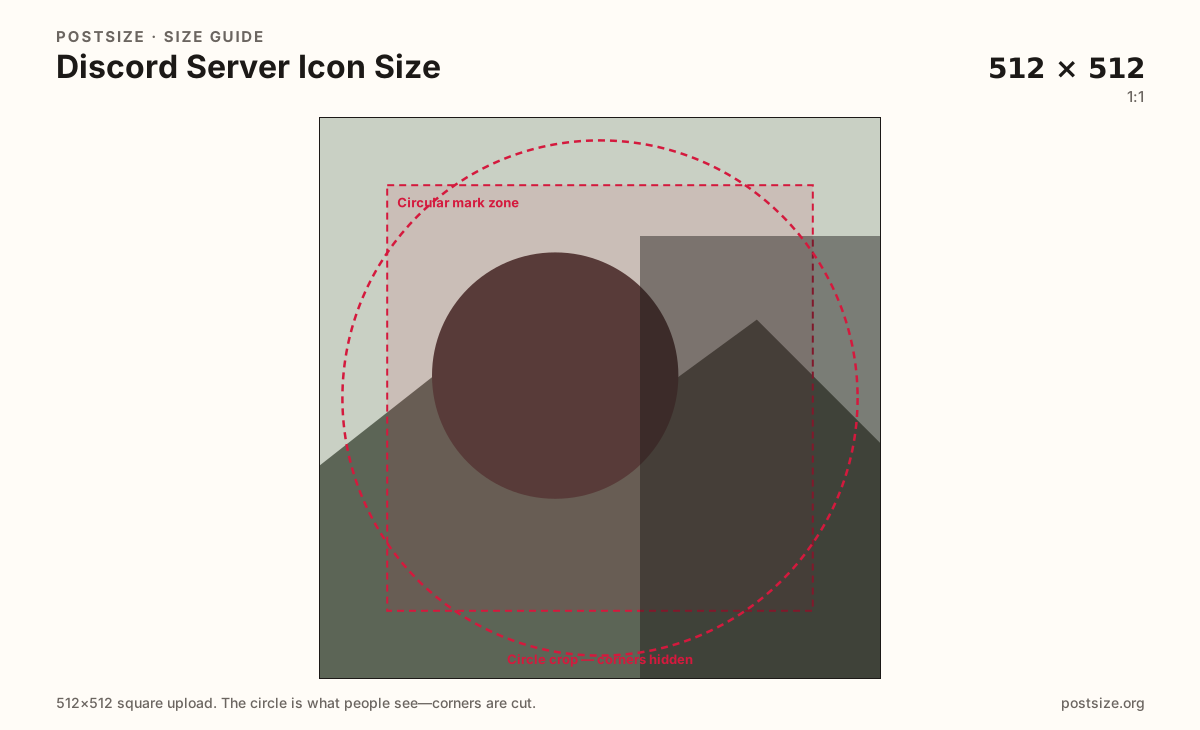
Always square. Discord masks a circle (or soft round) in the server list—keep letters and mascots inside the guide. 512×512 is the practical default.
Export this for Discord upload.
512×512 1:1
Practical square for the circular / rounded server list mark. Not your personal user avatar.
Use in tool| Asset | Pixels | Ratio | Notes | Action |
|---|---|---|---|---|
| Server icon Recommended | 512×512 | 1:1 | Practical square for the circular / rounded server list mark. Not your personal user avatar. | Use in tool |
You upload a square, but Discord almost never shows the full square as the server mark. The left server list, invite cards, and many mobile layouts draw a circle. Anything in the four corners disappears the moment the mask applies.
512×512 is a practical recommended size: clear enough after Discord’s compression, light enough for mobile clients. A soft 128×128 upscale will not look sharper at 512. Start from a crisp vector export or a high-res logo photo.
Your personal user avatar is a different upload with a different job. Reusing the same face crop for the server can confuse members scrolling a crowded rail. Design a distinct guild mark—initials, mascot, or brand monogram—then keep your own PFP separate.
Server banners (when available on boosted servers) are wide strips. Do not stretch a banner into this square slot. Invite splash art and role icons are also separate surfaces—export dedicated files with the circle safe zone in mind.
Same circle mask—corners disappear; design for the tiny comment-size icon.
Tick these off against your crop preview—nothing is saved.
Similar-looking slots often use different ratios—do not reuse one export for all of them.
512 × 512
This page. Circle / round in the server list.
512 × 512
Personal PFP—same pixels, different identity. Separate guide.
Wide strip
Boosted server header—not this square mark.
Varies
Invite cards use the icon plus other art—keep the icon distinct.
| Surface | Typical size | Note |
|---|---|---|
| Server icon | 512 × 512 | This page. Circle / round in the server list. |
| User avatar | 512 × 512 | Personal PFP—same pixels, different identity. Separate guide. |
| Server banner | Wide strip | Boosted server header—not this square mark. |
| Invite / splash | Varies | Invite cards use the icon plus other art—keep the icon distinct. |
Both are often 512×512 squares shown as circles—but they represent different identities. Your user avatar follows you across every server. The server icon represents the community in the left rail and on invites.
Reuse pixels only when the brand intentionally matches. Most communities want a dedicated monogram so members can find the guild without hunting for the owner’s face.
On desktop the server list is a stack of small circles. On mobile it can feel even tighter. A detailed crest that looks great at 512px often collapses into noise at rail size.
Prefer one strong shape, two to three letters max, and high contrast. Soft gradients and micro textures vanish after Discord compresses the upload.
PNG suits logos and hard edges; JPG suits photo mascots. Prefer sRGB. Animated server icons may require Nitro / boost perks—framing rules stay the same either way.
Upload a logo, choose Server icon (512×512), keep the mark inside the circular guide, then download. Processing stays in your browser.
From this download to a live upload in a few minutes.
Download the 512×512 PNG (or JPG) from the tool.
In Discord, open Server Settings → Overview → upload the Server Icon / Image.
Save changes, then glance at the left server list on desktop and mobile.
If letters clip or look muddy at rail size, simplify the mark and re-export.
512×512 pixels square is a practical recommended upload. Discord displays it as a circle (or soft round) in the server list—design inside the circle first.
No. The avatar is your personal profile picture. The server icon is the community mark in the left rail and on invites. Same circle thinking, different identity and upload.
Animated icons may require server boost / Nitro-related perks depending on Discord’s current rules. Still frame the art for the circle—animation does not fix corner clipping.
Discord masks a circle. Anything in the square’s corners is removed. Re-crop with the subject inside the circular safe zone.
PNG for logos and hard type; JPG for photo mascots. Prefer sRGB either way.
Server Settings → Overview → Server Icon / Image (labels may vary slightly by client). You need Manage Server permission.