
Cover (practical)
Recommended920×300 ~3.07:1
Practical short Weibo profile cover. Thinner than many X banners—preview on the profile after upload.
Use in toolWeibo · Image size
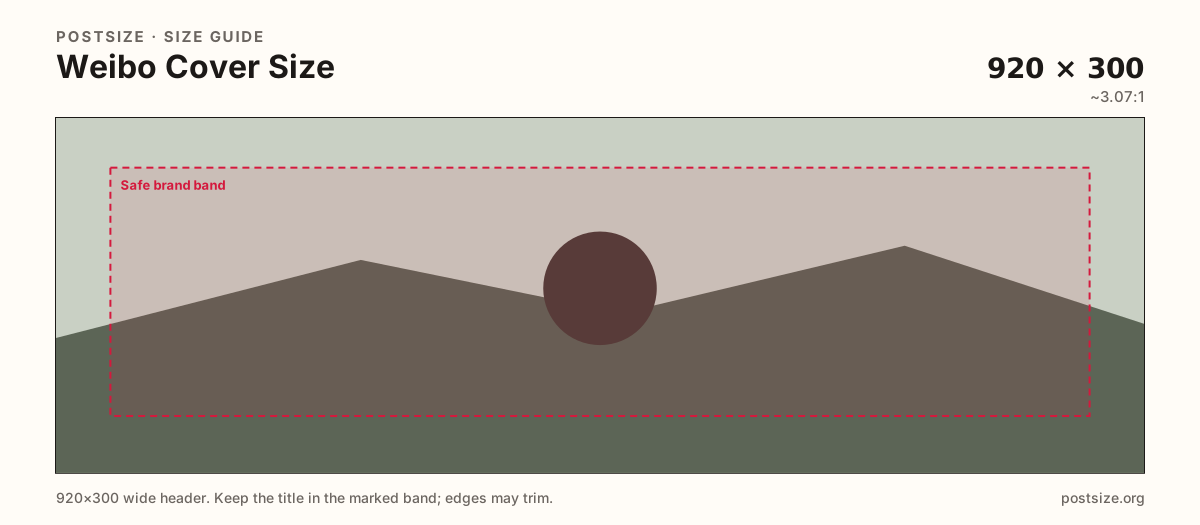
Weibo profile covers are short wide strips. Export a practical 920×300, keep the hero centered, then download—this is not a square feed post.
Browser crop · stays on your device
920 × 300
Add a photo to crop
Upload a wide graphic—or try the sample—then keep logos and faces inside the safe band before you download.
This is the profile header strip—not a 1080×1080 feed post and not the circular avatar.
Export this for Weibo upload.
920×300 ~3.07:1
Practical short Weibo profile cover. Thinner than many X banners—preview on the profile after upload.
Use in tool| Asset | Pixels | Ratio | Notes | Action |
|---|---|---|---|---|
| Cover (practical) Recommended | 920×300 | ~3.07:1 | Practical short Weibo profile cover. Thinner than many X banners—preview on the profile after upload. | Use in tool |
Weibo profile covers sit as a thin wide strip above the avatar and bio. A practical 920×300 master matches that short stage better than a tall post or a Facebook-tall cover.
Compared with X’s common ~1500×500 habit, Weibo’s strip is shorter in height relative to width. Stretching an X banner often clips faces or leaves empty letterboxing after Weibo’s crop.
Feed posts stay square (practical 1080×1080). Avatars are 600×600 circles. Keep three exports: post, avatar, and this short cover.
Brands running Weibo campaigns often overstuff the strip with every slogan. Prefer one hero mark and put long copy in the bio or a pinned post.
Same header strip—keep the avatar pocket clear and the subject in the open band.
Tick these off against your crop preview—nothing is saved.
Similar-looking slots often use different ratios—do not reuse one export for all of them.
920 × 300
This page. Practical short profile banner.
1080 × 1080
Feed square—separate guide.
600 × 600
Circular profile photo.
1500 × 500
Taller relative strip—re-crop for Weibo.
| Surface | Typical size | Note |
|---|---|---|
| Cover | 920 × 300 | This page. Practical short profile banner. |
| Post | 1080 × 1080 | Feed square—separate guide. |
| Avatar | 600 × 600 | Circular profile photo. |
| X banner (comparison) | 1500 × 500 | Taller relative strip—re-crop for Weibo. |
Height is limited. Large type and one product or face beat a dense flyer. Leave breathing room for Weibo’s profile chrome and avatar placement.
Posts are social cards; covers are profile branding. X banners are a common mistaken paste source—re-crop instead of stretch.
JPG for photo banners; PNG for hard logos. Prefer sRGB. Avoid huge files that fail mobile profile uploads.
Upload a wide graphic, choose Cover (920×300), keep logos inside the safe band, then download.
From this download to a live upload in a few minutes.
Download the 920×300 JPG or PNG from the tool.
In Weibo, open profile cover settings and upload.
Preview the profile on a phone.
If logos clip beside the avatar, tighten and replace.
A practical export is 920×300. It is a short profile strip—preview on the live profile after upload.
No. X often uses ~1500×500. Weibo’s practical strip here is 920×300—re-crop instead of stretching.
No. Posts are typically square feed cards (1080×1080). Covers are short wide banners.
No. Practical community sizing as of 2026-08-21. Always preview before you publish.
Yes. Files stay on your device until you download and upload to Weibo yourself.