
Cover (practical)
Recommended1590×400 ~4:1
Practical VK profile / community cover. Longer than a 1200×630 post card—preview on VK after upload.
Use in toolVK · Image size
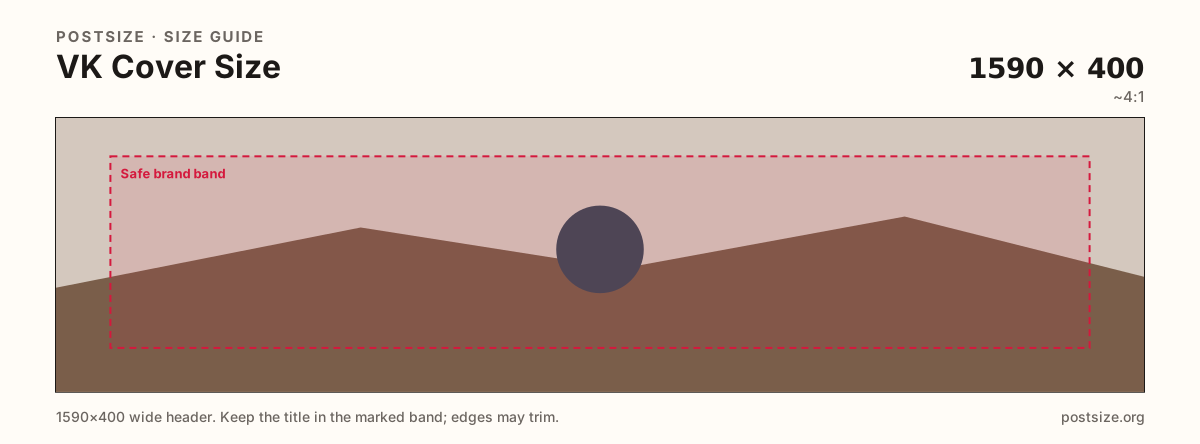
VK covers are long brand strips for profiles and communities. Export a practical 1590×400, keep the hero centered, then download.
Browser crop · stays on your device
1590 × 400
Add a photo to crop
Upload a wide graphic—or try the sample—then keep logos and faces inside the safe band before you download.
This is the profile or community header strip—not a 1200×630 post and not the circular avatar.
Export this for VK upload.
1590×400 ~4:1
Practical VK profile / community cover. Longer than a 1200×630 post card—preview on VK after upload.
Use in tool| Asset | Pixels | Ratio | Notes | Action |
|---|---|---|---|---|
| Cover (practical) Recommended | 1590×400 | ~4:1 | Practical VK profile / community cover. Longer than a 1200×630 post card—preview on VK after upload. | Use in tool |
VK profile and community covers stretch as a long horizontal strip. A practical 1590×400 master fits that stage better than a square post or a short Weibo-style banner.
Facebook covers are a common paste source for international teams. Ratios are in the same family of wide banners, but VK’s length and chrome differ. Re-crop so faces and logos stay inside VK’s safe band.
Feed posts near 1200×630 are social cards—not covers. Stretching a post into 1590×400 softens the art and misplaces the hero. Avatars remain 800×800 circles.
Communities (groups) often use the cover as the first trust signal for events and local brands. Keep seasonal campaigns swappable on the same practical ratio.
Same header strip—keep the avatar pocket clear and the subject in the open band.
Tick these off against your crop preview—nothing is saved.
Similar-looking slots often use different ratios—do not reuse one export for all of them.
1590 × 400
This page. Practical profile / community banner.
1200 × 630
Feed card—separate guide.
800 × 800
Circular profile photo.
Often ~820×312+
Starter art—re-crop for VK length.
| Surface | Typical size | Note |
|---|---|---|
| Cover | 1590 × 400 | This page. Practical profile / community banner. |
| Post | 1200 × 630 | Feed card—separate guide. |
| Avatar | 800 × 800 | Circular profile photo. |
| Facebook cover | Often ~820×312+ | Starter art—re-crop for VK length. |
Personal profiles and communities both use wide covers, but communities often carry event dates and brand marks. Keep type large; put long rules in the description, not on the strip.
Facebook covers can inspire the art. VK still wants its own 1590×400 crop. Posts stay near 1200×630 as feed cards.
JPG for photo banners; PNG for hard logos. Prefer sRGB. Avoid huge files that fail mobile uploads.
Upload a wide graphic, choose Cover (1590×400), keep logos inside the safe band, then download.
From this download to a live upload in a few minutes.
Download the 1590×400 JPG or PNG from the tool.
In VK, open profile or community cover settings and upload.
Preview on a phone.
If logos clip beside the avatar, tighten and replace.
A practical export is 1590×400. Preview on the live profile or community—not an official single-pixel mandate.
Reuse the art, then re-crop to 1590×400 for VK. Do not stretch and hope.
No. Posts are feed cards near 1200×630. Covers are longer banners.
No. Practical community sizing as of 2026-08-21. Always preview before you publish.
Yes. Files stay on your device until you download and upload to VK yourself.