
Album cover (recommended)
Recommended3000×3000 1:1
Quality master for Spotify release art, Now Playing, and many distributor uploads. Title still has to read when the tile shrinks.
Use in toolSpotify · Image size
Album (and single) covers are catalog release art. Export a 3000×3000 square (1400×1400 if you need a lighter file), keep the title bold, then download in your browser.
Browser crop · stays on your device
3000 × 3000
Add a photo to crop
Upload release art—or try the sample—then keep the title and key mark inside the readable zone. Playlist collages belong on the playlist guide.
This is release artwork for an album or single—not a personal playlist stamp and not podcast show packaging. Make the title readable at library size, then export 3000×3000 when the source is sharp.
Export this for Spotify upload.
3000×3000 1:1
Quality master for Spotify release art, Now Playing, and many distributor uploads. Title still has to read when the tile shrinks.
Use in tool1400×1400 1:1
Same square habit at a lighter pixel count. Prefer 3000×3000 when the distributor and source allow it.
Use in tool| Asset | Pixels | Ratio | Notes | Action |
|---|---|---|---|---|
| Album cover (recommended) Recommended | 3000×3000 | 1:1 | Quality master for Spotify release art, Now Playing, and many distributor uploads. Title still has to read when the tile shrinks. | Use in tool |
| Lighter square | 1400×1400 | 1:1 | Same square habit at a lighter pixel count. Prefer 3000×3000 when the distributor and source allow it. | Use in tool |
An album cover (including singles and EPs) is the official square that follows the release through Spotify, distributor QC, and often Apple Music or other stores. Listeners see it in Now Playing, in Your Library, in search, and on shared links. If the title is a thin script on the rim, the tile becomes a color blob and metadata has to do all the work.
3000×3000 is the quality master this page starts from: enough pixels for large Now Playing views and for distributors that ask for a high-res square. 1400×1400 is a legitimate lighter alternative when the pipeline or a simple flat design does not need the extra weight. Same ratio either way. Do not upload a soft 640px playlist experiment and hope DSP compression sharpens it.
Playlist covers are also squares, and 1400×1400 even overlaps a common playlist export. The jobs are not the same. A playlist cover is a disposable mix stamp you might delete next month. Album art is a catalog record tied to ISRCs and storefronts. Designing it like a “Friday vibes” collage with eight tiny photos makes the release look unofficial next to label jackets.
Podcast show covers often use the same 3000×3000 habit—and that overlap is intentional packaging for audio products—but a talk-show title lockup is not album delivery art. Keep release covers, playlist stamps, and podcast jackets as three files even when the brand colors match. Artist profile photos (often ~750×750) and canvas/motion assets are separate again.
Same feed frame—keep the subject inside the margin phones actually show.
Tick these off against your crop preview—nothing is saved.
Similar-looking slots often use different ratios—do not reuse one export for all of them.
3000 × 3000
This page. Official release square for Spotify and distributors.
1400 × 1400
Same job, fewer pixels—when the pipeline prefers a lighter still.
1400 × 1400
Personal or editorial mix stamp—not catalog release art.
3000 × 3000
Show packaging for podcasts—different product.
| Surface | Typical size | Note |
|---|---|---|
| Album / single cover | 3000 × 3000 | This page. Official release square for Spotify and distributors. |
| Lighter release square | 1400 × 1400 | Same job, fewer pixels—when the pipeline prefers a lighter still. |
| Playlist cover | 1400 × 1400 | Personal or editorial mix stamp—not catalog release art. |
| Podcast show cover | 3000 × 3000 | Show packaging for podcasts—different product. |
Playlist art signals “this is my mix.” Podcast show art signals “this is a program you can follow.” Album art signals “this is a commercial release.” Directories and Now Playing treat the third as catalog packaging. A waveform screenshot that felt fine on a private playlist looks unfinished as a storefront jacket.
Music artists who also host a podcast should still ship two identities: this square for the release, and the podcast guide for the show. Listeners who find the album from Search should not land on talk-show packaging.
Spotify usually receives album art through a distributor, not by dragging a file into a playlist. Distributors reject soft, stretched, or text-heavy covers that fail storefront rules. Export a true square, keep URLs and social handles off the art if your distributor forbids them, and match any required color profile.
Changing artwork after release can take days to propagate. Crop carefully once, then replace only when necessary.
JPG for photographic covers; PNG for flat titles and hard shapes. Prefer sRGB. 3000×3000 is the master this page recommends; 1400×1400 is the lighter alternative, not a different ratio.
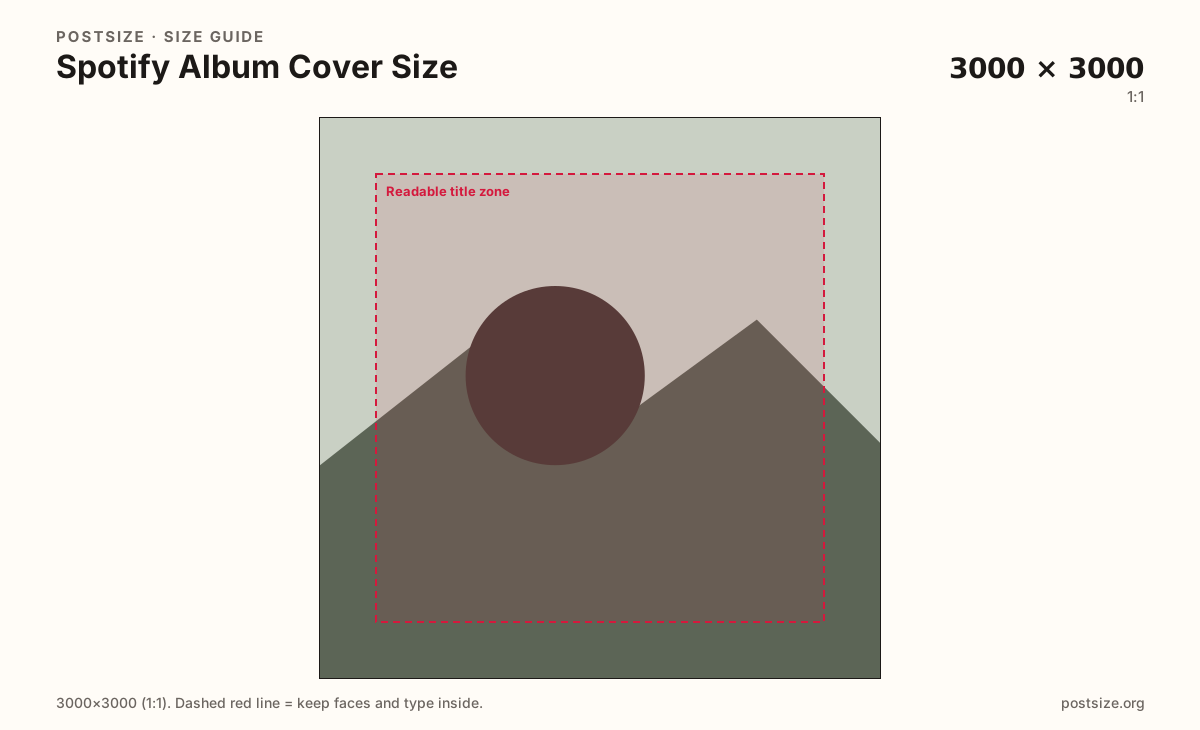
Upload the jacket, keep Album cover (3000×3000) selected unless you truly need the lighter 1400 square, drag until the title sits inside the readable zone, then download. Cropping stays in the browser. Publish through your distributor.
From this download to a live upload in a few minutes.
Download the 3000×3000 JPG or PNG (use 1400×1400 only if you chose the lighter preset).
Upload it through your distributor (DistroKid, CD Baby, TuneCore, label portal, etc.) as the release cover—not as a Spotify playlist image.
Wait for storefront refresh; DSPs cache artwork longer than you expect.
Check Now Playing and Your Library on a phone after the release goes live.
If the title vanishes, recrop with fewer words and more fill, then replace via the distributor once.
Export a square. 3000×3000 is the quality master this page recommends. 1400×1400 is a lighter alternative at the same ratio.
Prefer 3000×3000 for Now Playing and distributor QC. Use 1400×1400 when the pipeline needs a lighter still. Do not treat 1400 as a different layout.
No. Both can be squares, and 1400×1400 even overlaps, but a playlist cover is a mix stamp. Album art is catalog release packaging.
Same pixel habit often (3000×3000), different product. Podcast covers package a show; album covers package a music release. Export separately.
Through your distributor or label portal as the release cover. Do not paste it onto a playlist and expect the album page to update.
JPG for photographic covers, PNG for flat titles. Export sRGB stills. Follow any extra rules your distributor lists.