
Practical square
Recommended800×800 1:1
Practical clear square for Lemon8 profiles. Display is circular or rounded—keep the face inside the guide.
Use in toolLemon8 · Image size
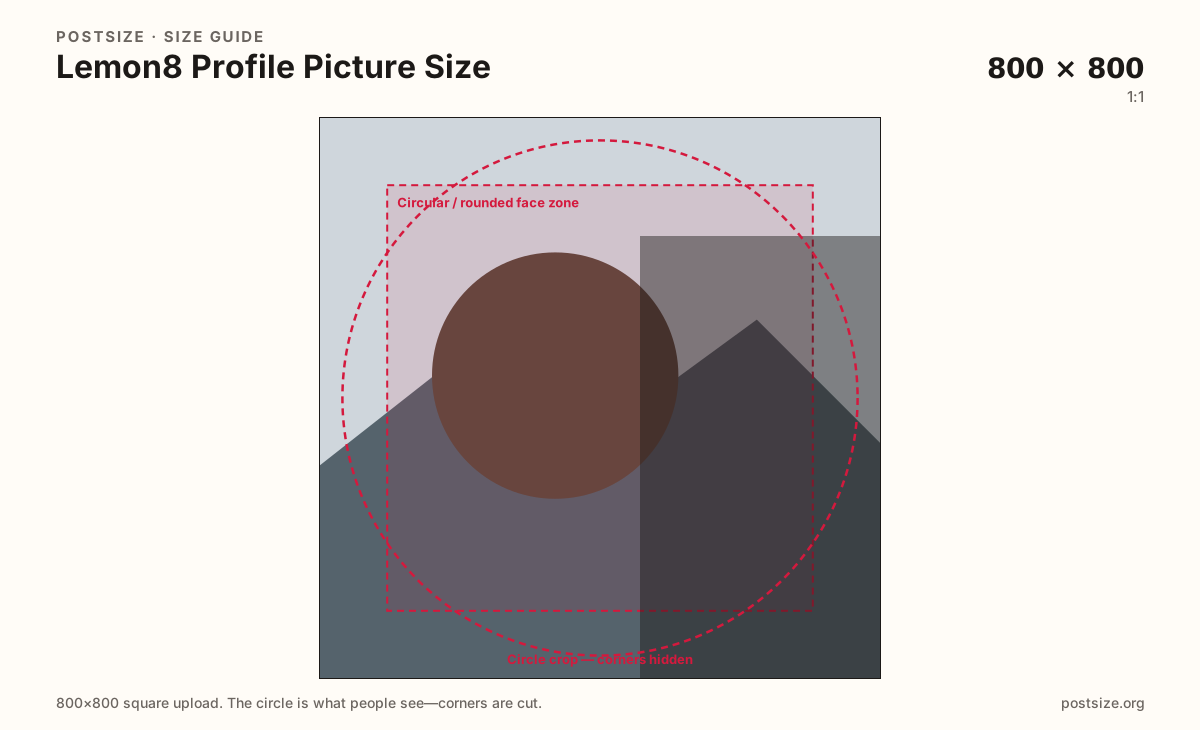
Lemon8 shows your photo as a circle or rounded tile. Export a clear 800×800 square, keep the face inside the guide, then download.
Browser crop · stays on your device
800 × 800
Add a photo to crop
Upload a headshot or logo—or try the sample—then keep the subject inside the circle guide before you download.
Always start from a square. Comments and lists shrink the same file—eyes and marks must live inside the guide.
Export this for Lemon8 upload.
800×800 1:1
Practical clear square for Lemon8 profiles. Display is circular or rounded—keep the face inside the guide.
Use in tool| Asset | Pixels | Ratio | Notes | Action |
|---|---|---|---|---|
| Practical square Recommended | 800×800 | 1:1 | Practical clear square for Lemon8 profiles. Display is circular or rounded—keep the face inside the guide. | Use in tool |
Lemon8 profiles, comments, and follows shrink your photo to a small disc. A clear square upload (practical 800×800) with the face or brand mark centered beats a soft corner crop from a group selfie.
Creators often reuse Instagram, TikTok, or Xiaohongshu avatars. Those files can be starting photos, but each app’s mask and chrome differ. Re-crop so eyes sit inside Lemon8’s guide instead of hoping corners survive.
800×800 is a practical clear square for modern phones—not a claimed official mandate. Soft 150×150 screenshots will not sharpen because you renamed them “HD.” Start larger when the photo allows it.
Post covers are a different job at 3:4. Do not stretch a waterfall cover into this square, and do not invent a fake wide banner as a substitute for a recognizable avatar.
Same circle mask—corners disappear; design for the tiny comment-size icon.
Tick these off against your crop preview—nothing is saved.
Similar-looking slots often use different ratios—do not reuse one export for all of them.
800 × 800
This page. Circle or rounded tile on profile and in lists.
1080 × 1440
3:4 feed stamp—separate guide.
800 × 800
Similar square habit—still re-check the mask.
Often 320+ square
Starter file—re-crop for Lemon8 clarity.
| Surface | Typical size | Note |
|---|---|---|
| Profile picture | 800 × 800 | This page. Circle or rounded tile on profile and in lists. |
| Post cover | 1080 × 1440 | 3:4 feed stamp—separate guide. |
| Xiaohongshu profile | 800 × 800 | Similar square habit—still re-check the mask. |
| Instagram profile | Often 320+ square | Starter file—re-crop for Lemon8 clarity. |
Whatever sits in the corners of your square file may disappear under Lemon8’s circular or rounded mask. Keep eyes, logos, and wordmarks inside the guide.
Cross-posting lifestyle brands is common. Reuse the photo when it still looks sharp, then run a dedicated Lemon8 crop. Matching Xiaohongshu’s practical 800×800 habit helps—but always preview Lemon8 live.
JPG suits photos; PNG suits flat logos. Prefer sRGB. Keep weight light for mobile profile uploads.
Upload a headshot, keep Practical square (800×800) selected, drag until the face sits in the guide, then download.
From this download to a live upload in a few minutes.
Download the 800×800 JPG or PNG from the tool.
In Lemon8, open profile settings and upload the photo.
Check how it looks in a comment thread and on your profile header.
If the face clips, enlarge the subject and re-export.
A practical export is 800×800 (1:1). Lemon8 shows it as a circle or rounded tile—keep the face inside the guide. Preview on-device.
Often as a starting file. Re-crop to a clear 800×800 square and confirm the circle looks right on Lemon8.
No. Post covers are tall 3:4 (try 1080×1440). Avatars are squares shown as circles.
No. It is a practical community size as of 2026-08-21. Preview before you publish.
Yes. Files stay on your device until you download and upload to Lemon8 yourself.